
6 Best AI Animation Tools for Explainer Videos & Ads in 2026
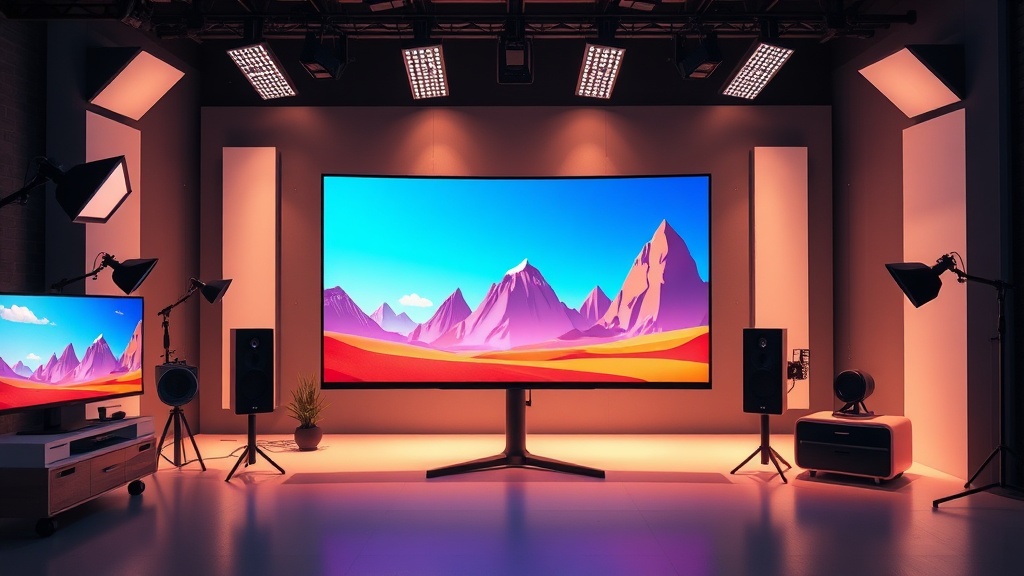
Top AI animation tools for explainer videos and ads have revolutionized how marketing teams produce high-converting content on a budget. By leveraging machine learning, these platforms allow creators to bypass the tedious manual labor of traditional frame-by-frame animation, enabling the rapid deployment of professional-grade visual storytelling.
The Shift Toward AI-Driven Motion Graphics
The demand for video content in digital marketing is insatiable, yet high-quality animation has historically been time-consuming and expensive. Traditionally, a 60-second explainer video might require weeks of storyboarding, asset creation, and complex rendering. Today, AI-powered tools bridge the gap by automating motion paths, lip-syncing, and asset generation.
This shift allows small businesses and solo entrepreneurs to compete with larger agencies by producing consistent, branded video assets. Whether you are creating a SaaS product explainer or a punchy social media ad, the following tools represent the current gold standard in AI-driven animation.
1. Adobe Express (with Animate from Audio)
Adobe Express has become a powerhouse for non-animators, particularly because it integrates professional-grade AI features into a user-friendly interface. Its "Animate from Audio" feature is a game-changer for explainer videos that rely on character-based narration.
You simply upload a voiceover file, select a character, and the AI automatically syncs the facial expressions and lip movements to the audio. This eliminates the need for manual mouth-shape keyframing, which is often the most time-consuming part of character animation. It is ideal for educational videos where a consistent persona is needed to guide the audience through a concept.
Why It Excels for Marketing
Beyond character animation, Adobe Express offers a massive library of templates and assets that are pre-optimized for social media ads. The integration with Adobe’s broader creative ecosystem means you can start a project in Express and bring it into Premiere Pro if you ever need to perform more advanced, non-AI-specific edits.
2. HeyGen for Conversational Explainer Ads
When your explainer video requires a human touch—such as a product demo or a professional testimonial—HeyGen is arguably the industry leader. It uses advanced generative AI to create realistic digital avatars that can speak in dozens of languages with near-perfect lip-syncing.
The primary use case here is "explainer-as-a-service." Instead of hiring an actor, renting a studio, and setting up lights, you can create a high-quality spokesperson video in minutes. You simply input your script, choose an avatar, and the AI handles the rest, including the natural micro-expressions that make a video feel authentic rather than robotic.
Strategic Use Case
HeyGen is particularly effective for companies targeting global markets. The platform’s ability to translate your script into multiple languages while maintaining the original speaker’s voice and mouth movements allows you to scale your ad spend across different regions without re-shooting your content.
3. Vyond Go
Vyond has long been a staple in the corporate training and explainer video space. Their newer "Vyond Go" tool uses generative AI to instantly create a full video draft based on a simple text prompt. It is designed specifically for business environments where clarity and professional aesthetics are prioritized over artistic flair.
If you are a marketing manager who needs a 30-second video explaining a new software feature, you can type your prompt into Vyond Go, and it will generate the script, the characters, and the background scenes automatically. From there, you can enter the editor to tweak specific actions or change the branding to match your company’s style guide.
Key Advantages
- Business-Ready: Animations are clean, professional, and lack the "uncanny valley" effect.
- Customization: You can easily swap assets or change colors to align with your brand identity.
- Speed: It is the fastest way to get from an idea to a rough cut for internal review.
4. Runway Gen-2 and Gen-3
For those who want to push the boundaries of visual style, Runway is the premier choice. Unlike the template-based tools mentioned above, Runway provides a suite of generative video tools that allow you to create cinematic, highly artistic visuals from text, images, or even existing video clips.
If your ad campaign requires surreal, high-concept, or abstract visuals that aren't possible with standard stock assets, Runway’s "Motion Brush" is a standout feature. It allows you to paint over a static image and define the motion path, turning a flat product photo into a dynamic, engaging video advertisement.
Expert Tip for Advertisers
Use Runway to create "B-roll" or atmospheric background footage that you can layer under your text-heavy explainer slides. This adds a layer of production value that makes your ad look like it had a six-figure budget, even if you produced it in a single afternoon.
5. Canva Magic Media
Canva has evolved from a simple graphic design tool into a comprehensive AI video creation hub. Its "Magic Media" feature allows users to generate short video clips from text prompts, which can then be layered directly into their drag-and-drop video editor.
This tool is best for social media ads where speed and platform-specific formatting are critical. Because Canva is built for creators, the workflow is incredibly intuitive. You can pull in your existing brand assets, add AI-generated video clips, overlay text animations, and export in the perfect aspect ratio for TikTok, Instagram Reels, or YouTube Shorts in one workflow.
Comparison Table: Choosing Your Tool
| Tool | Best For | Technical Difficulty | Unique Strength |
|---|---|---|---|
| Adobe Express | Character-led explainers | Low | Easy lip-syncing |
| HeyGen | Spokesperson ads | Very Low | Realistic avatars |
| Vyond Go | Corporate/SaaS explainers | Low | Professional templates |
| Runway | Artistic/Cinematic ads | Medium | Advanced motion control |
| Canva | Social media snippets | Very Low | All-in-one design suite |
| Lumen5 | Blog-to-video conversion | Low | Automated text-to-video |
6. Lumen5 for Content-Heavy Explainers
Lumen5 is a unique entry in the AI animation space because it is built specifically for content marketers who already have written content. It uses AI to analyze your blog post or script, pull out the key sentences, and match them with relevant stock video clips and animations.
This is an essential tool for repurposing content. If you have a high-performing blog post that explains a complex topic, you can feed the URL into Lumen5, and it will generate a storyboard for a video explainer in seconds. It is the perfect tool for creating "top-of-funnel" ads that educate the audience before asking for a sale.
Streamlining the Workflow
Lumen5 is not for high-end cinematic animation, but it is unmatched in efficiency. By letting the AI handle the layout and timing of your text overlays, you can produce dozens of short, informative ads for a LinkedIn or Facebook campaign in the time it would take to manually edit one video.
Mastering the AI Workflow
To get the most out of these tools, you must adopt a "hybrid workflow." Do not rely entirely on the AI's first output. Instead, use the AI to generate the heavy lifting—the assets, the character movements, or the initial layout—and then add your human touch.
Step-by-Step Production Process
- Scripting: Use a tool like ChatGPT or Claude to write your script, ensuring you have a clear hook, problem, solution, and CTA.
- Asset Generation: Use Runway or Canva to create unique visual assets or background clips that match your brand.
- Assembly: Import these assets into your chosen platform (e.g., Vyond or Adobe Express) to build the narrative.
- Refinement: Add your own brand-specific voiceover (or use AI voice tools like ElevenLabs) and adjust the pacing to ensure the video flows naturally.
- Export & Test: Create multiple variations of your ad (different hooks) to A/B test which version resonates most with your audience.
Final Thoughts
The landscape of AI animation is moving faster than ever, and the tools available today offer a competitive advantage that was unimaginable just a few years ago. By selecting the right platform for your specific goals—whether that is the realism of HeyGen or the creative freedom of Runway—you can produce explainer videos and ads that look professional while keeping your production overhead low.
Don't wait for your video strategy to be perfect before you start. Pick one of these tools, experiment with a single short-form ad, and iterate based on the data you see. Start building your library of high-converting video assets today and see how quickly your audience engagement grows.
Frequently Asked Questions
Can AI animation tools fully replace professional motion designers?
AI tools significantly speed up production and lower costs for routine tasks, but they currently lack the nuanced creative direction and brand-specific finesse of a professional designer. They are best used as powerful assistants rather than direct replacements for high-end custom work.
Do I need technical skills to use these AI video platforms?
Most modern AI animation platforms are designed with intuitive, drag-and-drop interfaces or text-to-video prompting systems. While basic design principles help, you do not need to be an expert in After Effects or complex keyframe animation to generate quality results.
Are AI-generated animations safe for commercial use?
Most reputable AI animation tools provide commercial rights for assets created on their paid tiers. Always check the specific Terms of Service of the platform to ensure your generated content is cleared for paid advertising and public distribution.

Nethmina is the founder of AI Tools Wire and an AI software developer who builds automation tools and tests new AI products hands-on every week.
📬 Get new articles by email
Subscribe for the latest AI tools, guides, and tips. No spam — unsubscribe anytime.
Related Articles
7 Best AI Music Generators for Royalty-Free Tracks in 2026
Discover the best AI music generators for royalty-free tracks in 2026. Create high-quality, copyright-safe audio for your videos, podcasts, and projects easily.
7 Best AI Voiceover Generators for Professional Audio 2026
Discover the 7 best AI voiceover generators to create studio-quality narration for videos and audiobooks. Compare features, pros, and use cases to find your fit.

Best AI Debugging Tools for Software Developers in 2026
Discover the best AI debugging tools for software developers in 2026. Streamline your workflow, reduce technical debt, and resolve complex bugs faster with AI.