
7 Best AI Stock Photo Generators for Commercial Use in 2026
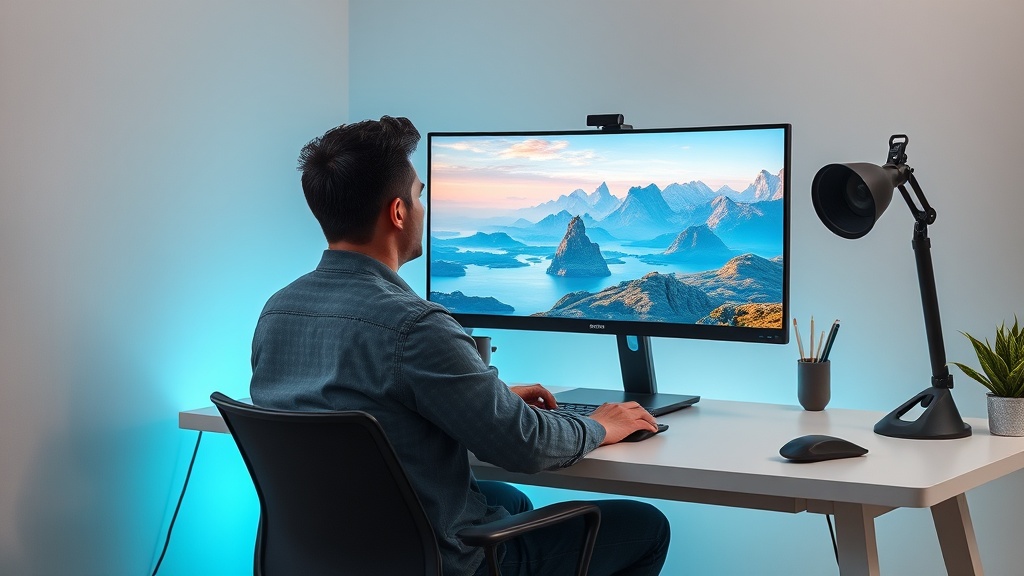
Finding the right AI stock photo generators for commercial use is a game-changer for businesses looking to scale their content marketing without the high costs of traditional photography. By leveraging advanced generative models, companies can now produce bespoke, high-resolution imagery that aligns perfectly with their brand guidelines, eliminating the need to search through generic, overused stock photo libraries.
Why Businesses are Switching to AI Imagery
Traditional stock photography often fails to capture the unique essence of a specific brand. You are frequently left with images that look "staged" or, worse, appear on dozens of competitor websites simultaneously. AI tools allow for the creation of custom assets that reflect your specific color palettes, demographic targets, and product contexts.
Beyond the aesthetic benefits, the cost efficiency is undeniable. Hiring professional photographers for every blog post or social media update is unsustainable for most marketing teams. AI platforms provide a subscription-based model that offers near-infinite creative possibilities for the price of a single stock photo pack.
Midjourney: The Gold Standard for Aesthetic Quality
Midjourney remains the industry leader for high-fidelity, artistic, and photorealistic imagery. Its underlying models possess an innate understanding of lighting, composition, and texture that often surpasses its competitors. For commercial users, the platform offers a "Pro" plan that grants full ownership of the assets you generate, making it a safe choice for high-stakes marketing campaigns.
The primary advantage here is the "style" consistency. With the use of parameter arguments, you can ensure that a series of images maintains the same color grade or photographic aesthetic. This is crucial for maintaining a cohesive visual identity across a landing page or an email newsletter.
However, the learning curve can be steep. Unlike point-and-click generators, Midjourney operates primarily through Discord or a dedicated web interface, requiring you to master prompt engineering. You need to learn how to use specific tags for aspect ratios, stylized outputs, and negative prompts to get the best results for business use cases.
Adobe Firefly: The Brand-Safe Choice
Adobe Firefly is built with commercial intent at its core. Unlike models trained on unvetted internet data, Firefly is trained on Adobe Stock imagery, which means it is designed to avoid copyright infringement and ethically sourced content. For corporate legal teams, this is the safest AI stock photo generator currently available.
Integration is where Firefly truly shines. It isn't just a standalone generator; it is embedded directly into Photoshop and Illustrator. This allows professional designers to perform "generative fill," where they can expand backgrounds, add objects, or replace elements in an existing photo with a single click.
For businesses, this workflow is transformative. You can take a professional product photo and use Firefly to generate a new, contextually relevant background in seconds. It bridges the gap between raw AI generation and professional graphic design, ensuring that the final output meets high-quality industry standards.
Stability AI (Stable Diffusion): The Power of Control
Stable Diffusion is the preferred choice for power users and businesses that require granular control over their output. Because the software is open-source, it can be hosted on your own infrastructure, which is a major advantage for companies with strict data privacy or security requirements.
One of the most powerful features of Stable Diffusion is "ControlNet." This allows you to influence the composition of an image based on a sketch, a depth map, or a pose. If you need a photo of a person sitting in a specific chair at a specific angle to match a mockup, ControlNet can force the AI to adhere to those spatial constraints.
While it requires more technical expertise to set up, the trade-off is total ownership and freedom. You aren't beholden to a platform's changing terms of service or subscription pricing. For large enterprises building custom workflows, this is often the only viable path for long-term AI asset production.
Comparing Leading AI Image Tools
| Feature | Midjourney | Adobe Firefly | Stable Diffusion |
|---|---|---|---|
| Ease of Use | Moderate | High | Low |
| Commercial Safety | Excellent | Best (Ethical) | High (Custom) |
| Integration | Low | Very High | Moderate |
| Customization | High | Moderate | Extreme |
| Ideal For | Creative/Marketing | Corporate/Design | Engineering/Enterprise |
Essential Tips for Commercial Prompt Engineering
To get the best out of these tools, you must move beyond simple descriptive sentences. Start by defining the "camera" settings. Mentioning terms like "35mm lens," "f/2.8 aperture," or "cinematic lighting" forces the model to mimic the look of professional photography rather than digital art.
Always include a style descriptor. If you are a tech company, use words like "minimalist," "clean," "high-key lighting," and "sharp focus." If you are in the lifestyle sector, focus on "warm tones," "candid photography," "natural light," and "depth of field."
Finally, learn the power of negative prompting. If your tool supports it, explicitly tell the AI what you do not want. Phrases like "distorted hands," "text," "watermark," "blurry," or "low resolution" will significantly clean up your output and save you hours of manual editing in post-production.
Scaling Your Workflow with AI Assets
Creating images one by one is fine for a single blog post, but scaling requires a systemic approach. Start by building a "prompt library." Keep a document of your most successful prompts categorized by "Mood," "Subject," and "Setting." This allows your team to generate consistent imagery without reinventing the wheel every time.
Another pro tip is to use "In-painting" for consistency. If you generate a hero image that you love but the background is slightly off, don't discard it. Use the in-painting tool to mask out only the background and re-generate it while keeping the subject intact. This is the secret to high-quality results that don't look like they were generated by a bot.
Furthermore, always run your AI images through an upscaler. Most AI generators output at a resolution that is sufficient for web, but for print or high-DPI displays, you will want a dedicated AI upscaling tool to sharpen details and remove noise before final publication.
Handling the Legal and Ethical Landscape
When choosing an AI stock photo generator, always prioritize platforms that offer clear indemnity clauses for commercial use. You want to ensure that if a legal issue arises regarding the generated content, the platform stands behind the commercial rights it sold you.
Avoid using public, unverified models for sensitive brand work. While it might be tempting to use free, experimental generators you find on social media, these platforms rarely provide the legal protections required for a business. Stick to reputable, paid services where the terms of service explicitly grant you the right to use the output in commercial advertisements.
Lastly, be transparent. While you don't necessarily need to label every single image, having an internal policy on AI usage builds trust. If you are using AI to generate realistic imagery of people, ensure you aren't creating deceptive content, as this can lead to backlash and trust issues with your audience.
Final Thoughts
The transition to AI-generated photography is not just about saving money; it is about reclaiming creative control over your brand's visual identity. By selecting the right tool for your specific business needs—whether that is the artistic brilliance of Midjourney, the corporate safety of Adobe Firefly, or the technical flexibility of Stable Diffusion—you can build a library of assets that is uniquely yours. Start by testing one of these platforms for your next campaign, and you will likely find that the days of settling for generic stock photos are finally behind you. If you are ready to elevate your visual content, begin by mastering the specific prompt styles that best represent your brand's voice today.
Frequently Asked Questions
Are AI-generated images safe for commercial use?
Most major AI platforms now offer commercial usage rights, but you must ensure you are using a paid subscription plan. Always review the specific Terms of Service of your chosen platform to confirm that the copyright ownership of the output is transferred to you.
Can I copyright AI-generated photos?
In many jurisdictions, including the US, works created entirely by AI cannot be copyrighted because they lack human authorship. However, you can generally use them for commercial purposes without legal risk if the platform grants you a commercial license.
How do I avoid AI artifacts in my business images?
Focus on using specific, descriptive prompts that mention lighting, camera settings, and texture. Additionally, choose platforms that allow for 'in-painting' or 'out-painting' to refine specific details like hands, text, or background textures.

Nethmina is the founder of AI Tools Wire and an AI software developer who builds automation tools and tests new AI products hands-on every week.
📬 Get new articles by email
Subscribe for the latest AI tools, guides, and tips. No spam — unsubscribe anytime.
Related Articles
7 Best AI Story Generators for Kids' Books to Create Magic in 2026
Unlock your creativity with the best AI story generators for kids' books. Discover tools to craft enchanting tales, stunning illustrations, and lasting memories.
7 Best AI Subject Line Generators to Boost Email Open Rates (2026)
Struggling with low open rates? Discover the best AI subject line generators to craft high-converting email hooks that grab attention and drive clicks today.
7 Best AI Chatbot Builders for Websites and Messaging Apps 2026
Discover the top AI chatbot builders for websites and messaging apps to automate support and boost conversions. Compare features, pros, and expert use cases.