
7 Best AI Coloring Book Generators for Self-Publishing in 2026
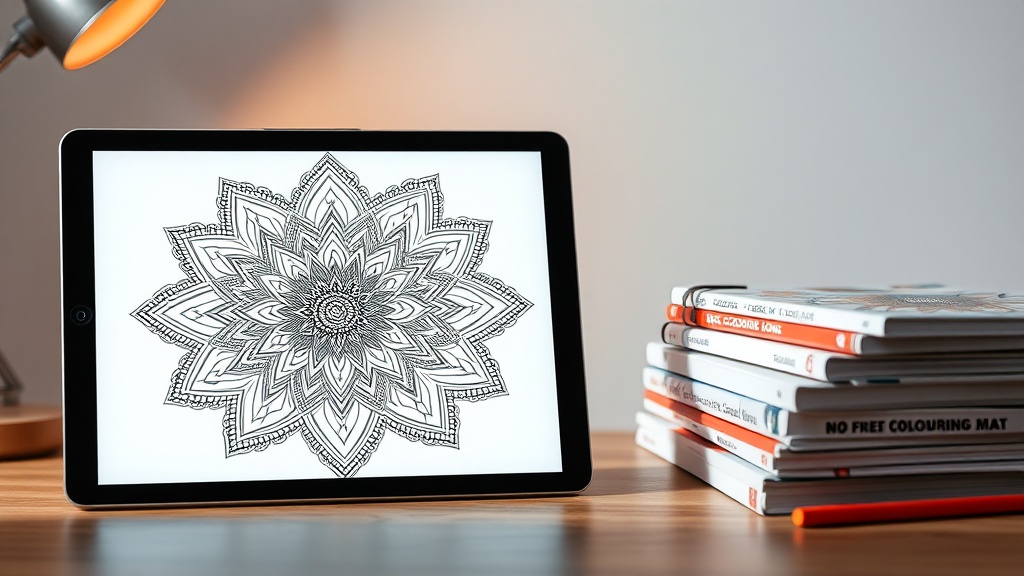
The self-publishing industry has been revolutionized by the emergence of high-quality AI coloring book generators, allowing creators to produce professional-grade content in a fraction of the time. Whether you are a seasoned KDP (Kindle Direct Publishing) author or a newcomer looking to launch your first low-content book, choosing the right tool is the difference between a generic product and a bestseller.
The shift toward AI-assisted design has lowered the barrier to entry for independent publishers. However, the market is becoming increasingly saturated, meaning that generic, low-effort designs are no longer enough to stand out. To succeed in the modern self-publishing landscape, you need a workflow that combines AI speed with human-centric design principles.
Understanding the Technical Requirements for Coloring Books
Before diving into specific AI tools, it is vital to understand what makes a coloring book "publishable." Amazon KDP and other print-on-demand services have strict requirements for image quality. If your lines are too thin, they may disappear during the printing process; if your resolution is too low, the pages will look blurry and unprofessional.
Your primary goal is to generate high-contrast, clean, and vector-like line art. Most AI generators output raster images (pixels), which can sometimes be problematic for high-quality printing. As a best practice, always aim for a minimum of 300 DPI (dots per inch). If your AI generator outputs at a lower resolution, you will need to use an upscaler or vectorization software to bridge the gap.
Furthermore, consider the "bleed" settings. Coloring books usually require full-page designs. You must ensure that your AI-generated images extend to the edges of the canvas if you intend to print full-bleed, or leave ample margins if you prefer a cleaner white-space aesthetic. Understanding these technical constraints ensures that your hard work doesn't get rejected by quality control algorithms.
Top AI Coloring Book Generators Comparison
Choosing the right software depends on your technical skill level and your specific niche. Some tools are highly automated, while others offer granular control over the artistic style.
| Tool | Best For | Learning Curve | Output Quality |
|---|---|---|---|
| Midjourney | Artistic Complexity | High | Exceptional |
| Leonardo.ai | Custom Style Control | Moderate | High |
| Canva Magic Media | Quick Layouts | Low | Good |
| Kittl | Design & Text Integration | Moderate | High |
| DALL-E 3 | Prompt Ease-of-Use | Very Low | Moderate |
For most publishers, a combination of these tools is the ideal strategy. You might use a powerful model like Midjourney to generate the core art, then move those assets into a design suite like Canva to handle page numbering, margins, and cover design.
Mastering Prompt Engineering for Line Art
The quality of your output is only as good as your input. When using AI coloring book generators, you must explicitly request specific styles to avoid the "shaded" look that often comes with standard AI art. If you don't include keywords like "coloring page," "black and white," "line art," or "white background," the AI will try to provide a fully rendered, colorful image.
Try using a "formula" approach for your prompts. A successful prompt structure usually looks like: [Subject] + [Style/Theme] + [Technical Constraints]. For example, a prompt might look like: "Intricate coloring page of a forest cottage, clean black lines, white background, no shading, high contrast, vector style, 8k resolution."
Don't be afraid to add negative prompts if your tool supports them. Keywords like "grayscale," "shading," "colors," "blurry," and "complex background" should be placed in your negative prompt field to ensure the AI focuses solely on creating clean, printable outlines. This precision saves hours of post-production cleanup work.
Scaling Production with Batch Workflows
If you intend to publish a series of coloring books, you cannot afford to generate images one by one manually. Many advanced users leverage APIs or automated batching features to produce hundreds of images in a single session. This is where tools like Leonardo.ai shine, as they allow for "seeds" to be kept consistent, ensuring that the style remains uniform throughout the entire book.
Consistency is a major selling point for coloring books. If your book starts with highly detailed mandalas and shifts to cartoon-style animals halfway through, customers will be disappointed. Use a consistent prompt template for every image in a single book to maintain a cohesive artistic voice.
Once your images are generated, use a batch-processing tool to resize them all at once. Tools like Adobe Bridge or simple Python scripts can automate the resizing and renaming process, allowing you to focus on the creative aspect of the business rather than file management.
The Importance of Post-Generation Curation
AI is a tool, not a replacement for your creative judgment. Even the best generators will occasionally produce images with "hallucinations"—weird lines, disconnected shapes, or nonsensical anatomy. Before you compile your book, you must manually audit every single page.
This is the stage where you should use photo editing software to clean up the lines. You can thicken thin lines, erase stray pixels, or close gaps in the drawings. A clean, professional coloring page is one where every shape is enclosed, allowing the user to color it easily without worrying about lines bleeding into unwanted areas.
Additionally, consider the "coloring experience." Are the areas too small to color with a standard crayon? Are the lines too busy? By curating your selection with a human eye, you elevate your product from a generic collection of AI images to a thoughtfully crafted book that provides genuine value to the customer.
Navigating Copyright and Ethical Usage
One of the most common questions in the self-publishing space is whether AI-generated art is copyrightable. As of current legal standards in many jurisdictions, AI-generated work without significant human modification cannot be copyrighted in the same way as human-authored work. However, this does not mean you cannot sell them.
You have the right to sell your books, but you should be aware that others might also use similar prompts to generate similar images. To protect your brand, add unique elements to your pages. This could include adding borders, frames, text prompts, or even hand-drawn elements on top of the AI base.
Always check the terms of service of the AI tool you are using. Some platforms offer commercial usage rights only on paid tiers. Since you are building a business, it is almost always worth paying for the subscription to ensure you have the legal right to monetize the content you create.
Strategic Tips for Niche Selection
Success in self-publishing is rarely about the tool alone; it is about finding the right audience. Instead of creating a generic "Animals" coloring book, use AI to drill down into micro-niches. For example, "Steampunk Cats," "Cottagecore Landscapes," or "Intricate Geometric Patterns for Stress Relief" are much easier to rank for on Amazon than broad categories.
Use the search bar on Amazon to see what people are actually typing in. If you see a lot of interest in "space travel" or "underwater exploration," feed that data into your AI generator. By aligning your AI output with actual market demand, you minimize the risk of creating books that nobody wants to buy.
- Identify a niche: Browse Amazon Best Sellers in the coloring book category.
- Analyze the style: Are the books simple (for kids) or complex (for adults)?
- Generate samples: Create 5-10 images using your AI tool of choice.
- Test the market: Launch a small book or use the images to create social media content to gauge interest.
- Scale: Once you have a winning style, produce a full series of 50+ pages.
Final Thoughts
The rise of AI coloring book generators has unlocked a new era of creative freedom for independent publishers, but it has also raised the bar for quality. The tools are powerful, but they work best when treated as an assistant in your creative process rather than a complete replacement for your vision. By focusing on high-resolution outputs, maintaining stylistic consistency, and choosing specific, underserved niches, you can build a sustainable and profitable publishing business. Start by experimenting with one of the tools mentioned above, refine your prompting skills, and remember that the most successful books are those that provide a clear, enjoyable experience for the reader. If you are ready to take your self-publishing journey to the next level, start your first project today—the tools are ready, and the audience is waiting for your unique take on the coloring experience.
Frequently Asked Questions
Are AI-generated coloring books allowed on Amazon KDP?
Yes, Amazon KDP allows AI-generated content, but you must disclose its use during the publishing process. Ensure your images are high-resolution, unique, and do not infringe on existing copyrights.
What is the best file format for coloring book interiors?
PDF is the industry standard for KDP interiors. Ensure your files are set to 300 DPI to prevent pixelation during the printing process.
Do I need to edit AI images after generating them?
Absolutely. AI often produces artifacts or lines that are too thin or complex. Using tools like Photoshop or Illustrator to clean up paths and increase line weight is essential for a professional print-ready product.

Nethmina is the founder of AI Tools Wire and an AI software developer who builds automation tools and tests new AI products hands-on every week.
📬 Get new articles by email
Subscribe for the latest AI tools, guides, and tips. No spam — unsubscribe anytime.
Related Articles
7 Best AI Story Generators for Kids' Books to Create Magic in 2026
Unlock your creativity with the best AI story generators for kids' books. Discover tools to craft enchanting tales, stunning illustrations, and lasting memories.

7 Best AI Subject Line Generators to Boost Email Open Rates (2026)
Struggling with low open rates? Discover the best AI subject line generators to craft high-converting email hooks that grab attention and drive clicks today.

7 Best AI Chatbot Builders for Websites and Messaging Apps 2026
Discover the top AI chatbot builders for websites and messaging apps to automate support and boost conversions. Compare features, pros, and expert use cases.