
7 Best AI Screenwriting Tools for Filmmakers to Master in 2026
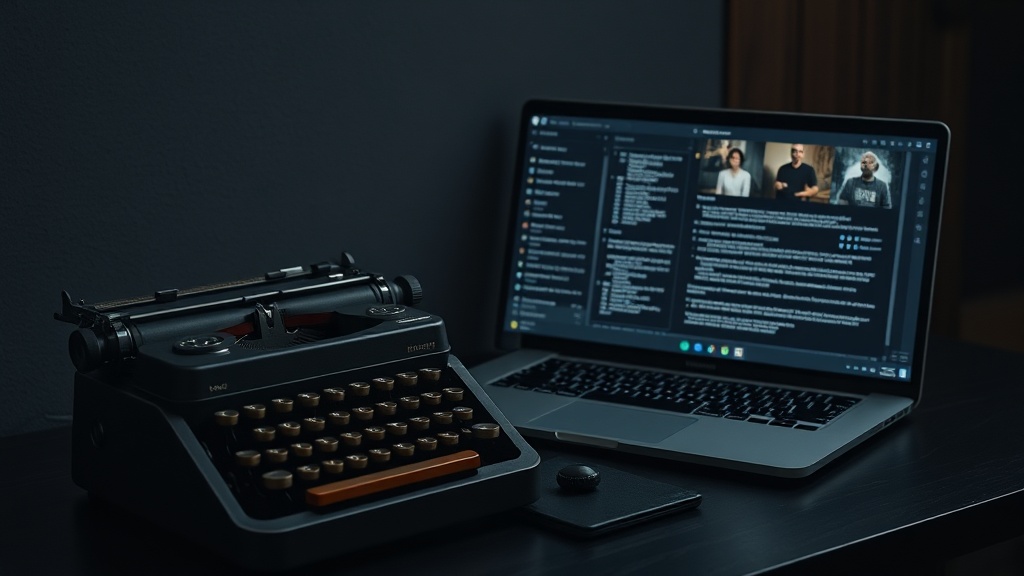
Top AI screenwriting tools for filmmakers and writers are fundamentally changing the landscape of narrative development by acting as sophisticated creative partners. By automating the mechanical aspects of script formatting and providing intelligent brainstorming assistance, these platforms allow writers to spend more time on character arcs and emotional beats rather than fighting with software margins.
The integration of artificial intelligence into the writer’s room is no longer a futuristic concept; it is an immediate reality for independent creators and studio professionals alike. Whether you are struggling to break a complex second act or simply need to ensure your screenplay adheres to industry-standard formatting, these tools offer a robust bridge between a raw idea and a polished final draft.
The Evolution of the Digital Writer’s Room
The traditional writing process has long been plagued by the "blank page" syndrome and the tedious nature of industry-standard formatting. For decades, software like Final Draft has been the gold standard for formatting, but it lacked the cognitive ability to help you solve plot holes or refine dialogue. Today’s AI screenwriting tools bridge that gap by offering real-time feedback on pacing, character consistency, and narrative arc.
Modern AI tools work by parsing your existing scenes and identifying structural patterns that may be stalling your momentum. Instead of merely suggesting words, these tools analyze the structural integrity of your story. They can suggest where a scene might be dragging or identify if a character’s voice has become inconsistent across different acts. This shift from "word processor" to "creative collaborator" is what makes these tools indispensable for the modern screenwriter.
Furthermore, these tools are built to handle the heavy lifting of metadata. When you write a screenplay, you aren't just writing dialogue; you are creating a blueprint for production. AI-driven platforms can now tag characters, locations, and props, effectively creating a production-ready breakdown as you write. This saves producers and assistant directors countless hours during the pre-production phase, proving that the value of AI extends far beyond the creative process.
Key Features to Look For in AI Writing Software
When selecting the right platform, you need to prioritize tools that balance creative flexibility with technical precision. Not all AI tools are built for screenwriting; many are generic text generators that struggle with the specific nuance of the screenplay format. You need software that understands the difference between an action line and a character cue.
Look for tools that offer "Context Awareness." A great AI screenwriting tool should remember that your protagonist is a cynical detective who hates coffee, even if you introduced that fact forty pages ago. If the AI suggests a scene where the character is happily sipping a latte, it’s failing the context test. You want a tool that maintains the "bible" of your story—your character profiles, world-building notes, and plot points—throughout the entire drafting process.
Another critical feature is "Non-Linear Outlining." Screenplays are often written out of order. You might have a brilliant idea for a climax before you have figured out the inciting incident. The best AI tools allow you to jump between scenes, reorganize your beats, and have the AI update the narrative logic accordingly. This freedom to write non-linearly is essential for maintaining the momentum of a complex narrative.
| Feature | Importance | Why it Matters |
|---|---|---|
| Industry Formatting | Critical | Ensures your script is taken seriously by agents and producers. |
| Character Consistency | High | Prevents plot holes and keeps character voices distinct. |
| Beat Sheet Integration | High | Helps you stick to proven structural models like the Hero's Journey. |
| Production Breakdown | Medium | Saves time during pre-production by tracking locations and props. |
| Offline Mode | Low | Useful for writers who travel or work in remote locations. |
Top AI Tools for Narrative Development
There are several platforms currently dominating the market, each serving a slightly different type of writer. Some are built for the solitary novelist transitioning into film, while others are designed for collaborative teams working in a studio environment.
1. Arc Studio Pro
Arc Studio Pro has gained a massive following because it feels like a modern piece of software rather than a legacy application. Its AI integration is subtle but powerful, focusing on helping you outline and maintain focus. The interface is clean and distraction-free, which is essential for long-form writing.
2. Highland 2
While not strictly an "AI-only" tool, Highland 2 uses smart features to help you write faster. It is particularly good at identifying and highlighting repetitive words or weak verbs. It is a favorite among minimalist writers who want to keep their process streamlined without the clutter of excessive AI automation.
3. Jasper and Claude for Brainstorming
Many professional screenwriters use general-purpose LLMs (Large Language Models) like Claude or Jasper specifically for the "breaking the story" phase. You can feed your scene beats into these models and ask them to brainstorm potential obstacles for your protagonist. This is an incredibly effective way to overcome writer's block without letting the AI write the actual dialogue.
How to Effectively Use AI for Character Arcs
One of the most common mistakes writers make is asking AI to "write a scene." This usually results in flat, derivative dialogue. Instead, use AI to challenge your character’s motivations. A pro tip is to create a "Character Interview" prompt. Input your character's biography and personality traits into an AI tool, then "interview" that character. Ask the AI to respond in the voice of that character.
This exercise often reveals subtext you didn't know existed. If you ask your character, "Why did you lie about your whereabouts in Act 1?" and the AI gives an answer that feels surprising yet grounded, you have just found a new layer of psychological depth. This interactive feedback loop is far more productive than simply generating text.
Use this method to test your dialogue against different scenarios. If your character is a stoic veteran, ask the AI to rewrite a specific emotional outburst from their perspective. It might suggest a subtle shift in tone that captures the character's repression better than your first draft. This is the difference between letting the AI do the work and using the AI to sharpen your own creative instincts.
Mastering the Workflow: From Beat Sheet to Final Draft
To truly leverage these tools, you should follow a structured workflow that keeps the AI as a consultant rather than the primary author. Here is a recommended step-by-step process for integrating AI into your screenwriting routine:
- The Brainstorming Phase: Use an LLM to flesh out your premise. Ask it to generate 20 different "what if" scenarios based on your core idea.
- The Structural Foundation: Input your chosen scenario into a dedicated screenwriting tool. Use their beat sheet templates to organize your story into the classic three-act structure.
- The Drafting Phase: Write your scenes manually. When you hit a wall, use the AI to suggest potential dialogue options or to check the logical consistency of the current scene.
- The Formatting Pass: Once the draft is complete, use the software’s automated formatting tools to ensure your margins, transitions, and character cues are perfectly aligned.
- The Polishing Phase: Run your dialogue through AI to identify "filler" words. Look for areas where the "show, don't tell" rule is being violated, and rewrite those sections for maximum visual impact.
Overcoming Common Pitfalls and Ethical Concerns
While AI is a powerful assistant, it is prone to hallucination and bias. If you aren't careful, you might find that the AI starts relying on tired cliches or generic tropes. The most common trap is "AI-speak," where the dialogue sounds overly formal, repetitive, or devoid of cultural nuance. Always treat the AI's output as a rough draft that requires a human touch to inject soul and specificity.
Another concern is the legal status of AI-generated content. As of now, copyright laws regarding AI-assisted work are complex and vary by jurisdiction. Generally, you cannot copyright pure AI output, but you can copyright a script where the human author has provided the creative direction, structure, and significant revisions. Always document your drafting process so you can prove the "human in the loop" involvement if necessary.
Finally, resist the urge to automate the entire process. The magic of a screenplay lies in the specific, idiosyncratic choices a writer makes—the weird pauses, the unexpected reactions, and the unique voice. If you let the AI handle everything, you lose the very thing that makes your script sellable: your unique creative fingerprint. Use the tools to remove the drudgery, not the art.
Final Thoughts
The best AI screenwriting tools are not here to replace the storyteller, but to empower them to tell stories with greater efficiency and structural integrity. By automating the technical hurdles, these platforms clear the path for you to focus on the emotional core of your narrative. As you integrate these tools into your workflow, remember that your creative voice is the most valuable asset in the room. Use AI as a sounding board, a structural guide, and a formatting assistant, but never surrender the pen. Start by experimenting with one of the tools mentioned above on your next short film or pilot episode, and you will likely find that your writing process becomes more focused, productive, and enjoyable.
Frequently Asked Questions
Can AI replace a human screenwriter?
No, AI cannot replace the human experience, emotional nuance, or subtext required for great storytelling. It serves best as a co-pilot to handle formatting, brainstorming, and structural outlining while you focus on the creative vision.
Do these tools automatically format scripts to industry standards?
Yes, most professional-grade AI screenwriting tools automatically handle margins, character names, dialogue blocks, and parentheticals to meet industry-standard Final Draft requirements.
Is my script data private when using AI tools?
It depends on the specific platform. High-authority tools generally offer enterprise-grade encryption and privacy toggles, but you should always review the terms of service regarding data training policies before uploading sensitive, original IP.

Nethmina is the founder of AI Tools Wire and an AI software developer who builds automation tools and tests new AI products hands-on every week.
📬 Get new articles by email
Subscribe for the latest AI tools, guides, and tips. No spam — unsubscribe anytime.
Related Articles

7 Best AI Story Generators for Kids' Books to Create Magic in 2026
Unlock your creativity with the best AI story generators for kids' books. Discover tools to craft enchanting tales, stunning illustrations, and lasting memories.

7 Best AI Subject Line Generators to Boost Email Open Rates (2026)
Struggling with low open rates? Discover the best AI subject line generators to craft high-converting email hooks that grab attention and drive clicks today.

7 Best AI Chatbot Builders for Websites and Messaging Apps 2026
Discover the top AI chatbot builders for websites and messaging apps to automate support and boost conversions. Compare features, pros, and expert use cases.