
8 Best AI Thumbnail Makers to Boost Your YouTube Click-Through Rate
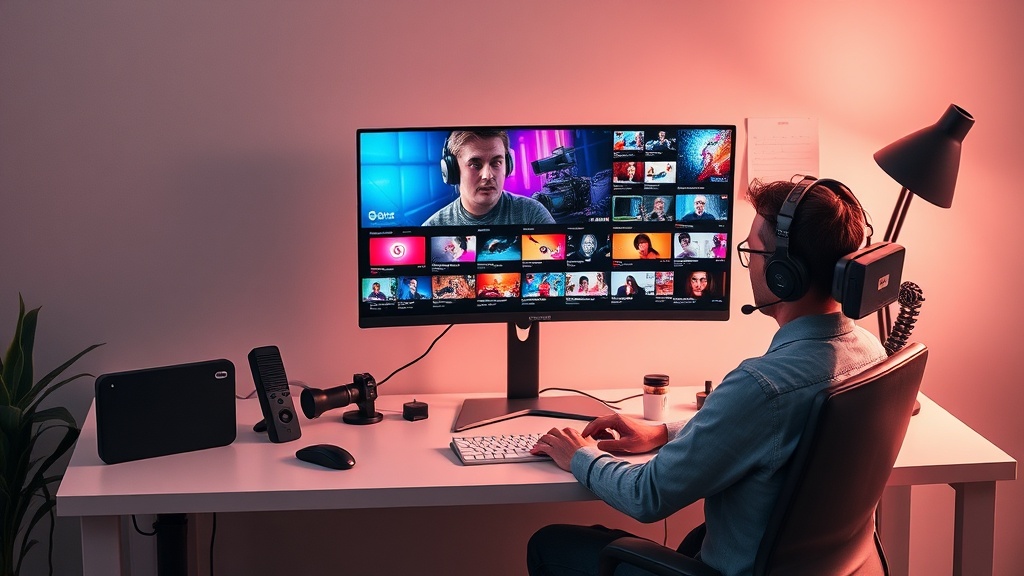
In the hyper-competitive landscape of social media, the best AI thumbnail makers have become essential tools for creators who want to maximize their click-through rate (CTR). A high-quality thumbnail is the digital equivalent of a storefront window; if it doesn't capture attention in the first fraction of a second, the quality of your video or post rarely matters because the audience never clicks through.
Modern AI-powered design tools have moved beyond simple templates, offering sophisticated features that include background removal, AI-driven facial expression adjustments, and predictive analytics that suggest which colors and compositions will perform best. By leveraging these technologies, you can transform your thumbnail workflow from a tedious manual design process into a data-backed creative strategy that consistently drives more views.
1. Canva: The All-in-One Design Powerhouse
Canva remains the industry standard for a reason, integrating a robust suite of AI features directly into its user-friendly interface. Its "Magic Studio" tools allow creators to generate custom images, expand backgrounds, and swap out elements with simple text prompts, making it perfect for those who need to iterate on thumbnails quickly.
What sets Canva apart is its massive library of pre-set YouTube thumbnail dimensions and high-quality stock elements. The AI-powered "Magic Grab" feature is particularly useful for creators who want to reposition their subject without having to manually mask or cut out objects. It provides a seamless experience for those who need to maintain brand consistency across their entire channel.
Why Creators Choose Canva
- Extensive Template Library: Access thousands of pre-made, high-performing thumbnail layouts.
- Built-in AI Image Generation: Create unique illustrations or background textures without leaving the editor.
- Brand Kit Integration: Keep your fonts, colors, and logos synchronized across every thumbnail you produce.
2. Adobe Express: Professional Power with AI Ease
Adobe Express brings the professional-grade power of Photoshop into a simplified, AI-first environment. It is arguably the best tool for creators who want the aesthetic quality of professional graphic design without the steep learning curve of the full Creative Cloud suite.
The tool excels in its "Text to Image" capabilities, which are powered by the same engine behind Firefly. This ensures that you can generate high-quality visual assets that feel cohesive and professional. For YouTube creators, the ability to quickly apply effects to text and images while using AI to remove backgrounds with a single click is a significant time-saver.
3. Thumbnail.ai: Data-Driven Optimization
Unlike general design software, Thumbnail.ai is purpose-built for one thing: maximizing clicks. This tool uses predictive AI models to analyze your thumbnail against thousands of other successful videos, providing a "CTR score" before you even upload your content to YouTube.
This is a game-changer for creators who struggle with composition. By highlighting areas of your image that might be too cluttered or lacking in contrast, the AI acts as a digital art director. It forces you to simplify your message, which is a core tenet of effective thumbnail design.
Key Benefits of Predictive Tools
- Real-time Feedback: Get an instant grade on your thumbnail's visual impact.
- Heatmap Analysis: See exactly where a viewer’s eyes are most likely to land first.
- A/B Testing Simulation: Understand how your design might perform against common industry benchmarks.
4. Picsart: Creative AI for Mobile-First Creators
If you do most of your editing on a smartphone or tablet, Picsart is the premier choice. It features a massive array of AI effects, filters, and stickers that are specifically optimized for the bright, saturated, and high-energy aesthetic that performs well on YouTube and Instagram.
The AI "Replace" and "Remove" tools are exceptionally fast on mobile devices. You can take a photo of yourself, swap the background for a high-contrast location, and add stylized text overlays in under five minutes. It is the go-to tool for vloggers and social media influencers who need to produce high-quality assets while on the move.
5. Kittl: Advanced Typography and Design
Kittl is a rising star in the design world, focusing heavily on high-end typography and vector-based graphics. If your YouTube thumbnail strategy relies on bold, readable text and distinct branding, Kittl’s AI tools can help you generate custom logos or stylized text layouts that look hand-crafted.
The platform offers a unique "AI Prompt to Design" feature that goes beyond just creating an image; it helps structure the layout of your thumbnail. This is particularly helpful for creators who have a strong vision but lack the technical skills to execute complex typography or layout hierarchies.
| Tool | Best For | AI Strength |
|---|---|---|
| Canva | All-around efficiency | Layout & Templates |
| Adobe Express | Professional quality | Image Generation |
| Thumbnail.ai | Data-backed results | CTR Prediction |
| Picsart | Mobile-first editing | Effects & Filters |
| Kittl | Advanced typography | Layout Composition |
6. Fotor: The Quick-Fix AI Expert
Fotor is an excellent entry-level AI thumbnail maker that focuses on speed and simplicity. It is ideal for creators who need to batch-process thumbnails or who simply want to clean up an image quickly. Its "One-Tap Enhance" feature uses AI to adjust lighting, saturation, and sharpness, ensuring your thumbnail looks crisp on both desktop and mobile screens.
Beyond basic editing, Fotor includes an AI image generator that is surprisingly capable of creating abstract backgrounds or thematic elements. If you are a beginner, Fotor’s interface is less intimidating than Adobe’s but more robust than basic mobile photo editors, striking a perfect balance for growing channels.
7. Photoroom: The Background Specialist
If your thumbnail strategy involves high-quality cutouts of yourself or products, Photoroom is the industry leader in background removal and replacement. Its AI is specifically trained to detect hair, skin edges, and complex backgrounds, making it incredibly precise compared to standard background removers.
Many top-tier YouTubers use Photoroom to create those "floating" subject effects that pop against dark or blurred backgrounds. By isolating your subject with such high fidelity, you can place them into any environment, effectively creating a high-production-value look without needing a studio space.
8. Midjourney: The Artistic Visionary
While not a dedicated "thumbnail maker," Midjourney is the ultimate tool for generating the high-quality, cinematic backgrounds that drive high CTRs. Many creators use Midjourney to generate an imaginative, hyper-realistic background, which they then import into Canva or Photoshop to add their text and face.
The level of detail and artistic flair available in Midjourney is unmatched. It allows you to create thumbnails that look like movie posters or high-budget advertisements. However, because it is a generative tool, it requires a bit more effort to integrate with your existing branding, making it a "pro-tier" addition to your workflow.
Practical Tips for AI Thumbnail Success
- Follow the Rule of Thirds: Even with AI assistance, keep your subject placed on the outer thirds of the frame to create visual tension.
- Contrast is King: Use your AI tools to ensure there is a clear distinction between the foreground subject and the background.
- Test, Don't Guess: Use AI analytics to perform A/B tests on different thumbnail versions to see what your specific audience prefers.
- Keep Text Minimal: AI tools often generate text that is hard to read or nonsensical. Use AI for imagery and manually overlay your text for maximum clarity.
Final Thoughts
Selecting the right AI thumbnail maker comes down to your specific workflow and the "vibe" of your channel. Whether you need the data-driven insights of a predictive tool or the creative freedom of a generative model, the goal remains the same: stop the scroll. By integrating these tools into your process, you aren't just making pictures; you are engineering a visual strategy that converts impressions into loyal subscribers. Start by experimenting with one or two of these tools this week, and watch how your engagement metrics respond to a more polished, professional look.
Frequently Asked Questions
Do AI thumbnail makers actually improve click-through rates?
Yes, AI tools can significantly improve CTR by helping creators test multiple design variations, optimize color contrast, and remove distracting backgrounds, which are proven tactics for attracting clicks.
Can I use AI-generated images for YouTube thumbnails without copyright issues?
Most AI tools grant you commercial usage rights for the images you generate. However, it is important to check the specific terms of service for each platform to ensure you are compliant with their licensing agreements.
Is it better to use a dedicated AI thumbnail tool or a general design platform?
Dedicated AI thumbnail tools often offer specialized features like face-enhancement and YouTube-specific aspect ratio templates, while general design platforms offer more flexibility for branding across multiple social channels.

Nethmina is the founder of AI Tools Wire and an AI software developer who builds automation tools and tests new AI products hands-on every week.
📬 Get new articles by email
Subscribe for the latest AI tools, guides, and tips. No spam — unsubscribe anytime.
Related Articles

7 Best AI Story Generators for Kids' Books to Create Magic in 2026
Unlock your creativity with the best AI story generators for kids' books. Discover tools to craft enchanting tales, stunning illustrations, and lasting memories.
7 Best AI Subject Line Generators to Boost Email Open Rates (2026)
Struggling with low open rates? Discover the best AI subject line generators to craft high-converting email hooks that grab attention and drive clicks today.

7 Best AI Chatbot Builders for Websites and Messaging Apps 2026
Discover the top AI chatbot builders for websites and messaging apps to automate support and boost conversions. Compare features, pros, and expert use cases.