
5 Best AI Transcription Services for Podcasters and Journalists
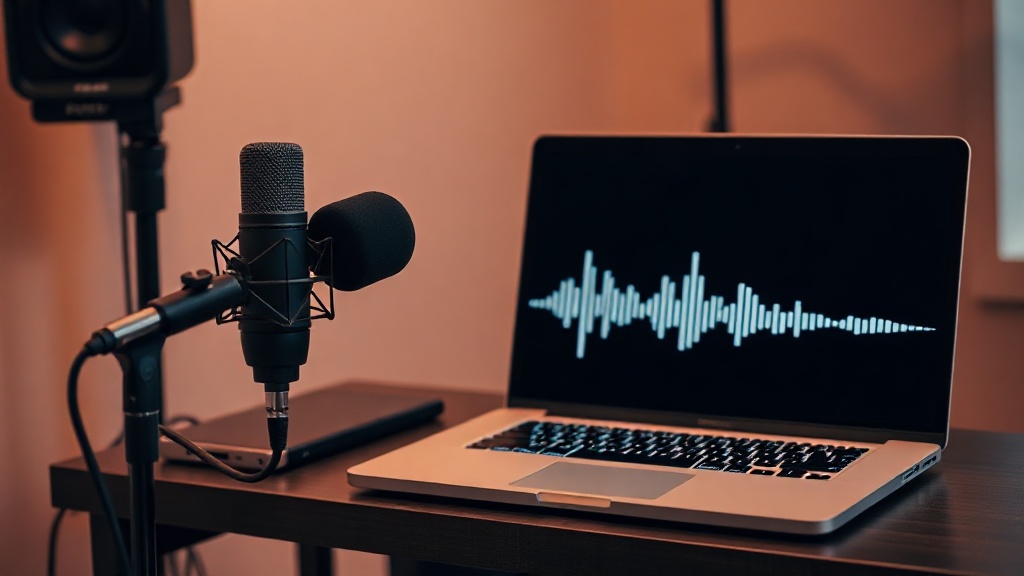
For podcasters and journalists, finding the best AI transcription services is no longer just a luxury—it is a fundamental requirement for maintaining a competitive edge in content creation. Manually transcribing an hour of audio can take four to six hours, a bottleneck that stalls production and delays the delivery of breaking news or scheduled episodes. By leveraging advanced machine learning models, these tools transform spoken word into text in minutes, allowing creators to focus on editing, storytelling, and audience engagement rather than tedious typing.
The Evolution of Speech-to-Text Technology
The shift from manual transcription to automated AI solutions has been driven by deep learning advancements. Modern tools don't just recognize individual words; they understand context, syntax, and cadence. This contextual awareness is a massive leap forward from the early days of dictation software, which often failed to parse complex sentences or identify proper nouns. Today, these services are designed to handle the nuances of natural human conversation, including filler words, stutters, and overlapping dialogue, which are common in unscripted podcast interviews.
1. Otter.ai: The Gold Standard for Meetings and Interviews
Otter.ai has cemented its reputation as the go-to tool for journalists who need real-time transcription during interviews. Its primary strength lies in its ability to record and transcribe simultaneously, providing a live feed that you can annotate during the conversation. This feature is invaluable for journalists who want to highlight key quotes or capture specific timestamps while the subject is still speaking.
Beyond live recording, Otter offers a robust mobile app that syncs seamlessly across devices. If you are conducting an interview in the field, you can record using your phone, and the transcript will be ready on your desktop by the time you return to your workstation. The speaker identification feature is particularly strong, making it easy to parse through long interviews and identify exactly who said what.
Why Journalists Prefer Otter
- Real-time annotation: Tag important segments while the recording is active.
- Searchable transcripts: Easily find specific topics or keywords across your entire library of interviews.
- Collaboration: Share transcripts with editors or co-hosts for seamless team review.
2. Descript: The All-in-One Podcast Production Suite
Descript is unique because it treats audio like a word processor. When you upload your podcast file, Descript provides a transcript that is linked to the audio. If you delete a sentence in the text, the software automatically trims the corresponding audio track. This workflow is a game-changer for podcasters who struggle with the traditional, often cumbersome, timeline-based editing process.
For those who prioritize high-quality production, Descript’s "Overdub" feature is a standout. It allows you to create an AI clone of your voice, enabling you to fix a misspoken word by simply typing the correction. While this requires a high-quality voice model, it is a powerful tool for correcting minor errors without needing to re-record an entire segment.
Essential Features for Podcasters
- Text-based editing: Edit audio by editing text, saving significant time.
- Filler word removal: Automatically identify and remove "ums," "ahs," and other verbal stutters.
- Studio sound: Enhance low-quality microphone recordings to sound like they were tracked in a professional studio.
3. Rev: Best-in-Class Accuracy and Hybrid Options
When accuracy is the absolute priority—such as for investigative journalism or legal-adjacent storytelling—Rev remains the industry leader. While they offer a highly reliable AI transcription service, they also provide a hybrid model where you can have your AI-generated transcript reviewed by a human professional. This "best of both worlds" approach ensures that even the most difficult audio, filled with heavy accents or technical jargon, is transcribed with near-perfect precision.
Rev also maintains a very clean, professional dashboard that is built for high-volume users. If you manage a large library of archival footage or podcast episodes, the organizational tools within Rev make it easy to manage, export, and format your transcripts for various platforms, including SRT files for video captions.
Comparison Table: AI Transcription Services
| Feature | Otter.ai | Descript | Rev |
|---|---|---|---|
| Best For | Live Interviews | Podcast Editing | High Accuracy |
| Speaker ID | Excellent | Very Good | Excellent |
| Editing | Basic | Advanced | Minimal |
| Hybrid Option | No | No | Yes (Human Review) |
| Integration | High (Zoom/Teams) | High (DAW) | High (API) |
4. Sonix: The Speed and Efficiency Specialist
Sonix is frequently cited by professional podcasters for its incredible speed and user-friendly interface. It excels at handling large audio files, making it a perfect choice for long-form podcasts that often exceed the one-hour mark. Once the transcription is complete, the browser-based editor is incredibly responsive, allowing for quick polishing before exporting to various formats like Word, PDF, or VTT.
One of the standout features of Sonix is its multi-language support. If you produce content for a global audience, Sonix can transcribe audio in dozens of different languages with impressive accuracy. This is a critical feature for journalists working on international stories or podcasters aiming to expand their reach into non-English markets.
Key Benefits of Sonix
- Lightning-fast processing: Very short wait times for even the longest podcast episodes.
- Global reach: Transcribe and translate into multiple languages with ease.
- Custom dictionaries: Improve accuracy by adding specific industry terms or proper names that the AI might otherwise misinterpret.
5. Trint: The Journalist’s Powerhouse
Trint was built with the newsroom in mind. It focuses on the "verify, edit, and publish" workflow that is essential for modern journalism. The platform allows users to highlight audio and text simultaneously, making it incredibly easy to verify quotes against the original recording. This level of accountability is vital for maintaining journalistic integrity when working with transcribed interviews.
Trint also offers a robust mobile app and an enterprise-grade platform that allows newsrooms to collaborate on stories in real-time. By connecting the transcription directly to the publishing process, Trint reduces the time between capturing a scoop and getting it live on the web, giving journalists a significant competitive advantage in the 24-hour news cycle.
Practical Workflow Strategy
- Record: Always use a high-quality external microphone; even the best AI struggles with muffled audio.
- Upload: Use the platform’s cloud sync to move files immediately.
- Review: Use the platform’s search function to jump to key moments rather than reading the entire transcript.
- Export: Select the format that matches your downstream needs (e.g., SRT for video, TXT for articles).
Choosing the Right Service for Your Needs
Selecting the right tool depends heavily on your specific output. If you are a solo podcaster focusing on narrative storytelling, the editing capabilities of Descript will likely offer the highest return on investment. Conversely, if you are a field journalist who needs to quickly pull quotes from long, multi-speaker interviews, the real-time tagging features of Otter.ai or the professional reliability of Rev will serve you better.
Consider the "accuracy threshold" of your work. For casual conversational podcasts, a 90% accurate transcript that you can quickly scan is usually sufficient. However, for investigative work where every word matters, investing in a service that offers human-in-the-loop verification is a non-negotiable expense. Always take advantage of the free trials offered by these services to test them against your specific audio environment—your room acoustics and microphone quality will impact AI performance more than any other factor.
Final Thoughts
The integration of AI transcription into your workflow is not just about saving time; it’s about freeing your cognitive energy for the creative and analytical work that machines cannot replicate. By offloading the transcription process to one of these top-tier services, you effectively gain an extra set of hands in your studio or newsroom. Experiment with the tools mentioned above, pay close attention to how they handle your specific audio environment, and choose the platform that best aligns with your long-term production goals. Start with a trial today and experience the immediate boost in your content output.
Frequently Asked Questions
Are AI transcription services accurate enough for professional journalism?
Modern AI transcription services are highly accurate for clear audio, often reaching 90-95% accuracy. However, they may struggle with heavy accents, technical jargon, or significant background noise, requiring human proofreading for publication-ready content.
How do AI tools handle multiple speakers in a podcast recording?
Most top-tier AI transcription tools use speaker diarization technology. This allows the software to distinguish between different voices, label them as 'Speaker 1' or 'Speaker 2', and assign dialogue accordingly.
Can I integrate these AI tools directly into my existing podcast workflow?
Yes, many leading platforms offer robust APIs, integrations with cloud storage like Google Drive or Dropbox, and direct publishing features to editing software like Descript or Adobe Premiere Pro.

Nethmina is the founder of AI Tools Wire and an AI software developer who builds automation tools and tests new AI products hands-on every week.
📬 Get new articles by email
Subscribe for the latest AI tools, guides, and tips. No spam — unsubscribe anytime.
Related Articles

7 Best AI Story Generators for Kids' Books to Create Magic in 2026
Unlock your creativity with the best AI story generators for kids' books. Discover tools to craft enchanting tales, stunning illustrations, and lasting memories.
7 Best AI Subject Line Generators to Boost Email Open Rates (2026)
Struggling with low open rates? Discover the best AI subject line generators to craft high-converting email hooks that grab attention and drive clicks today.

7 Best AI Chatbot Builders for Websites and Messaging Apps 2026
Discover the top AI chatbot builders for websites and messaging apps to automate support and boost conversions. Compare features, pros, and expert use cases.