
Compose Original Music with AI in 2026: A Beginner’s Guide
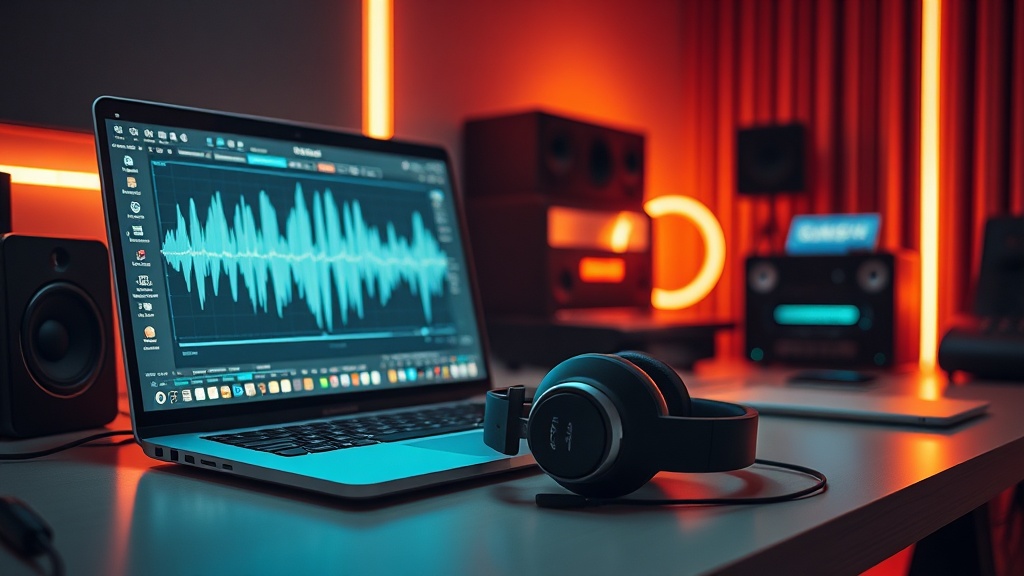
Learning how to compose original music with AI in 2026 has transformed from a niche experimental hobby into a powerhouse workflow for creators of all skill levels. With the rapid evolution of generative audio models, you no longer need years of conservatory training or expensive studio gear to produce professional-sounding tracks; instead, you need a clear understanding of prompt engineering, model selection, and the creative collaboration between human intent and machine execution.
This guide will walk you through the current landscape of AI-assisted composition, helping you navigate the tools that actually matter while providing a roadmap for turning your abstract ideas into fully realized sonic experiences. Whether you are a podcaster looking for custom background scores or a songwriter seeking to overcome creative blocks, the modern AI ecosystem offers unprecedented control over your output.
The Foundations of AI Music Generation
At the heart of the 2026 music production landscape is the shift from "text-to-audio" to "intent-to-audio." Early models were often black boxes that spat out random melodies, but today’s top-tier tools allow for granular control over tempo, mood, instrumentation, and structure. Understanding the terminology—such as stems, MIDI, and latent space—will help you communicate better with these systems.
Understanding the Workflow
Most AI music tools operate on a "prompt-refine-edit" cycle. You start by defining your genre and mood, generate an initial draft, and then use secondary tools to isolate stems or tweak specific sections. It is vital to treat the AI as a collaborator rather than a magic button. By providing specific descriptors—such as "lo-fi hip hop with a melancholic piano lead and dusty vinyl crackle"—you move away from generic results toward a unique, signature sound.
Choosing Your Entry Point
Not all AI music tools are created equal. Some are designed for rapid prototyping, while others are built for professional integration into a Digital Audio Workstation (DAW). Beginners should start with web-based generative platforms that offer intuitive interfaces, while intermediate users might prefer VST plugins that run directly inside software like Ableton or Logic Pro.
Essential AI Tools for Beginners
To successfully compose original music with AI in 2026, you need to select a toolset that fits your specific creative goals. While new platforms emerge weekly, a few categories remain dominant. The following table compares the primary ways to engage with AI music creation based on your desired level of control.
| Tool Category | Best For | Technical Barrier | Control Level |
|---|---|---|---|
| Generative Web Apps | Songwriting & Demos | Very Low | Moderate |
| AI-Powered VSTs | Professional Production | Moderate | High |
| Stem Separation Tools | Remixing & Sampling | Low | High |
| MIDI Generation Suites | Composition & Theory | Moderate | Very High |
Generative Web Apps
Platforms like Suno or Udio have set the standard for high-fidelity generation. These tools are excellent for beginners because they synthesize melody, harmony, and vocals simultaneously. Use these to get the "vibe" right before moving into more technical production stages.
AI-Powered VSTs
If you already use a DAW, look for plugins that integrate directly into your timeline. These tools allow you to generate MIDI clips that you can then drag and drop, giving you total control over the virtual instruments used. This is the professional standard for those who want to retain "human" control over the final mix.
Mastering the Art of Prompt Engineering
The quality of your output is almost entirely dependent on the specificity of your input. In 2026, "prompt engineering" for music is about describing the emotional arc of the piece rather than just the genre. If you simply type "pop song," you will get a generic, forgettable track. If you type "upbeat 1980s synth-pop, 120 BPM, minor key, featuring a bright arpeggiated lead and punchy gated reverb drums," you are providing the AI with a roadmap.
The "Descriptor Stacking" Technique
A great trick is to stack descriptors in a specific order: [Genre] + [Tempo/BPM] + [Key/Scale] + [Emotional Vibe] + [Instrumentation]. This structure helps the model prioritize the most important elements of your composition. For instance, "Cinematic, 90 BPM, D minor, melancholic, weeping cello, sparse piano, deep sub-bass" creates a much more targeted result than a vague, disorganized sentence.
Iterative Generation
Never settle for your first result. Treat your initial output as a sketch. If the melody is good but the drums are too aggressive, most modern tools allow you to "re-roll" specific elements or extend the track by prompting for a "bridge" or "chorus" that builds on the previous section. Constant iteration is the secret to moving from a generic AI output to something that feels like a deliberate composition.
Incorporating AI into a Traditional Workflow
You do not have to replace your creative process with AI; you can augment it. Many producers use AI to generate "stems" (isolated tracks) that they then manipulate, chop, and rearrange. This is particularly useful for overcoming writer's block or finding unique textures that you wouldn't naturally gravitate toward.
Using AI for Idea Generation
If you are stuck on a chord progression, use an AI tool to generate a MIDI file of a complex jazz progression. You don’t need to use the whole thing; just grab the chord voicings, change the rhythm, and apply your own custom synthesizer sounds. This hybrid approach ensures the final track remains uniquely yours while benefiting from the AI’s ability to suggest novel harmonic ideas.
Stem Separation for Sampling
One of the most powerful uses of AI in 2026 is the ability to take an existing audio file and separate it into vocal, bass, drums, and melody tracks. This allows you to sample parts of your own previous work or royalty-free recordings, giving you the ability to remix and re-contextualize audio that was previously "locked" into a single file.
Ethical Considerations and Copyright
As you explore how to compose original music with AI, you must remain conscious of the legal and ethical landscape. In 2026, the industry is still settling on the rules regarding training data and intellectual property. As a creator, the safest path is to use platforms that explicitly state they have licensed their training data from artists or that they provide clear commercial usage rights.
Understanding Terms of Service
Always read the fine print regarding "ownership." Some platforms allow you to own the commercial rights to your generated content only if you are on a paid subscription tier. If you intend to release your music on streaming platforms like Spotify or Apple Music, verify that your chosen tool grants you the necessary rights to avoid future disputes.
The "Human-in-the-Loop" Advantage
The best way to protect your creative work is to ensure a significant amount of human intervention. When you compose, arrange, mix, and master your AI-generated ideas, you create a derivative work that is much more likely to be defensible under copyright law. Don't just export a file and upload it; add your own creative choices at every stage.
Advanced Tips for Pro-Level Results
Once you have mastered the basics, you should focus on the "polishing" phase. AI-generated audio often sounds "washed out" or overly compressed. To fix this, you need to apply traditional production techniques to your AI output. Use EQ to carve out space for your lead melodies, apply side-chain compression to make your drums punch through, and use saturation to add warmth to digital-sounding synths.
The Power of Layering
Do not rely on a single AI-generated track to carry the weight of your song. Layering is the key to depth. For example, take a generative melody and layer it with a real-world instrument recording or a different sound from a classic synth plugin. This blend of organic and synthetic textures is what makes professional music sound "expensive" and complex.
Managing Dynamic Range
AI models often optimize for a "loud" sound, which can kill the dynamic range of your track. If your AI-generated music feels flat, try reducing the volume of individual elements and using a limiter on your master bus. Giving your track "room to breathe" will make it sound significantly more professional and less like a standard AI output.
Final Thoughts
The ability to compose original music with AI in 2026 is less about replacing your own creativity and more about expanding your reach as an artist. You are the conductor, and the AI is your ensemble—a vast, tireless orchestra capable of playing any style at any time. By focusing on your intent, refining your prompts, and integrating these tools into a structured production workflow, you can bridge the gap between imagination and audio reality. Start small, experiment with different models, and remember that your unique human perspective is the one thing no algorithm can replicate. Dive into your first project today and see where the technology takes your sound.
Frequently Asked Questions
Do I need to know music theory to use AI music tools?
No, you do not need formal training. Most AI tools handle chord progressions, rhythm, and melody generation automatically, allowing you to focus on artistic direction and curation.
Who owns the copyright to music generated by AI?
Copyright laws regarding AI-generated content are evolving. Generally, music created entirely by AI may not be copyrightable in many jurisdictions, but human-modified works often have stronger claims.
Can I use AI music for commercial projects?
Many platforms offer commercial licenses for paid subscribers. Always check the specific Terms of Service of the tool you choose to ensure your usage rights are covered.

Nethmina is the founder of AI Tools Wire and an AI software developer who builds automation tools and tests new AI products hands-on every week.
📬 Get new articles by email
Subscribe for the latest AI tools, guides, and tips. No spam — unsubscribe anytime.
Related Articles

How to Create Memes with AI in 2026: Viral Humor Made Easy
Learn how to create memes with AI in 2026 using the latest generative tools. Discover workflows for viral humor, high-quality visuals, and rapid social growth.

How to Write Children’s Stories with AI in 2026: A Pro Guide
Master how to write children’s stories with AI in 2026. Learn to craft engaging narratives, develop relatable characters, and use advanced tools effectively.

How to Generate Email Subject Lines with AI in 2026: 7 Expert Tips
Learn how to generate email subject lines with AI in 2026 to skyrocket your open rates. Discover expert prompt engineering, testing strategies, and best tools.