
How to Generate High-Quality AI Voiceovers in 2026: A Pro Guide
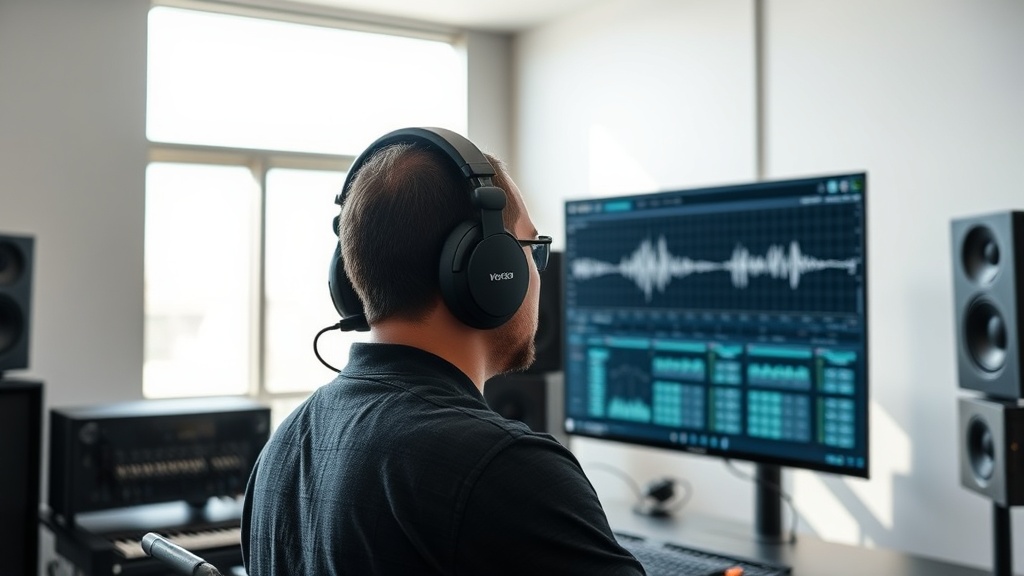
Generating high-quality AI voiceovers in 2026 has transitioned from a novelty to an essential skill for professional content creators, marketers, and independent filmmakers. As synthetic speech technology reaches near-perfect levels of emotional nuance and prosody, the barrier to entry has shifted from technical hardware requirements to the mastery of prompt engineering and post-production refinement. Achieving a professional sound requires more than just pasting text into a generator; it demands an understanding of how to guide the AI’s delivery, pace, and tonal characteristics.
In this guide, we will explore the methodologies used by industry professionals to produce studio-grade audio. We will move beyond the basics of simple text-to-speech (TTS) and dive into the nuances of emotional steering, breath control, and multi-speaker orchestration that define the current state of the art in generative audio.
Understanding the Evolution of Synthetic Speech
The landscape of generative audio has moved past the robotic, monotone outputs of the early 2020s. Modern AI models now utilize transformer-based architectures that predict not just the next word, but the next inflection, pause, and breath. This means that when you input a script, the AI is effectively "reading" it with an understanding of context, punctuation, and intent.
However, even with advanced models, the "uncanny valley" of audio still exists if you ignore the fundamentals of script preparation. A well-optimized script for AI voice generation should focus on natural language patterns. Avoid overly complex jargon if the AI struggles with specific terminology, and use punctuation intentionally. Commas, ellipses, and dashes are your primary tools for controlling the AI’s cadence, acting as "conductors" for the synthetic performance.
Choosing the Right AI Voice Engine for Your Needs
Not all AI voice generators are created equal, and the "best" tool depends entirely on your specific use case. Some platforms specialize in hyper-realistic storytelling, while others excel at short-form marketing copy or character-driven dialogue for games and animation.
Key Evaluation Criteria
When selecting a platform, look for these features:
- Emotional Range: Can the tool shift from "excited" to "whisper" or "authoritative" with simple tags?
- Voice Cloning Fidelity: Does it offer instant cloning with minimal sample data, or does it require extensive training?
- API and Workflow Integration: Can it plug directly into your video editing software (e.g., Premiere Pro, DaVinci Resolve)?
- Commercial Licensing: Are the generated voices cleared for use in paid advertising or broadcast media?
| Feature Category | Best For | Technical Focus |
|---|---|---|
| Narrative Engines | Audiobooks, Podcasts | Long-form consistency, breath patterns |
| Marketing Suites | Ads, Social Media | Punchy delivery, specific emotional emphasis |
| Creative/Gaming | Character voices | Morphing, non-human sounds, accent control |
The Art of Prompting and Script Preparation
The most significant factor in high-quality AI voiceover generation is the "direction" you provide to the model. Just as a director coaches a human voice actor, you must guide the AI. If your script is flat, the output will be flat.
Start by writing for the ear, not the eye. Use short, punchy sentences for high-energy content. Use longer, flowing sentences for educational or storytelling content. If you need a specific emphasis on a word, use capitalization or phonetic spelling adjustments to force the AI to stress that syllable. Many advanced platforms allow for "SSML" (Speech Synthesis Markup Language) or proprietary modifiers that let you manually adjust the pitch, speed, and volume of specific phrases.
Workflow: From Text to Mastered Audio
Generating a professional-grade voiceover is a multi-step process that involves more than just the generation phase. You must approach this like a traditional audio engineering workflow.
- Script Polish: Read your text out loud. If you stumble over a phrase, the AI will likely sound unnatural there too. Rewrite those sections.
- Generation & Iteration: Generate the audio in smaller chunks rather than one giant block. This allows you to regenerate specific sentences that didn't hit the right emotional note without wasting credits on the whole script.
- The "Silence" Strategy: Insert intentional, timed silences between sections. High-quality audio is defined as much by the pauses as by the speech itself.
- External Mastering: Once you have your audio file, run it through a loudness normalization tool or a light compression filter. Even the best AI voices can benefit from a "warmth" filter to remove the thin, digital edge that sometimes persists in raw exports.
Managing Emotional Nuance and Prosody
One of the most impressive advancements in 2026 is the ability to adjust the "prosody"—the rhythmic and intonational pattern of speech. If you are generating a voiceover for a documentary, you want a steady, measured pace. If you are doing a high-octane product launch, you need a quick, rhythmic delivery that feels enthusiastic.
To achieve this, look for tools that offer "style sliders." These allow you to adjust the intensity of the emotion. A pro tip is to use a lower intensity for professional, corporate content to avoid the "over-acting" effect that AI sometimes defaults to. Conversely, for character-driven work, dial the intensity up and use manual paragraph breaks to create "thought gaps" where the character is processing information.
Avoiding Common Pitfalls in AI Audio
Even with the best tools, creators often fall into traps that immediately signal to the listener that the audio is synthetic. The most common error is the "monotone fatigue" that occurs when a voice is used for too long without enough variation.
- The Pacing Trap: Avoid letting the AI run through a long paragraph without a break. Force manual breaks every 10-15 words.
- The Pronunciation Issue: If the AI consistently mispronounces a brand name or technical term, do not keep regenerating. Most platforms have a "Pronunciation Glossary" or "Custom Dictionary" where you can map the word to a phonetic spelling (e.g., "AI-O-Tools" becomes "Ay-Eye-Oh-Tools").
- The Artifacts: If you hear digital clicking or "glitching" at the end of clips, it is often due to aggressive compression. Always export in the highest quality format available (WAV or high-bitrate MP3) and handle the compression yourself in your editing software.
Future-Proofing Your Audio Strategy
As we look deeper into 2026, the integration of AI voice generation into real-time workflows is becoming the standard. We are moving toward "live" generative audio where the voiceover adapts to the visuals on the screen in real-time. To stay ahead, focus on developing a "brand voice" that is unique to you.
Many creators are now using voice cloning to create a synthetic version of their own voice. This allows you to record a few minutes of high-quality training data, then generate content in your own voice whenever you need it. This maintains a consistent personal brand while drastically reducing the time spent in a recording booth. Just ensure you have the proper security measures in place to prevent unauthorized cloning of your likeness.
Final Thoughts
Mastering the generation of high-quality AI voiceovers is no longer about finding the one "magic" tool; it is about building a repeatable, high-fidelity workflow that treats synthetic audio with the same rigor as traditional voice-over work. By focusing on script optimization, manual pacing, and post-production mastering, you can produce content that resonates with your audience and stands out in an increasingly crowded digital landscape. The technology will continue to advance, but the ability to direct and refine the output remains the true hallmark of a skilled creator. Start by experimenting with these techniques on your next project, and you will quickly see how much professional polish you can add to your media assets.
Frequently Asked Questions
Can AI voiceovers pass as human in 2026?
Yes, current generative models use neural prosody and emotional mapping that make them indistinguishable from human speakers in most contexts, provided you use high-quality source material and correct pacing.
Do I need a powerful computer to generate AI audio?
No, most high-quality AI voice tools are cloud-based, meaning the heavy computational lifting happens on the provider's servers, allowing you to generate audio from any web browser.
Are there legal risks to using AI voice cloning?
Legal standards are evolving rapidly, but you should always ensure you have explicit consent to clone a specific person's voice or use a platform that provides commercially licensed, royalty-free synthetic voices.

Nethmina is the founder of AI Tools Wire and an AI software developer who builds automation tools and tests new AI products hands-on every week.
📬 Get new articles by email
Subscribe for the latest AI tools, guides, and tips. No spam — unsubscribe anytime.
Related Articles

How to Debug Code with AI in 2026: Fix Errors Instantly
Master the art of debugging code with AI in 2026. Learn how to leverage LLMs, agentic workflows, and IDE integrations to resolve complex bugs in seconds.

How to Write Code with AI in 2026: From Prompts to Production
Master how to write code with AI in 2026. Learn the modern workflow for building, debugging, and deploying production-ready software using AI agents.

How to Build a Fully Functional Website with AI in 2026
Learn how to build a fully functional website with AI in 2026 using the latest no-code generators, intelligent design agents, and automated site maintenance.