
7 Best Free AI Animation Software for Beginners in 2026
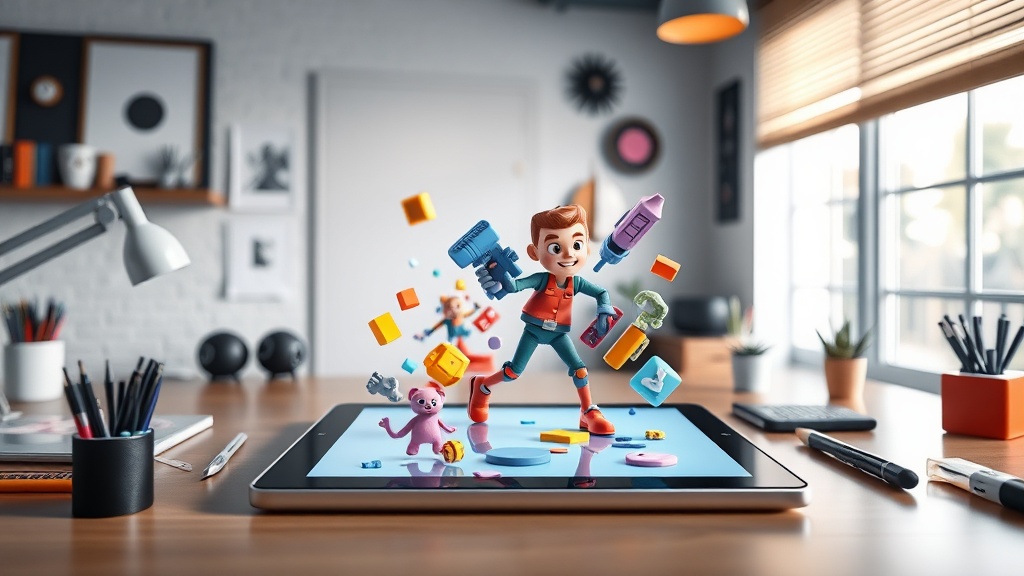
Finding reliable free AI animation software for beginners used to feel like searching for a needle in a haystack, but the landscape has shifted dramatically. Today, you don’t need a degree in motion graphics or years of experience with complex software like After Effects to bring your ideas to life. Whether you are a content creator looking to spice up your social media or a small business owner needing professional explainers, these AI-driven platforms handle the heavy lifting of rigging, keyframing, and rendering.
The secret to success with these tools is understanding that they act as a force multiplier for your creativity. Instead of spending hours manually moving vertices or adjusting timelines, you provide the direction—often through simple text prompts or image uploads—and the AI handles the physics and movement. This democratization of animation allows anyone with a vision to output high-quality visual content in a fraction of the time it once took.
Understanding the AI Animation Workflow
Most beginner-friendly AI animation tools follow a "Prompt-to-Motion" pipeline. This process usually begins with an input, which can be a text description, an uploaded image, or a reference video. The AI analyzes the intent of your input, mapping your instructions to its internal library of motion behaviors. Once you set the parameters, the software generates the frames, textures, and fluid movements required to create a cohesive video file.
Unlike traditional animation, where every single frame must be drawn or manipulated, AI animation uses generative models to predict movement. For a beginner, this means the primary skill you need to develop is "prompt engineering." Being able to describe the style, the character’s emotion, and the environment clearly will result in significantly better outputs than vague instructions. Think of yourself less as a drafter and more as a director.
The Role of Cloud Computing
A major advantage of modern AI animation is that it is almost entirely cloud-based. You aren't installing heavy software that taxes your CPU or requires a high-end graphics card. Instead, your browser acts as a portal to massive GPU clusters that do the rendering for you. This makes high-end animation accessible to users on older laptops or even mobile devices.
Top Contenders for Beginners
When evaluating free AI animation software, it is important to look for tools that offer a balanced "Free Tier." Most high-quality platforms operate on a freemium model, providing a set number of credits or a limited duration for exports. Below are the categories of tools that stand out for their ease of use and consistent results.
| Tool Type | Best For | Learning Curve |
|---|---|---|
| Text-to-Video | Quick social media clips | Very Low |
| Image-to-Motion | Bringing static art to life | Low |
| 3D Character AI | Storytelling & Avatars | Moderate |
| Lip-Sync Tools | Presenting and explainers | Low |
Text-to-Video Generators
These are the most accessible tools for beginners. You simply type in a scene description, such as "a cat wearing sunglasses riding a skateboard in space," and the AI renders the video. These tools are perfect for background b-roll, abstract concepts, or short, punchy social media content.
Image-to-Motion Tools
If you have an existing image—perhaps a digital illustration or a photograph—these tools allow you to add subtle movement. They can animate flowing water, waving hair, or blinking eyes, adding a layer of professional polish to static images. This is an excellent way to create "living" portraits or product showcases without needing to build a scene from scratch.
Step-by-Step: Animating Your First Character
If you want to create a character animation, the process is surprisingly intuitive. Many platforms now offer "Motion Capture" features via your webcam, where the AI tracks your movements and applies them to a digital character in real-time. Follow these steps to get started:
- Select Your Avatar: Choose a pre-made character from the software’s library or upload a custom image.
- Define the Action: Use a text prompt to define the environment. For example, specify if the character should be sitting in an office or standing on a stage.
- Record or Upload Audio: If you want your character to speak, upload a voiceover file. The AI will automatically sync the mouth movements to the audio track.
- Refine and Export: Preview the animation. If the movement is too jerky, adjust the "intensity" or "smoothness" sliders found in the settings menu before clicking export.
Choosing the Right Tool for Your Needs
Not all AI animation software is created equal. Some excel at realistic human movement, while others are better suited for stylized, cartoon-like aesthetics. Before you commit to a platform, identify your primary goal. Are you making a short film, a brand advertisement, or a personal hobby project?
For professional-looking explainers, prioritize tools that offer high-quality lip-syncing and a library of diverse avatars. If your goal is artistic expression, look for tools that offer deep "style transfer" capabilities, allowing you to mimic the look of oil paintings, anime, or charcoal sketches. Always test the free tier first; if the software doesn't allow you to export in at least 720p resolution, it might not be suitable for your needs.
Evaluating Tool Reliability
When using free software, keep an eye on "hallucinations." This is when the AI generates nonsensical movement, such as limbs bending in impossible ways or textures flickering. While this is common in free, early-stage AI, you can minimize it by keeping your animations short (under 10 seconds) and using clear, descriptive prompts that don't overload the AI with too many conflicting instructions.
Pro Tips for Better AI Results
Even with the best software, the quality of your output depends on your input. One of the most effective tricks for beginners is to use "negative prompts." Many advanced AI tools allow you to specify what you don't want in your video. If your animation keeps including unwanted elements, add them to the negative prompt list to clean up the final result.
Another expert tip is to utilize "Reference Clips." If you have a video of a person performing the specific action you want, upload it as a motion reference. The AI will analyze the movement patterns in your clip and apply them to your chosen character, resulting in much more natural and believable motion than a generic prompt could ever achieve.
Managing Expectations with Free Tiers
It is essential to understand the limitations of free AI animation software. Most free plans come with watermarks, limited rendering time, or "queue-based" access where you must wait for your turn on the server. Do not be discouraged by these constraints; they are part of the trade-off for zero-cost access to powerful computing.
If you find a tool that perfectly matches your workflow, consider the cost of scaling. Most platforms have a clear upgrade path. Start by mastering the free features, and only move to a paid tier once you have a consistent need for higher resolution, longer video durations, or the removal of watermarks. You should never feel pressured to pay for a subscription until you have proven the concept with your free trials.
The Future of No-Skill Animation
We are currently in a golden age of creative technology. As AI models become more efficient, the gap between "professional" and "beginner" tools is closing rapidly. Features that were once only available in high-end studios—such as AI-driven lighting adjustment and automatic scene composition—are becoming standard in free browser-based apps.
As you begin your journey, remember that the software is merely a tool. The quality of your animation will always be defined by your storytelling, your sense of timing, and your ability to curate the AI's output. Start small, experiment with different styles, and don't be afraid to scrap a project and start over. Every render is a learning opportunity.
Final Thoughts
Mastering free AI animation software is about embracing the process of iteration. By starting with simple text-to-video prompts and gradually moving into character-driven projects, you can develop a professional-grade workflow without ever touching a line of code or a complex rigging menu. The barrier to entry has never been lower, and the potential for creative output has never been higher. Pick a tool that aligns with your specific goals, spend an hour familiarizing yourself with its unique interface, and begin turning your ideas into motion today. If you are ready to start, choose one of the top-rated tools from our list and create your first 10-second clip—you might be surprised at how far you can get in just one afternoon.
Frequently Asked Questions
Can I use these AI animation tools for commercial projects?
Most free tiers allow personal or educational use, but commercial rights are typically reserved for paid subscriptions. Always check the specific tool's Terms of Service regarding copyright ownership of generated assets.
Do I need a powerful computer to run AI animation software?
Most of the tools mentioned here are cloud-based, meaning the heavy processing happens on the provider's servers. You only need a stable internet connection and a standard web browser.
How long does it take to learn these AI animation tools?
Because these platforms are designed for beginners, you can typically produce your first animation within 30 to 60 minutes. The learning curve focuses more on prompt engineering than technical rigging.

Nethmina is the founder of AI Tools Wire and an AI software developer who builds automation tools and tests new AI products hands-on every week.
📬 Get new articles by email
Subscribe for the latest AI tools, guides, and tips. No spam — unsubscribe anytime.
Related Articles

7 Best Free AI Email Newsletter Creators for 2026
Boost your open rates with the best free AI email newsletter creators. Discover top-rated tools with built-in templates to streamline your content production.
7 Free AI Music Creators for Commercial-Use Songs in 2026
Discover the best free AI music creators for commercial-use songs. Generate professional, royalty-free audio for your projects with these expert-tested tools.
7 Best Free AI Text-to-Speech Tools with Natural Voices (2026)
Discover the best free AI text-to-speech tools in 2026. Get high-quality, natural-sounding voices for your content with our expert-vetted list of free options.