
7 Best Free AI Audio Transcribers Supporting 50+ Languages in 2026
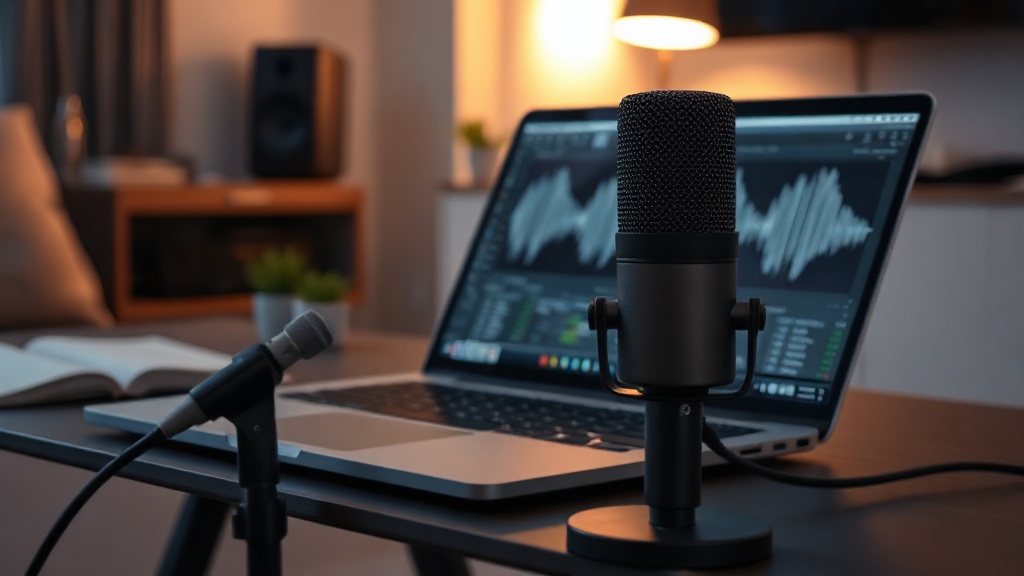
Finding reliable free AI audio transcribers that support 50+ languages in 2026 has become increasingly feasible thanks to the rapid evolution of open-source speech-to-text models. Whether you are a content creator, a researcher, or a global business professional, the ability to convert multilingual spoken audio into accurate text without breaking the bank is a game-changer for your productivity workflow.
The landscape of transcription technology has shifted from clunky, error-prone software to sophisticated neural networks capable of understanding nuances, dialects, and technical terminology. In this guide, we explore the top-tier tools that offer robust multilingual support while maintaining a generous free tier or open-source accessibility.
Evaluating the Power of Modern Speech-to-Text Engines
The core of every transcription tool is its underlying AI engine. In 2026, the industry is dominated by transformer-based architectures that excel at context recognition. Unlike older technologies that relied on phoneme matching, these models analyze the entire sentence structure to determine the most likely word, even if the audio quality is suboptimal.
Why Language Range Matters
When we talk about support for 50+ languages, we aren't just referring to the most common global tongues like Spanish, Mandarin, or French. True multilingual support includes regional dialects and lower-resource languages that were previously ignored by mainstream developers. This inclusivity is vital for global collaboration, allowing teams to document meetings, interviews, or lectures regardless of the speaker’s native tongue.
Factors Beyond Language Count
While language support is the headline feature, it shouldn't be the only metric you use to select a tool. You must also consider the following:
- Word Error Rate (WER): How often does the AI make a mistake?
- Diarization: Can the tool distinguish between different speakers?
- Timestamping: Are the word-level or sentence-level timestamps accurate?
- Export Formats: Does it support SRT, VTT, or plain text for easy integration?
Top Contenders for Multilingual Transcription
The following tools represent the current gold standard for free or freemium transcription services. While some are cloud-based platforms, others are installable software that runs directly on your hardware.
| Tool Name | Key Strength | Best Use Case |
|---|---|---|
| Whisper-based Apps | Accuracy & Privacy | Sensitive data, high-quality audio |
| VOSK | Offline Capability | Low-bandwidth environments |
| Google Pinpoint | Research & Long Files | Journalists and academics |
| Otter.ai (Free Tier) | Meeting Integration | Real-time collaboration |
| Aiko (macOS) | User Interface | Quick local file processing |
Harnessing the Power of OpenAI’s Whisper
OpenAI’s Whisper remains the backbone of many high-performing free transcribers. Because the model weights are open-source, developers have created numerous wrappers that provide a graphical user interface (GUI) for what was previously a command-line tool. If you have a decent GPU or a modern Mac, running a Whisper-based application locally is often faster and more secure than any cloud service.
Running Local Transcription for Maximum Privacy
For professionals handling confidential interviews or legal documents, cloud-based transcription is often not an option. Fortunately, 2026 has seen an explosion in "Local AI" tools. These applications allow you to perform transcription entirely on your own machine.
Benefits of Local Processing
The primary advantage here is data sovereignty. Your audio files never leave your computer, meaning you don't have to worry about third-party terms of service regarding data training or storage. Furthermore, you are not subject to file size limits or wait times during peak usage hours on busy server farms.
The Trade-off: Hardware Requirements
The catch is that high-quality AI models are resource-intensive. To get the best results, you need a machine with a dedicated graphics card (NVIDIA RTX series are standard) or a modern processor with a strong Neural Engine. If your hardware is older, you may find that local transcription takes significantly longer than the actual duration of the audio file.
How to Optimize Your Audio for Better AI Results
Even the best AI transcription tool will struggle if the input quality is poor. As an expert, I recommend treating your audio source with as much care as your final text output. AI models are essentially pattern recognizers; if the pattern is buried under noise, the results will be disjointed.
The "Clean Audio" Checklist
- Microphone Placement: Keep the mic within 6-12 inches of the speaker’s mouth.
- Background Noise: Avoid recording in rooms with hard surfaces that create echo or near appliances like fans or AC units.
- Cross-talk Reduction: If recording a group, use a multi-track setup if possible, or ensure speakers take turns clearly.
- Format Matters: Use uncompressed formats like WAV or high-bitrate MP3/AAC to provide the AI with the most data to work with.
Step-by-Step: Converting Audio to Text
If you are new to using these tools, the process is generally straightforward. Follow this workflow to ensure the highest success rate with any of the recommended free transcribers.
- Pre-process: If your audio is very long (over an hour), consider splitting it into 15-30 minute segments. This reduces the risk of the process timing out or memory errors.
- Select the Model: Many tools allow you to choose between "base," "small," "medium," or "large" models. Always pick the largest model your hardware can support for the best accuracy.
- Configure Language: While many tools have "Auto-detect," manually selecting the language significantly improves accuracy, especially for languages with similar phonetic structures.
- Review and Edit: No AI is 100% perfect. Always budget time to skim through the generated text for proper nouns, technical terms, or industry-specific jargon that the AI might have hallucinated.
Overcoming Common Transcription Challenges
Even with the best tools, you will eventually encounter difficult audio. Perhaps the speaker has a heavy accent, or the subject matter is highly technical. In these cases, you need to employ "Expert Workarounds" to force the AI to perform better.
Handling Specialized Terminology
AI models are trained on general web data. If you are transcribing a medical or legal document, the AI might misinterpret specific terminology. Some advanced tools allow you to provide a "prompt" or a "vocabulary list." By feeding the tool a list of technical terms or common proper nouns used in your specific niche, you can drastically reduce the number of corrections needed in your final draft.
Dealing with Low-Quality Files
If you are stuck with a poor recording, don't just throw it into the transcriber. Use a free AI audio enhancement tool first to strip away background hum or normalize volume levels. A few minutes spent cleaning the audio can save you an hour of manual editing time later.
Final Thoughts
The landscape for free AI audio transcribers in 2026 is defined by a shift toward local, powerful, and highly accessible technology. By choosing the right tool—whether it's a privacy-focused local app or a cloud-based research assistant—you can automate the tedious process of transcription and focus your energy on higher-value tasks like analysis and content creation. Start by testing one of the local Whisper-based clients on your machine this week; you will likely be surprised by how much time you save. If you found this guide helpful, consider bookmarking it as we continue to track the best free AI tools for your professional toolkit.
Frequently Asked Questions
Are free AI transcribers actually accurate for non-English languages?
Yes, modern models like Whisper and various transformer-based engines have reached near-human parity for many common languages. However, accuracy often depends on audio quality, speaker accent, and background noise levels.
Do these free tools keep my uploaded data private?
It varies significantly by provider. Open-source local tools offer the highest privacy as data never leaves your device, while cloud-based free tiers may use your audio to improve their models unless you opt out.
What is the biggest limitation of free transcription tools?
Most free versions impose limits on file size, total monthly duration, or advanced features like speaker diarization. You may also encounter slower processing queues during peak traffic times.

Nethmina is the founder of AI Tools Wire and an AI software developer who builds automation tools and tests new AI products hands-on every week.
📬 Get new articles by email
Subscribe for the latest AI tools, guides, and tips. No spam — unsubscribe anytime.
Related Articles

7 Best Free AI Children’s Story Creators for Custom Tales (2026)
Discover the best free AI children’s story creators with illustrations to build custom books. Learn how to generate unique tales for kids in minutes.
7 Best Free AI Email Subject Writers to Boost Your Open Rates
Discover the best free AI email subject writers to increase your open rates. Learn how to craft high-converting subject lines using these expert-tested tools.
7 Best Free AI Chatbot Creators to Automate Basic Queries
Discover the best free AI chatbot creators that handle basic queries effortlessly. Streamline your customer support and save time with these top-rated tools.