
7 Best Free AI Coloring Page Creators for Printable PDFs 2026
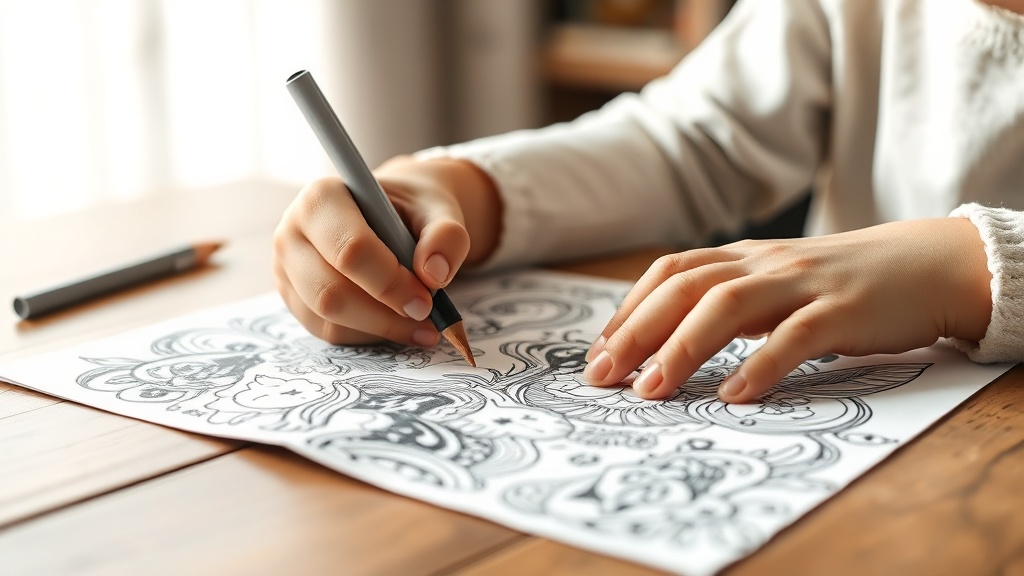
Finding high-quality, unique coloring pages has never been easier thanks to the rise of free AI coloring page creators that allow you to generate custom, printable PDFs in seconds. Whether you are a parent looking for personalized activities, a teacher needing specific curriculum-aligned imagery, or an adult seeking a mindful creative outlet, these AI-driven platforms offer a level of customization that traditional coloring books simply cannot match. By leveraging advanced generative models, you can turn a simple text prompt into a crisp, high-resolution line drawing ready for your printer.
The shift toward AI-generated art has democratized the ability to create bespoke content. You no longer need to search endlessly for a specific theme or character; instead, you can act as the illustrator. The tools highlighted in this guide focus on accessibility, ease of use, and the ability to export your creations directly into a printable format, ensuring you spend less time searching and more time coloring.
Understanding How AI Generates Line Art
At their core, AI coloring page creators use diffusion models—the same technology behind high-end image generators—to interpret your text prompts. However, generating a good coloring page requires a specific "style" instruction. If you simply ask for an image, the AI will provide a full-color, shaded photograph. To get a coloring page, you must instruct the AI to prioritize line weight, contrast, and white space.
The process typically involves a "style filter" or a prompt-engineering technique that forces the AI to output high-contrast, black-and-white vector-like lines. When selecting a tool, look for those that explicitly offer a "coloring book" or "line art" mode. This setting automatically adjusts the internal parameters to remove gradients, shadows, and textures that would otherwise make a page difficult or frustrating to color.
Key Prompting Techniques for Better Results
To master these tools, you need to speak the language of the generator. Use terms like "bold outlines," "white background," "minimalist," and "vector illustration." Avoid requesting complex shading, as AI often struggles to differentiate between a shadow and a line, which can result in muddy, unappealing prints. If your first attempt is too detailed, add the phrase "simple design" to your prompt to reduce the number of small, intricate gaps.
Top Platforms for Creating Printable PDFs
While there are dozens of AI art generators, only a handful are optimized for the specific task of producing printable coloring sheets. The best tools provide a "one-click" workflow where the image is generated, cleaned up, and formatted into a PDF file without requiring you to use third-party editing software.
One of the most popular approaches is using dedicated AI coloring book builders. These platforms often provide a gallery of pre-made templates while allowing you to generate new ones from scratch. They are designed with the end-user in mind, ensuring that the exported file is high-resolution (300 DPI) so that the lines don't appear pixelated or blurry when printed on standard letter-sized paper.
Comparison of Popular AI Coloring Generators
| Tool Name | Ease of Use | PDF Export | Best For |
|---|---|---|---|
| Canva Magic Media | High | Yes | Casual users & teachers |
| Leonardo.ai | Medium | No (requires conversion) | Advanced artistic control |
| Microsoft Designer | High | Yes | Quick, simple prompts |
| Adobe Firefly | Medium | No (requires conversion) | High-resolution prints |
Step-by-Step Guide to Generating Your First Page
Generating a custom coloring sheet is a straightforward process, but following a consistent workflow ensures the best output. First, start with a clear, concise prompt. Instead of saying "a picture of a dog," try "a cute cartoon dog sitting in a garden, bold black outlines, white background, high contrast, coloring book page style."
Once the AI generates the image, inspect the line work. Does it have "noise" or stray marks? If it does, many platforms have an "edit" or "regenerate" button. Do not settle for the first result; AI generators often produce better variations on the second or third try. Once you are satisfied, download the image. If the tool does not offer a direct PDF export, open the image in a document editor like Google Docs or Microsoft Word, set the page size to A4 or Letter, and save it as a PDF.
Refining Your Printable Output
Expert tip: If you find that your printer is struggling with thin lines, look for a "boldness" setting or use an image editor to increase the contrast. Increasing the contrast will make the lines darker and the background cleaner, which helps significantly with home printers that might otherwise struggle to render fine, light-gray lines correctly.
Essential Features to Look For
When choosing an AI tool, consider the user interface and the flexibility of the export options. A good tool should offer a clean interface without unnecessary distractions. You want to focus on the prompt box and the results gallery. Furthermore, look for tools that allow for aspect ratio selection. For coloring pages, you almost always want a vertical (portrait) orientation.
Another crucial feature is "negative prompting." This is a setting where you tell the AI what you don't want. If you keep getting shading, add "shading, grey, color, blurry, complex" to your negative prompt box. This effectively "cleans" the output, ensuring that the AI focuses solely on creating clear, printable lines that are ready for markers, crayons, or colored pencils.
Educational Use Cases for Teachers and Parents
Free AI coloring page creators are a game-changer for educators. Teachers can create custom coloring sheets based on specific lesson plans, such as historical figures, scientific diagrams, or vocabulary-based illustrations. Because you can generate these in seconds, you can create a unique set of pages for every student in the class, which can be a powerful way to keep students engaged during quiet time.
Parents can use these tools to create personalized pages for their children. If your child is currently obsessed with a specific topic—like space exploration, underwater life, or mythical creatures—you can generate a series of pages that match their interests exactly. This level of personalization keeps children interested in the activity for much longer than generic, store-bought coloring books.
Troubleshooting Common AI Art Issues
Even the best AI models can make mistakes. You might notice extra limbs on a character, strange text artifacts, or lines that don't connect. These are common quirks of current generative technology. To avoid these, try to keep your prompts focused on objects rather than complex human anatomy, which is notoriously difficult for AI to render perfectly.
If you encounter "hallucinations" where the AI adds unwanted elements, simply refine your prompt. Adding "simple line art" or "clean vector lines" often helps the AI prioritize the structure of the image over the complexity of the content. If the AI insists on adding color, add "monochrome" or "black and white" to your prompt to force it into a coloring-book-ready state.
Advanced Tips for Pro-Level Results
If you want to take your coloring pages to the next level, consider combining AI tools with basic graphic design software. You can generate a line art element using an AI tool, then bring that image into a program like Canva or Inkscape to add text, borders, or even combine multiple AI-generated elements into a single, cohesive scene.
Another advanced technique is to use "image-to-image" generation. If you find a drawing you like but it's not in a coloring book style, you can upload that image to an AI tool and use a prompt like "convert this into a clean black and white coloring page." This allows you to transform existing artwork into a template you can color, effectively giving you infinite variations on your favorite designs.
Final Thoughts
The ability to generate custom, printable coloring pages using free AI tools is a powerful resource that combines creativity with modern technology. By mastering a few simple prompting techniques and understanding how to navigate the available platforms, you can create a nearly endless library of personalized art. Whether you are using these for educational purposes, stress relief, or simple family fun, the key is to experiment with your prompts and refine your results until they meet your specific needs. Start exploring these tools today to see how quickly you can turn a simple idea into a physical, colorable reality.
Frequently Asked Questions
Are AI-generated coloring pages royalty-free for commercial use?
Most free-tier AI tools grant you ownership of the images you create, but you should always check the specific Terms of Service of the platform. Some require a paid subscription for commercial licensing, while others allow personal use only.
How can I get the best results from an AI coloring prompt?
Use descriptive keywords like 'clean black and white line art,' 'thick outlines,' 'no shading,' and 'coloring book style.' Specifying a subject, such as 'a cute dragon in a forest,' helps the AI focus on the composition.
Do these AI tools automatically format pages as PDFs?
Many specialized AI coloring book generators include a 'download as PDF' button. If a tool only generates image files, you can easily convert them to PDFs using free online converters or by printing the image and selecting 'Save as PDF' in your print settings.

Nethmina is the founder of AI Tools Wire and an AI software developer who builds automation tools and tests new AI products hands-on every week.
📬 Get new articles by email
Subscribe for the latest AI tools, guides, and tips. No spam — unsubscribe anytime.
Related Articles
7 Best Free AI Children’s Story Creators for Custom Tales (2026)
Discover the best free AI children’s story creators with illustrations to build custom books. Learn how to generate unique tales for kids in minutes.
7 Best Free AI Email Subject Writers to Boost Your Open Rates
Discover the best free AI email subject writers to increase your open rates. Learn how to craft high-converting subject lines using these expert-tested tools.

7 Best Free AI Chatbot Creators to Automate Basic Queries
Discover the best free AI chatbot creators that handle basic queries effortlessly. Streamline your customer support and save time with these top-rated tools.