
7 Best Free AI Cover Letter Writers to Land More Interviews
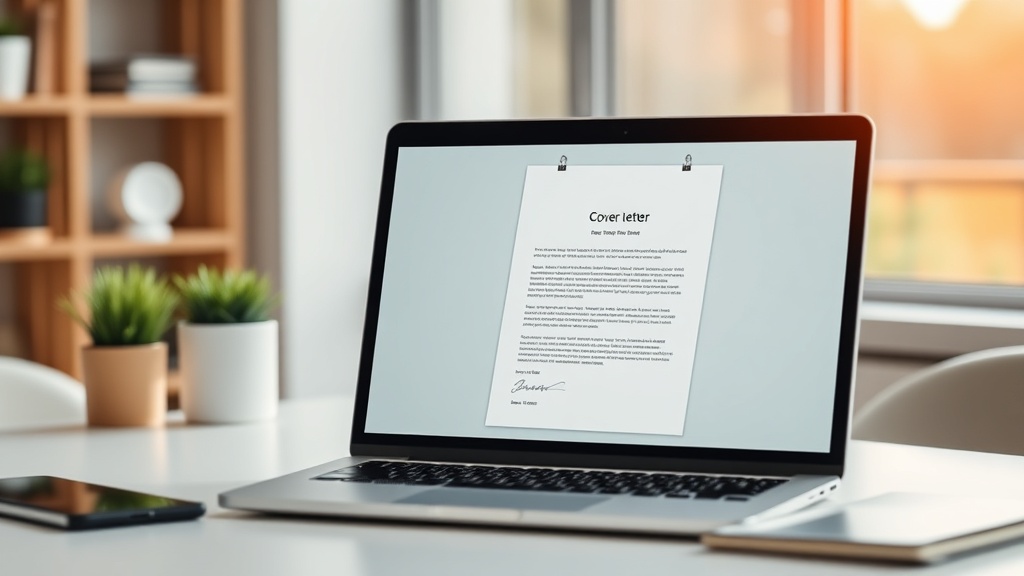
Finding the right job is a full-time endeavor, and using the best free AI cover letter writers can significantly streamline your workflow while increasing your chances of landing an interview. By leveraging machine learning models to synthesize your professional experience with specific job requirements, you can move past the blank-page syndrome and focus on tailoring your narrative to the specific needs of potential employers.
In an era where hiring managers are inundated with hundreds of applications, the difference between a rejection and an interview invite often comes down to the quality of your introduction. These tools aren't just about speed; they are about precision, keyword optimization, and maintaining a professional tone that reflects your personality and career goals.
Why AI Is a Game-Changer for Job Applications
The traditional method of writing a cover letter—manually tweaking every paragraph for every single job—is inefficient and prone to burnout. When you use a free AI cover letter writer, you are essentially outsourcing the heavy lifting of structure, grammar, and keyword integration. These tools excel at taking your resume data and aligning it with the specific jargon found in a job description, ensuring that your core competencies are front and center.
Beyond efficiency, AI tools act as a mirror for your professional brand. When you input your background, the AI can often suggest ways to frame your accomplishments that you might not have considered. If you are a career changer, for instance, an AI can help bridge the gap between your previous experience and the new role, highlighting transferable skills that might otherwise be overlooked by a recruiter skimming your application.
The Importance of ATS Optimization
Applicant Tracking Systems (ATS) are the digital gatekeepers of the modern job search. Most companies use these systems to filter candidates based on keyword density and formatting. AI writers are particularly adept at identifying the "required skills" section of a job posting and embedding those phrases naturally into your letter. This is a subtle but vital advantage that ensures your application actually reaches human eyes.
How to Select the Right Free AI Tool
Not all AI tools are created equal, and your choice should depend on your specific needs—whether you need a quick template or a highly customized, narrative-driven letter. Many platforms offer a "freemium" model where you get a limited number of generations per month, which is usually sufficient for a targeted, high-quality job search.
When evaluating these tools, look for ones that allow you to paste both your resume and the job description. The magic happens in the synthesis of these two documents. If a tool only asks for your resume but ignores the job description, it will produce a generic letter that fails to stand out. Always prioritize tools that offer a "tone" setting, allowing you to toggle between professional, creative, or bold depending on the company culture.
Key Features to Look For
- Job Description Integration: The ability to scan and extract keywords from a URL or pasted text.
- Resume Parsing: Automatically importing your work history to minimize manual data entry.
- Customization Controls: Sliders or options for tone, length, and focus areas.
- Format Flexibility: The ability to export to clean, copy-pasteable text or PDF formats that play nicely with ATS.
Comparing Top Free AI Cover Letter Solutions
While the market is flooded with various tools, the following table highlights the most reliable options that provide significant value on their free tiers. Note that these tools often update their capabilities, so it is always wise to check their current limitations regarding free generations.
| Tool Name | Best For | Key Free Feature |
|---|---|---|
| ChatGPT (OpenAI) | Customization | Unlimited drafting with custom prompts |
| Resume.io | Professional Templates | High-quality ATS-friendly formatting |
| Jobscan | ATS Optimization | Deep keyword analysis against job postings |
| Teal | Comprehensive Tracking | Integrated resume and cover letter builder |
| Copy.ai | Creative/Bold Styles | Excellent at rewriting bullet points |
Step-by-Step: Crafting the Perfect AI-Assisted Letter
To get the most out of these tools, you must treat the AI as a junior assistant rather than a final author. Start by gathering your raw data: your resume, the specific job description, and a list of three "star" accomplishments that you want to emphasize. Without these inputs, the AI will default to generic filler text that won't convince a recruiter of your value.
Once you have your input ready, follow this workflow to ensure high-quality results:
- Input the Job Description: Paste the full job posting so the AI understands the company's pain points.
- Define the Tone: Explicitly tell the AI, "Write this in a professional yet enthusiastic tone, focusing on my experience with [Specific Skill]."
- Review and Edit: Read the output aloud. If it sounds like a robot wrote it, change the sentence structure.
- Add the "Human Element": Insert a specific, non-automated sentence about why you are passionate about that specific company.
- Final Polish: Check for any placeholders like "[Insert Company Name]" that you might have missed.
The "Prompt Engineering" Advantage
The quality of your output is directly tied to the quality of your prompt. Instead of saying "Write me a cover letter for a marketing job," try: "Act as a senior marketing expert. Write a persuasive cover letter for a [Job Title] role. Use my resume [Paste Resume] and the job description [Paste Job Description]. Emphasize my experience in data-driven growth and mention my passion for the company's recent sustainability initiative."
Common Pitfalls to Avoid
Even the most advanced AI tools can fall into traps if the user isn't careful. One of the most common mistakes is over-reliance on the AI's "creative" capabilities. Sometimes, an AI will hallucinate details—creating work experiences you didn't have or exaggerating your proficiency in a certain software. Always fact-check every single claim the tool generates.
Another pitfall is the "generic loop." If you use the exact same prompt for every application, you will end up with letters that all look identical, which can be spotted by a human recruiter who sees your application for different roles at the same company. Vary your prompts, emphasize different skills for different roles, and always manually tweak the introductory paragraph to reflect the specific news or values of the hiring firm.
Avoiding the "Robotic" Sound
AI models tend to use overly formal, flowery language like "I am writing to express my profound enthusiasm." Cut this fluff. Replace it with direct, punchy sentences. If the AI uses a word you wouldn't use in a meeting, change it to your own vocabulary. Your cover letter needs to sound like you, not a marketing brochure.
Expert Tips for High-Conversion Letters
If you want to move beyond the basics, consider these expert-level strategies. First, focus on the "Value Proposition" model. Instead of listing your past duties, focus on the results you achieved. AI tools are great at turning "Managed a team" into "Led a cross-functional team of 10 to increase quarterly output by 15%." Use the AI to turn your boring tasks into impressive metrics.
Second, consider the "Problem-Solution" framework. For every requirement listed in the job description, create a paragraph in your cover letter that describes how you have solved that specific problem in the past. This makes the letter feel like a direct solution to the employer's current headache, which is exactly what hiring managers are looking for.
Using AI for Networking
Don't just use these tools for the application itself. You can use free AI models to draft networking emails to recruiters or hiring managers. By feeding the AI information about the company's recent work, you can generate a thoughtful, short message that asks for an informational interview, which often bypasses the standard application process entirely.
Final Thoughts
The goal of using a free AI cover letter writer is not to automate your career search into oblivion, but to reclaim your time so you can focus on the human aspects of the process. By handling the structural and keyword-heavy parts of your application, AI allows you to spend your energy on what truly matters: researching the company, practicing your interview answers, and networking with real people.
Use these tools as a starting point—a skeleton upon which you build your unique professional story. When you combine the efficiency of machine learning with your authentic human experience, you create an application that is not only optimized for the algorithm but also compelling enough to capture the attention of a human reader. Start testing these tools today, refine your prompts, and watch as your call-back rate begins to climb.
Frequently Asked Questions
Do recruiters know if you used an AI cover letter writer?
Recruiters generally don't care if a tool helped you, provided the output is high-quality and personalized. They only flag AI content when it sounds robotic or generic, which is why human editing is non-negotiable.
Will using an AI cover letter writer hurt my chances with ATS?
Not at all. In fact, most AI tools are designed to weave in keywords from job descriptions, which can actually help you pass Applicant Tracking Systems. Just ensure the final file is in a clean, standard format.
How can I make an AI-written cover letter sound more human?
Inject specific anecdotes, highlight unique metrics from your past roles, and adjust the tone to match the company culture. Never send the first draft generated by the AI without rewriting at least 30% of the content.

Nethmina is the founder of AI Tools Wire and an AI software developer who builds automation tools and tests new AI products hands-on every week.
📬 Get new articles by email
Subscribe for the latest AI tools, guides, and tips. No spam — unsubscribe anytime.
Related Articles

7 Best Free AI Children’s Story Creators for Custom Tales (2026)
Discover the best free AI children’s story creators with illustrations to build custom books. Learn how to generate unique tales for kids in minutes.

7 Best Free AI Email Subject Writers to Boost Your Open Rates
Discover the best free AI email subject writers to increase your open rates. Learn how to craft high-converting subject lines using these expert-tested tools.
7 Best Free AI Chatbot Creators to Automate Basic Queries
Discover the best free AI chatbot creators that handle basic queries effortlessly. Streamline your customer support and save time with these top-rated tools.