
7 Best Free AI Image Banks to Generate Unique Visuals in 2026
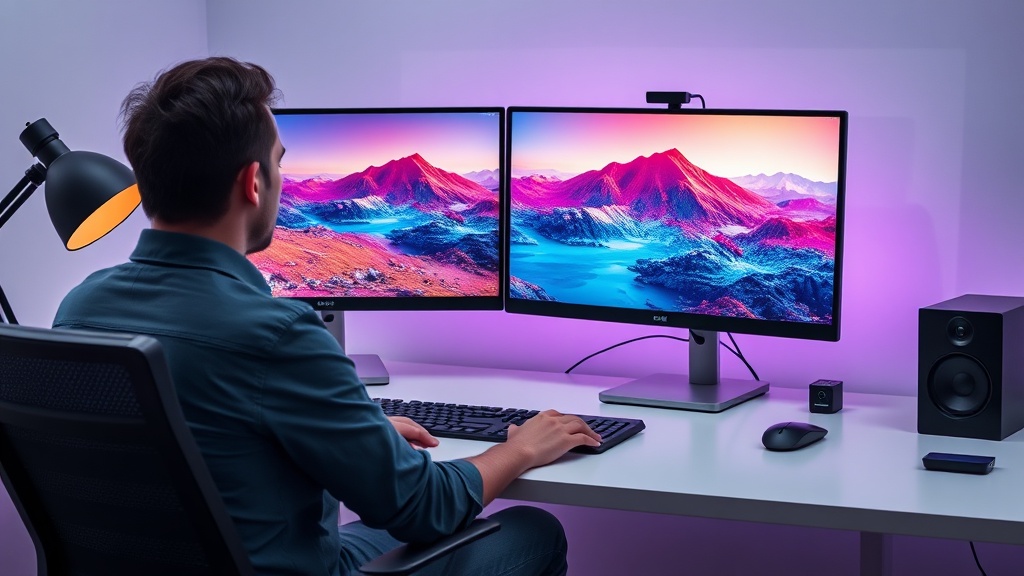
Finding high-quality, royalty-free visuals has traditionally involved scouring crowded stock photo libraries where the same generic images appear on thousands of websites. Free AI image banks to generate unique visuals are changing this landscape, allowing creators to produce bespoke assets that perfectly match their brand identity without the high cost of custom photography or stock subscriptions. By leveraging generative models, you can move away from cliché imagery and toward a visual strategy that is entirely your own.
The Shift from Stock to Generative Assets
The primary advantage of using AI-based image generators over traditional stock sites is the ability to control the output. When you search a stock library, you are limited by what someone else has already captured. With AI tools, you are the director. You define the subject, the lighting, the color grading, and the composition. This shift enables startups, bloggers, and small business owners to maintain a consistent visual aesthetic that feels professional and intentional.
Furthermore, the legality and usage rights of AI-generated content are becoming more standardized. While early iterations of these tools faced scrutiny, most modern platforms now provide clear guidelines regarding ownership. Using these tools effectively requires a basic understanding of how to craft prompts that yield high-fidelity results, turning simple text descriptions into complex, unique digital art.
Top Platforms for On-Demand Visual Creativity
When selecting a tool, you should prioritize platforms that offer a balance between ease of use and creative flexibility. Some tools are built for speed and simplicity, while others provide granular control over the diffusion process. The best free AI image banks to generate unique visuals often allow you to iterate on your ideas, providing multiple variations for every prompt you submit.
Balancing Quality and Speed
Not every tool is created equal. Some excel at photorealistic portraits, while others are better suited for abstract illustrations, icons, or vector-style graphics. Understanding the "personality" of each generator is key. For instance, tools that utilize advanced models like Stable Diffusion or Flux often offer a higher degree of photorealism, whereas models optimized for quick sketches or UI elements may be better for wireframing and prototyping.
| Platform | Best For | Learning Curve |
|---|---|---|
| Microsoft Designer | Photorealism | Low |
| Adobe Firefly (Web) | Commercial Safety | Low |
| Leonardo.ai | Artistic Control | Medium |
| Ideogram | Text/Typography | Medium |
| SeaArt.ai | Community Assets | High |
Mastering Prompt Engineering for Better Results
The quality of your output is directly tied to the precision of your input. Many users fail to get the results they want because their prompts are too vague. To generate unique visuals that don't look like generic AI artifacts, you must include specific details regarding the "camera" settings and artistic style. Instead of asking for a "dog in a park," try "a golden retriever sitting on a lush green lawn, captured with a 35mm lens, f/2.8 aperture, soft morning sunlight, cinematic depth of field."
The Anatomy of an Expert Prompt
A high-performing prompt usually follows a specific structure: [Subject] + [Action/Context] + [Environment/Background] + [Artistic Style/Medium] + [Technical Parameters]. By layering these elements, you provide the AI with enough context to avoid the "uncanny valley" and produce an image that feels like a deliberate creation.
- Subject: Be specific. Instead of "a person," use "a middle-aged architect in a minimalist office."
- Context: Describe the interaction. "Looking at a blueprint" or "sketching on a tablet."
- Environment: Set the scene. "Natural light streaming through floor-to-ceiling windows, soft shadows."
- Style: Define the look. "Photorealistic, 8k resolution, documentary photography style."
- Technical: Mention the lens or format. "Wide-angle, high contrast, vibrant color grading."
Navigating Legalities and Usage Rights
One of the most common concerns regarding free AI tools is the copyright status of the generated content. While laws are still evolving, most platforms allow users to use their generations for commercial projects, provided the user has a valid account. However, you should always review the specific terms of service for each tool. Some platforms retain a license to use your generated images for training purposes, while others offer more privacy-focused tiers.
Staying Compliant as a Creator
If you are using these visuals for client work, transparency is your best defense. Keep a log of the prompts used and the tools employed. If a client asks about the origin of an image, you can confidently explain that it was created using a generative model under a commercial license. Avoid using prompts that include the names of living artists or protected intellectual property, as this can lead to ethical and potential legal complications regarding copyright infringement.
Improving Your Workflow with AI Assets
Integrating AI image banks into your daily workflow can save hours of searching and editing time. Instead of spending the afternoon browsing stock sites, you can generate a set of branded images in minutes. This is particularly useful for social media managers who need fresh content daily or web designers who need specific background imagery for landing pages.
Step-by-Step Integration
- Step 1: Ideation. Create a mood board using a tool like Pinterest or Notion to define the visual direction.
- Step 2: Generation. Use your chosen AI tool to iterate on 5-10 variations of your concept.
- Step 3: Refinement. Use a free AI upscaler to increase the resolution of your favorite images.
- Step 4: Integration. Apply your brand color filters in a photo editor to ensure consistency across all assets.
- Step 5: Storage. Organize your generated assets in a cloud folder, tagging them by style and subject for future use.
The Role of Styles and Filters
Many modern image generators now include built-in style presets. These are invaluable for beginners who aren't yet comfortable with complex prompt engineering. By selecting a style—such as "Cyberpunk," "Watercolor," "Mid-Century Modern," or "Minimalist Corporate"—you can instantly pivot the aesthetic of your output without changing the underlying prompt.
Why Presets Matter
Presets act as a shortcut to professional-looking results. They often apply baked-in "negative prompts" (instructions on what to avoid, like blurry edges or extra fingers) to ensure the final image is clean. However, don't rely solely on presets. The most unique visuals come from combining these style filters with your own custom descriptive prompts, creating a hybrid look that distinguishes your brand from others using the same default settings.
Common Pitfalls and How to Avoid Them
Even with the best tools, it is easy to fall into traps that make your images look amateurish. The most common mistake is ignoring the composition. AI generators often default to center-weighted compositions, which can become repetitive. Use words like "rule of thirds," "asymmetrical," or "top-down view" to force the AI to rethink the layout.
Troubleshooting Your Generations
If your image looks "too AI," it usually means the lighting is too perfect or the textures are too smooth. To fix this, add terms like "film grain," "slight motion blur," or "imperfections" to your prompt. These small, subtle additions ground the image in reality and make it feel more organic. Additionally, if the AI struggles with text, avoid including it in the prompt entirely; it is almost always easier to add typography later using a tool like Canva or Photoshop.
Final Thoughts
The ability to generate unique visuals on demand is no longer a luxury reserved for those with high-end design software; it is a fundamental skill for the modern creator. By moving beyond generic stock photography and embracing the nuances of prompt engineering, you can build a library of assets that are as distinct as your brand itself. Start by experimenting with the free tiers of the tools mentioned above, and don't be afraid to iterate—the perfect image is often just one prompt adjustment away. If you are ready to elevate your visual storytelling, choose one tool, master its specific prompt syntax, and begin building your custom asset library today.
Frequently Asked Questions
Are images from free AI image banks safe for commercial use?
Most platforms offer commercial rights, but it depends on the specific terms of service of each tool. Always check if the platform provides a commercial license on their free tier before using assets in client work.
How can I get more unique results from AI image generators?
Focus on prompt engineering by adding specific details about lighting, camera angles, artistic style, and color palettes. Avoid generic terms and instead describe the texture, mood, and composition you want to achieve.
Do these free AI image banks require a subscription?
Many operate on a 'freemium' model where you receive a set amount of free generations per day or month. You can often access high-quality results without paying, provided you stay within the platform's usage limits.

Nethmina is the founder of AI Tools Wire and an AI software developer who builds automation tools and tests new AI products hands-on every week.
📬 Get new articles by email
Subscribe for the latest AI tools, guides, and tips. No spam — unsubscribe anytime.
Related Articles
7 Best Free AI Children’s Story Creators for Custom Tales (2026)
Discover the best free AI children’s story creators with illustrations to build custom books. Learn how to generate unique tales for kids in minutes.
7 Best Free AI Email Subject Writers to Boost Your Open Rates
Discover the best free AI email subject writers to increase your open rates. Learn how to craft high-converting subject lines using these expert-tested tools.
7 Best Free AI Chatbot Creators to Automate Basic Queries
Discover the best free AI chatbot creators that handle basic queries effortlessly. Streamline your customer support and save time with these top-rated tools.