
7 Best Free AI Invoice Makers with Automated Payment Reminders
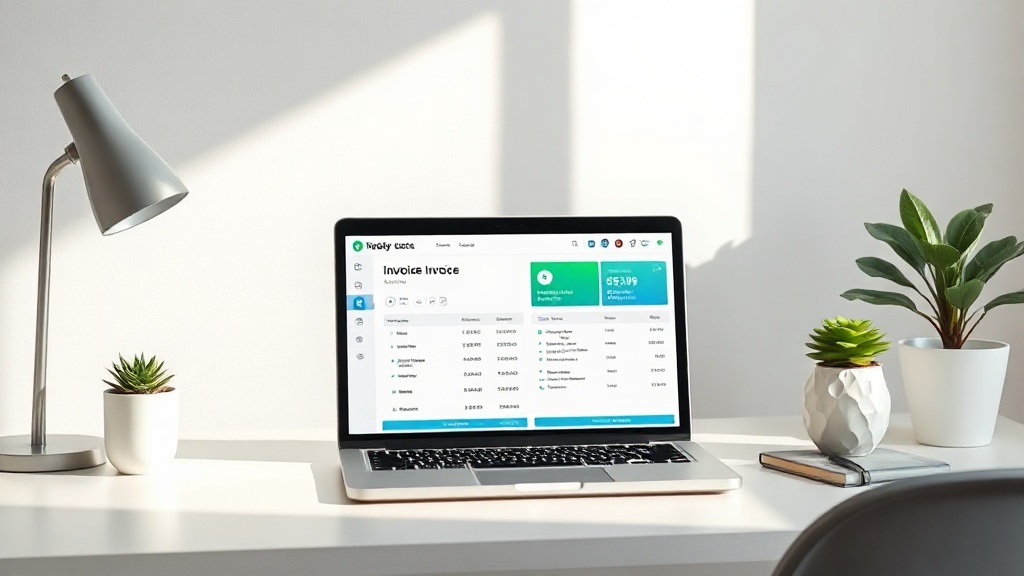
Finding reliable free AI invoice makers that send payment reminders is a game-changer for freelancers and small business owners who are tired of chasing down late payments. Managing your own billing can feel like a full-time job, but by leveraging smart automation, you can ensure your invoices are professional, accurate, and—most importantly—paid on time.
In the current digital economy, manual billing is often the silent killer of cash flow. When you rely on spreadsheets or static PDF templates, you lose the ability to track who has opened your invoice and when they are likely to pay. AI-integrated billing platforms bridge this gap by treating your invoices as dynamic documents that communicate with your clients, sending gentle nudges when a due date approaches or passes.
Why You Need AI-Powered Invoicing Automation
The primary struggle for independent contractors is the time spent on non-billable administrative tasks. Every hour spent drafting an invoice or typing out a follow-up email is an hour you aren't spending on client work. AI-powered invoicing shifts this burden from your shoulders to a background process that runs 24/7.
Beyond simple time-saving, these tools provide a level of professionalism that manual methods lack. When an invoice is generated through an AI-enhanced platform, it often includes a "Pay Now" button, real-time status updates, and a history of interactions. Clients are more likely to prioritize a professional, digital invoice that offers seamless payment methods over a static attachment that might get buried in their inbox.
Furthermore, the "AI" component in modern billing tools is becoming increasingly sophisticated. These systems can analyze your payment history to predict which clients are habitually late, allowing you to set tighter payment terms or schedule automated reminders to trigger earlier in the billing cycle. This predictive capability transforms your finance department from a reactive state to a proactive one.
Key Features to Look for in Free Billing Tools
When searching for the right platform, you should not just look for "free." You need to look for a tool that offers a sustainable free tier that doesn't cripple your workflow. Many tools lure users in with a free label but hide essential features like recurring invoices or custom branding behind a paywall.
Essential Checklist for Your Invoicing Suite:
- Automated Follow-ups: The ability to set a "reminder schedule" (e.g., three days before, on the day of, and three days after the due date).
- Payment Gateway Integration: Support for Stripe, PayPal, or Wise, allowing clients to pay directly from the invoice.
- Customization: The ability to add your own logo and business branding to maintain a professional image.
- Client Management: A CRM-lite feature that stores client details so you don’t have to re-enter billing addresses every time.
- Reporting: Basic insights into your outstanding receivables and total earnings.
Comparing Leading Free Invoicing Platforms
Not all free plans are created equal. Some platforms are truly free for unlimited invoices, while others impose a cap on the number of clients or the total volume of billing. Below is a comparison of how these tools generally stack up for the average user.
| Feature | Basic Free Plan | Professional Tier |
|---|---|---|
| Invoice Volume | Usually capped or unlimited | Always unlimited |
| Payment Reminders | Standardized/Limited | Fully customizable |
| Branding | Platform watermark | White-labeled |
| Client Portal | Basic access | Advanced tracking |
| Integration | Limited | Full CRM/Accounting sync |
When evaluating these options, look for a tool that allows you to scale. If you start with 5 invoices a month, ensure the platform allows you to grow to 50 without forcing you into an expensive enterprise contract immediately. Most reputable providers offer a "freemium" model where the core features are free forever, and paid plans are reserved for advanced accounting or team-based features.
How to Set Up Automated Reminders Effectively
Setting up automated reminders is not just about turning on a switch; it is about tone and timing. If your reminders are too aggressive, you risk damaging your client relationships. If they are too soft, you risk getting paid late. The goal is to strike a balance where the system acts as a polite, persistent assistant.
Start by setting a reminder to go out three days before the due date. Frame this as a "friendly heads-up" rather than a demand. This is often all that is needed for busy clients who simply lost track of the invoice in their pile of emails. The AI will handle the delivery, meaning you don’t have to worry about the awkwardness of manual follow-ups.
For overdue invoices, use a graduated approach. The first reminder should be a simple inquiry: "Just checking in to see if you have any questions regarding invoice #123." If it remains unpaid after a week, the second reminder should be more direct, including a link to the payment portal and a clear statement of the remaining balance. Automated tools allow you to customize these templates so they sound like you, not like a robotic debt collector.
Common Pitfalls to Avoid
Even with the best AI tools, mistakes can happen. One of the most common errors is setting the "Due Date" to "Upon Receipt." While this sounds proactive, it is often ambiguous for corporate accounting departments, which usually operate on Net-15 or Net-30 cycles. Always set a specific, clear date to ensure your automated reminders trigger at the correct time.
Another mistake is failing to test your own invoice flow. Before sending a live invoice to a high-value client, send one to your own secondary email address. Check the formatting, ensure the payment link works, and see exactly what the automated reminder email looks like. You might find that the default text is too clinical or that the branding looks slightly off on mobile devices.
Finally, be wary of "platform lock-in." Ensure that your chosen tool allows you to export your data (clients, invoice history, and payment logs) in a standard format like CSV or PDF. If you ever decide to move to a more robust accounting system, you don't want your financial history held hostage by a tool that refuses to export your data.
Expert Tips for Getting Paid Faster
Beyond automation, there are subtle psychological triggers you can use within your AI-generated invoices to speed up payment. First, ensure your payment terms are explicitly stated in the invoice header. Ambiguity is the enemy of timely payment. If you have a policy of "Net 15," write that clearly at the top.
Second, offer multiple payment methods. If a client has to log into their bank portal to initiate a wire transfer, they will likely procrastinate. If they can click a button on your invoice and pay via credit card or digital wallet, the friction is removed. Most AI invoice makers now include these integrated payment buttons by default—make sure you have them activated.
Lastly, consider adding a "pay early" incentive. Some invoicing platforms allow you to set a discount for early payments. Even a small 2% discount for payments made within 7 days can act as a powerful motivator for clients who want to optimize their own accounts payable process. Your AI tool should be able to calculate this discount automatically on the invoice line items.
Final Thoughts
The transition from manual billing to automated, AI-driven invoicing is one of the most effective ways to reclaim your time and stabilize your income. By selecting a platform that offers robust automated reminders, you effectively outsource the most stressful part of your business operations to a system that never forgets, never gets emotional, and never misses a deadline.
Start by auditing your current invoicing process. Identify which steps are repetitive and choose a tool that specifically addresses those bottlenecks. Remember that the best tool is the one you actually use consistently. Don't let the search for the "perfect" software delay your move toward automation; pick a reputable free provider today, set up your templates, and watch how much faster your accounts receivable begin to clear. Your future self—and your bank account—will thank you for the upgrade.
Frequently Asked Questions
Do free AI invoice makers actually send reminders automatically?
Yes, many modern cloud-based invoicing platforms offer automated reminders even on their free tiers. However, some tools restrict the customization of the reminder schedule until you upgrade to a paid plan.
Is it safe to use free AI invoicing software for sensitive client data?
Reputable free invoicing platforms use industry-standard encryption and secure cloud storage. Always ensure the provider is GDPR compliant and maintains a clear privacy policy regarding your client information.
What is the main advantage of using AI-driven invoicing over manual templates?
AI invoicing tools can intelligently track payment status, suggest optimal send times, and auto-populate line items based on previous history, significantly reducing human error and administrative overhead.

Nethmina is the founder of AI Tools Wire and an AI software developer who builds automation tools and tests new AI products hands-on every week.
📬 Get new articles by email
Subscribe for the latest AI tools, guides, and tips. No spam — unsubscribe anytime.
Related Articles

7 Best Free AI Children’s Story Creators for Custom Tales (2026)
Discover the best free AI children’s story creators with illustrations to build custom books. Learn how to generate unique tales for kids in minutes.
7 Best Free AI Email Subject Writers to Boost Your Open Rates
Discover the best free AI email subject writers to increase your open rates. Learn how to craft high-converting subject lines using these expert-tested tools.
7 Best Free AI Chatbot Creators to Automate Basic Queries
Discover the best free AI chatbot creators that handle basic queries effortlessly. Streamline your customer support and save time with these top-rated tools.