
7 Free AI Music Creators for Commercial-Use Songs in 2026
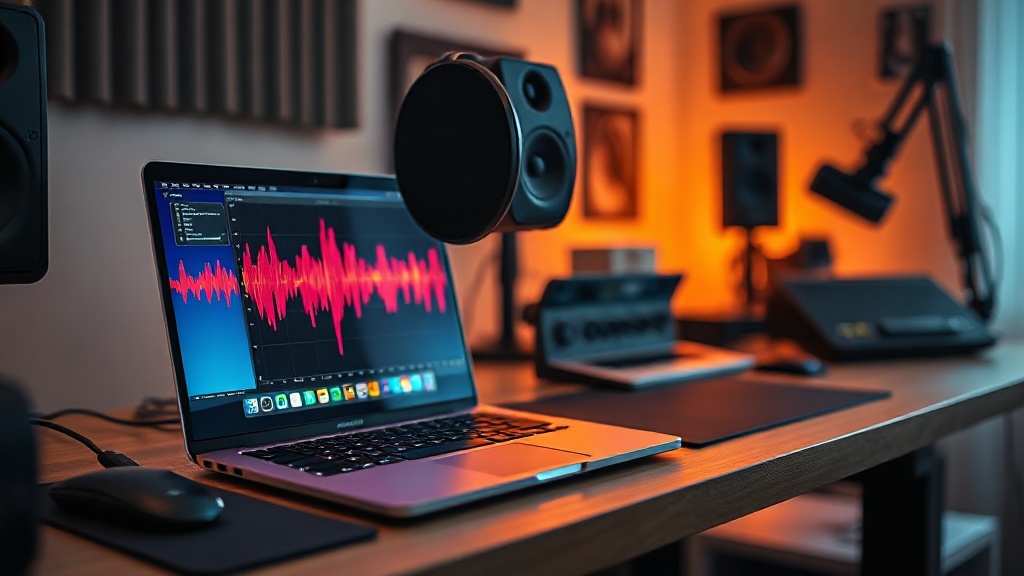
Finding reliable free AI music creators for commercial-use songs is a game-changer for independent creators, video editors, and small business owners who need high-quality audio without the burden of expensive licensing fees. Navigating the legal minefield of copyright-protected music can be exhausting, but the rise of generative AI has democratized production, allowing you to create custom soundtracks that are uniquely yours. By leveraging the right platforms, you can secure high-quality audio assets that are safe for use in YouTube videos, social media campaigns, and even paid advertisements.
The distinction between "free-to-use" and "commercially-viable" is the most important factor in your workflow. Many platforms offer a "free" tier that restricts usage to personal projects, meaning you cannot monetize content featuring that audio. To avoid potential copyright strikes or legal complications, you must verify that the platform’s terms explicitly state that the user retains commercial rights or provides a royalty-free license for the generated output.
Understanding Commercial Rights in AI Music
When you generate a track, you aren't just getting an audio file; you are entering into a licensing agreement with the software provider. In the world of AI music, "commercial use" generally means you have the right to use the audio in projects intended for profit or business promotion. This includes YouTube videos with ad monetization, corporate presentations, and social media ads.
The Licensing Hierarchy
Most AI music platforms operate on a tiered licensing model. At the entry level, many offer a "Free Tier" that allows for personal experimentation but prohibits commercial distribution. As an expert, I recommend always looking for "Commercial Rights" explicitly listed in the platform’s FAQ or Terms of Service. If a tool doesn't mention commercial use, assume it is for personal use only.
Why Attribution Matters
Even when a tool allows commercial use on a free plan, they often require "attribution." This means you must credit the AI platform in your project’s description or credits. Ignoring this requirement can technically violate your license, even if the music itself is royalty-free. Always keep a digital record of the license terms valid at the time you generated your track.
Top Platforms for Commercially Available AI Audio
The market is saturated with generative tools, but only a handful provide a genuine path to commercial ownership on their free or entry-level tiers. The following tools have been selected based on their commitment to transparent licensing and high-fidelity output.
| Tool Name | Commercial Use (Free Tier) | Attribution Required | Best For |
|---|---|---|---|
| AIVA | Yes (with credit) | Yes | Orchestral & Cinematic |
| Suno (Free Plan) | No (Personal only) | N/A | Vocal tracks & Pop |
| Udio | No (Personal only) | N/A | High-fidelity experimentation |
| Soundraw | Yes (with credit) | Yes | Customizing mood/length |
| Boomy | Yes | No (with limitations) | Simple beats & Lo-fi |
Note: Always review the latest terms of service for these tools, as licensing policies for AI startups change frequently.
Leveraging AIVA for Cinematic Scores
AIVA (Artificial Intelligence Virtual Artist) is a powerhouse for creators who need orchestral, emotive, or cinematic music. It is one of the few tools that provides a pathway for free users to utilize their compositions commercially, provided they follow the attribution guidelines.
How to Get Started
To use AIVA commercially for free, you must use their "Free" plan, which requires you to credit AIVA in your project. The platform allows you to download MIDI files or MP3/WAV files depending on your specific needs. The interface is highly intuitive, allowing you to select a "style" (e.g., Cinematic, Epic, Ambient) and generate a composition that you can further edit in your DAW (Digital Audio Workstation).
Pro Tips for AIVA
- Use the MIDI export: Even if the free-tier audio quality isn't enough for a high-end production, you can export the MIDI and use your own high-quality VST instruments (like those from Spitfire Audio) to make the track sound professional.
- Refine the structure: AIVA allows you to adjust the time signature and key, ensuring the music fits the pacing of your video edit perfectly.
Customization with Soundraw
Soundraw stands out because it focuses on "customizability" rather than just "generation." Instead of prompting the AI to "make me a song," you select the mood, genre, and length, and the tool builds the track around your specific requirements.
The Benefit of Tailored Lengths
One of the biggest frustrations for video editors is finding a song that ends exactly when the video ends. Soundraw lets you drag and drop to adjust the length of the track, ensuring the beat drops or the climax of the music aligns perfectly with your visual transitions. This level of control is invaluable for professional-looking content.
Using Soundraw Commercially
The free tier allows you to generate and customize tracks. While you can download these tracks, you must credit the platform. It is an excellent choice for creators who need background music for "talking head" videos or tutorials where the music shouldn't overpower the voiceover.
The Boomy Approach to Lo-fi and Beats
Boomy is designed for creators who need background beats, lo-fi tracks, or simple electronic arrangements. It is incredibly fast, allowing you to generate a track in under a minute. It is less about complex orchestration and more about providing a "vibe" for your content.
Why Boomy Works for Creators
If you are producing content for platforms like TikTok or Instagram Reels, you need music that is unobtrusive and fits the short-form format. Boomy’s interface is simplified, removing the complex music theory requirements found in other tools. You can generate a track, edit the structure, and save it to your library quickly.
Licensing for Boomy
Boomy has a unique structure regarding ownership. While they allow for commercial use, you should be mindful of the "release" feature. If you use Boomy to create music, ensure you are using the tracks within the bounds of their specific license agreements, which are clearly outlined in their account dashboard.
Expert Workflow: From AI Generation to Final Mix
Generating the music is only step one. To make AI-generated audio sound like it belongs in a professional production, you need to treat it like a raw recording. Even the best AI tools can produce tracks that sound slightly "flat" or repetitive.
Step-by-Step Integration
- Generate Multiple Variations: Never settle for the first result. Generate 5-10 variations of your prompt to find the one with the best melodic structure.
- Import into a DAW: Bring your exported WAV file into a program like Audacity, GarageBand, or Reaper.
- Apply EQ and Compression: AI audio often has a "muddy" low end. Use a high-pass filter to remove unnecessary sub-frequencies, and apply light compression to even out the volume levels.
- Mix with Voiceover: If you have a voiceover, use "sidechain compression" or simple volume automation (ducking) to lower the music volume whenever someone is speaking.
The "Human Touch" Advantage
Adding a single, real instrument recording—even just a simple shaker loop or a live guitar chord—over the AI track can make the entire piece feel more authentic. This hybrid approach is how top-tier content creators use AI to speed up their workflow without sacrificing the "soul" of the music.
Navigating the Legal and Ethical Landscape
The legal status of AI-generated music is still evolving. While the platforms mentioned in this guide grant you rights, it is crucial to understand that you cannot "copyright" AI-generated work in many jurisdictions, including the United States. This means that while you can use the music, you might not be able to stop others from using the exact same melody if they happen to generate it using the same tool.
Protecting Your Content
If you are building a brand, consider using AI for background music, but try to use human-composed tracks for your main theme or intro. This ensures that your brand identity remains unique and cannot be replicated by someone else using the same AI prompt.
Staying Updated
Terms of service change. A platform that is free and commercial-friendly today might move to a paid-only model tomorrow. Always check the footer of the website or their "Pricing" page before starting a new project to ensure your commercial license remains active.
Final Thoughts
The ability to generate custom, commercial-use music for free is a significant advantage for creators who want to maintain high production values on a budget. By using tools like AIVA, Soundraw, and Boomy, you can stop searching through endless stock audio libraries and start creating soundtracks that fit your vision perfectly. Remember that the key to success is not just the generation, but the refinement and proper licensing of your tracks. Start experimenting with these tools today, and you will find that your content’s audio quality improves substantially, allowing you to focus on what you do best: creating great stories. If you found this guide helpful, consider bookmarking it as your go-to resource for AI audio production updates.
Frequently Asked Questions
Can I legally use AI music for commercial projects?
Yes, provided you use platforms that explicitly grant commercial rights in their terms of service. Always check the specific license tier, as some free versions require attribution while others provide full ownership.
Is AI-generated music truly royalty-free?
It depends on the platform's licensing model. While the AI generates original tracks, you must ensure the service provider holds the rights to the underlying models and grants those rights to you upon download.
Do I need to credit the AI tool when using the music?
Some free tiers require attribution to the AI platform as a condition of use. Check the 'License' or 'Terms of Use' page for each specific tool to see if you need to include a credit line in your video description or metadata.

Nethmina is the founder of AI Tools Wire and an AI software developer who builds automation tools and tests new AI products hands-on every week.
📬 Get new articles by email
Subscribe for the latest AI tools, guides, and tips. No spam — unsubscribe anytime.
Related Articles
7 Best Free AI Children’s Story Creators for Custom Tales (2026)
Discover the best free AI children’s story creators with illustrations to build custom books. Learn how to generate unique tales for kids in minutes.
7 Best Free AI Email Subject Writers to Boost Your Open Rates
Discover the best free AI email subject writers to increase your open rates. Learn how to craft high-converting subject lines using these expert-tested tools.
7 Best Free AI Chatbot Creators to Automate Basic Queries
Discover the best free AI chatbot creators that handle basic queries effortlessly. Streamline your customer support and save time with these top-rated tools.