
How to Create Click-Worthy Thumbnails with AI in 2026
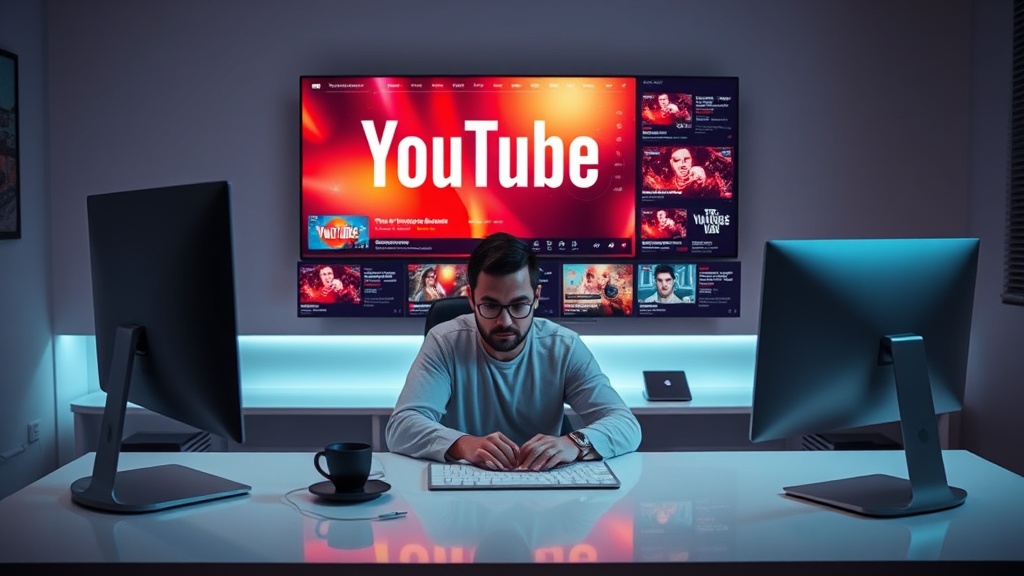
Learning how to create click-worthy thumbnails with AI in 2026 is no longer just a shortcut; it is a fundamental skill for any creator looking to maintain a competitive edge in a crowded attention economy. As AI models have evolved from simple generators into sophisticated design partners, the barrier to producing high-end, cinematic visuals has collapsed, allowing creators to focus on psychological triggers rather than technical execution.
By leveraging generative engines, you can now rapidly prototype multiple thumbnail concepts, test variations, and iterate based on real-time performance data. This guide explores the intersection of advanced prompt engineering, visual composition, and strategic design to help you turn passive scrollers into active viewers.
The Psychology of High-CTR Visuals
Before you even open an AI tool, you must understand what makes a human brain pause a scroll. In 2026, the digital landscape is saturated with high-resolution imagery, meaning quality alone is no longer enough to win clicks. Your thumbnail must trigger a specific emotional response—curiosity, urgency, or extreme empathy—within the first 200 milliseconds of exposure.
AI excels at creating "pattern interrupts," which are visual elements that deviate from the standard feed aesthetic. Think of high-contrast color palettes, exaggerated expressions, or hyper-realistic lighting setups that feel just slightly "off" enough to demand attention. However, the most successful thumbnails often combine these AI-generated elements with human-centric storytelling, such as a face showing a genuine, relatable reaction to the content topic.
Key Elements of a Click-Worthy Image
- The Focal Point: Always have one clear subject that draws the eye immediately.
- Color Theory: Use complementary colors to create high contrast; avoid muddy, muted palettes.
- The "Gap" Principle: Leave a visual question unanswered that the viewer feels compelled to click the video to resolve.
- Simplicity: If the thumbnail is too complex, the viewer’s brain will skip it. A maximum of three distinct visual elements is usually optimal.
Selecting the Right AI Toolset
The market for AI design tools in 2026 is vast, ranging from text-to-image generators to specialized "thumbnail-first" platforms that understand YouTube’s specific aspect ratios and safe zones. Choosing the right tool depends on your workflow; some creators prefer all-in-one platforms that handle text overlays and composition, while others prefer a "best-of-breed" stack.
General-purpose image generators are excellent for creating background assets or surreal concepts, but they often struggle with consistent text rendering. On the other hand, dedicated design platforms integrate generative fill and layout templates specifically optimized for mobile and desktop viewing.
| Tool Category | Best For | Typical Workflow |
|---|---|---|
| Generative Engines | Backgrounds, surreal visuals | Prompting -> Inpainting -> Export |
| Layout Platforms | Text overlays, branding | Upload asset -> Apply template -> Adjust text |
| Upscalers/Enhancers | Sharpening, detail pop | Export -> Upscale for clarity -> Final polish |
Mastering Prompt Engineering for Thumbnails
Prompt engineering is the interface between your creative vision and the machine's output. In 2026, the best prompts are descriptive, atmospheric, and technically specific. Rather than just asking for a "YouTube thumbnail," you need to specify the lighting, the camera angle, and the "vibe" of the content.
A high-performance prompt usually follows a specific structure: [Subject] + [Action/Emotion] + [Environment/Background] + [Lighting Style] + [Technical Parameters]. For example, instead of "a man looking surprised," try "a cinematic close-up of a man with a genuine wide-eyed expression, soft rim lighting, blurred urban background, high-contrast, hyper-realistic, 8k, shot on 35mm lens."
Advanced Prompting Tactics
- Style Reference: If you have a brand aesthetic, use a style reference image to ensure your thumbnails maintain consistent colors and textures across all your videos.
- Negative Prompting: Explicitly tell the AI what to avoid, such as "cluttered, text, distorted hands, blurry, low resolution, watermark."
- Iteration Loops: Never settle for the first result. Use the "variation" feature to tweak one element at a time—like changing the background color or the subject's pose—until you find the perfect balance.
The Role of Inpainting and Outpainting
One of the most powerful features in modern AI design is the ability to edit specific parts of an image without regenerating the entire composition. If your AI-generated thumbnail is perfect except for a distracting object in the background, you don't need to start over.
Inpainting allows you to mask an area and tell the AI to "remove the person in the background" or "replace the blue shirt with a red one." This level of control is vital for creators who need to maintain strict branding or ensure that specific visual cues remain consistent. Outpainting, conversely, allows you to expand the canvas, which is helpful if you need to adjust your thumbnail to fit different aspect ratios for Shorts or social media cross-promotion.
Optimizing for Mobile Legibility
Mobile devices account for the majority of video consumption, which means your thumbnail must be legible at a very small size. A common trap in 2026 is creating a stunning, detailed image that looks like a blurry mess on a smartphone screen.
When designing with AI, always test your image by shrinking it down to 10% of its size on your monitor. If you can still tell what the subject is and what the "vibe" is, you have a winner. If the subject blends into the background, use your AI tool to increase the contrast or add a subtle glow/outline around the subject to make them pop against the background.
Pro-Tips for Mobile Success
- Avoid Small Text: If you must use text, keep it to 3-4 words max, use bold sans-serif fonts, and ensure the font size is massive relative to the image.
- High-Contrast Borders: Add a subtle dark or light stroke around your primary subject to separate them from the background.
- Brightness Boost: AI images can sometimes be too dark. Use a post-generation adjustment tool to bump the brightness and saturation, as mobile screens often wash out colors.
Testing and Iteration Strategies
Even with the best AI tools, you cannot predict exactly how an audience will react to a thumbnail. This is where A/B testing becomes your best friend. In 2026, many platforms provide built-in tools to test two different thumbnails against each other, showing each to a portion of your audience to see which performs better.
Use your AI tools to create three distinct versions of the same concept: one with a face, one with a product-focused shot, and one with a graphic-heavy design. Once you see which one gains the most traction, you can then use that style as a template for future videos. This data-driven approach removes the guesswork from your creative process.
Ethical Considerations and Authenticity
As AI becomes more prevalent in content creation, there is a growing trend toward "authentic" visuals. Audiences are becoming increasingly savvy at spotting "uncanny valley" AI images. To maintain trust with your audience, use AI as an enhancement tool rather than a replacement for reality.
If you are a personal brand, always ensure the face in your thumbnail is either your own or a high-quality representation that feels authentic to your personality. Over-editing or using overly generic AI stock images can actually hurt your brand identity in the long run. Use AI to improve your lighting, composition, and background, but keep the core subject grounded in your own unique identity.
Final Thoughts
Creating click-worthy thumbnails with AI in 2026 is about balancing technical speed with human intuition. By mastering prompt engineering, utilizing inpainting for precision, and keeping mobile legibility at the forefront of your design process, you can dramatically increase your CTR and reach a wider audience. Remember that the best thumbnail is not the one that looks the most "AI-generated," but the one that best promises a compelling story. Start experimenting with these techniques today, and let your data guide your creative evolution. If you're ready to take your channel to the next level, start by auditing your last five thumbnails and replacing the lowest-performing one with an AI-enhanced version this week.
Frequently Asked Questions
Can AI-generated thumbnails actually improve my YouTube CTR?
Yes, when used correctly. AI allows for rapid iteration and testing of high-contrast visuals, emotional expressions, and complex compositions that would take hours to create manually, ultimately helping you find the winning design faster.
What is the biggest mistake people make with AI thumbnails?
The biggest mistake is over-cluttering. AI models often generate 'busy' images, but high-performing thumbnails need a clear focal point and minimal text to remain legible on mobile devices.
Do I need to be a professional designer to use these AI tools?
Not at all. Most modern AI design platforms offer intuitive interfaces that handle the heavy lifting of composition and lighting, allowing creators to focus on the storytelling aspect of the thumbnail.

Nethmina is the founder of AI Tools Wire and an AI software developer who builds automation tools and tests new AI products hands-on every week.
📬 Get new articles by email
Subscribe for the latest AI tools, guides, and tips. No spam — unsubscribe anytime.
Related Articles

How to Create Memes with AI in 2026: Viral Humor Made Easy
Learn how to create memes with AI in 2026 using the latest generative tools. Discover workflows for viral humor, high-quality visuals, and rapid social growth.
How to Write Children’s Stories with AI in 2026: A Pro Guide
Master how to write children’s stories with AI in 2026. Learn to craft engaging narratives, develop relatable characters, and use advanced tools effectively.

How to Generate Email Subject Lines with AI in 2026: 7 Expert Tips
Learn how to generate email subject lines with AI in 2026 to skyrocket your open rates. Discover expert prompt engineering, testing strategies, and best tools.