
How to Create Coloring Books with AI in 2026: A Pro Guide
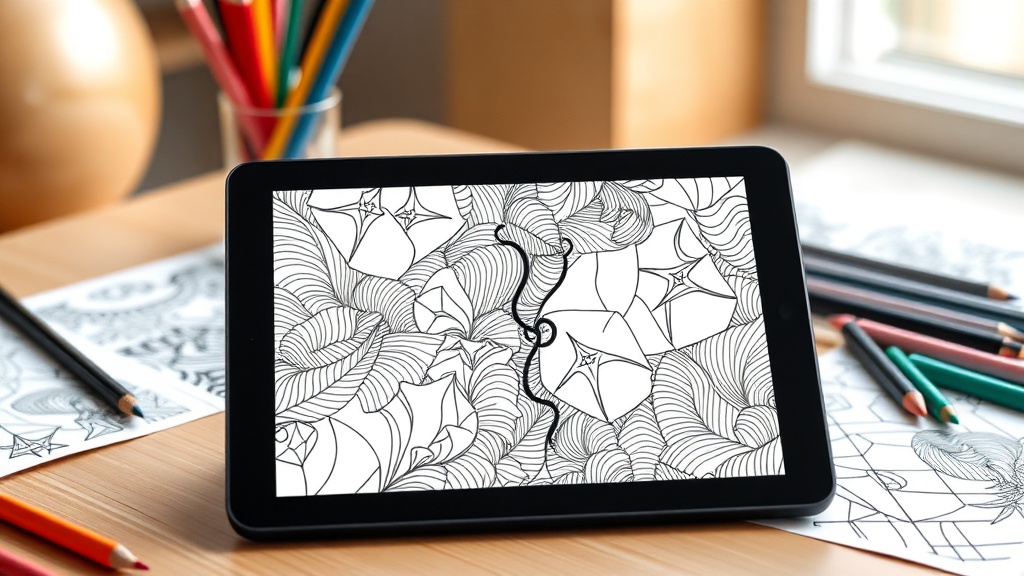
Creating coloring books with AI in 2026 has transformed from a niche hobby into a highly scalable digital publishing business. By leveraging advanced generative models, creators can now produce high-quality, intricate illustrations that rival the work of traditional illustrators in a fraction of the time. This guide explores the technical workflows, design strategies, and publishing steps required to move from an initial concept to a finished product on digital shelves.
Choosing the Right AI Model for Line Art
The foundation of a successful coloring book is the quality of the line art. Not all AI models are created equal; some excel at photorealism, while others are specifically tuned to understand the constraints of "vector-like" or "black and white" aesthetics. As of 2026, the best models support fine-tuned control over line weight and contrast.
Understanding Model Capabilities
Midjourney remains a powerhouse for artistic versatility, offering a "style reference" feature that allows you to maintain consistent aesthetics across a hundred pages. Flux, on the other hand, has gained massive traction for its superior handling of text and precise prompt adherence, which is vital when you want to avoid "hallucinated" grey shading that ruins a coloring page.
- Midjourney: Best for artistic, complex, and highly detailed illustrations.
- Flux: Best for clean, bold lines and strict adherence to specific themes.
- DALL-E 3: Best for beginners due to its conversational interface and ease of use.
The Importance of Consistency
One major mistake beginners make is mixing art styles within a single book. To build a brand, your coloring book needs a cohesive look. Use a consistent "seed" number or a reference image to ensure that the line weight and level of complexity remain uniform from the cover to the very last page.
Mastering Prompt Engineering for Coloring Pages
Prompt engineering is the bridge between a vague idea and a professional-grade illustration. To generate effective coloring pages, you must explicitly define the output style in your prompts. If you simply ask for "a cat," the AI will provide a textured, shaded photo. You must specify the medium and the constraints.
The "Coloring Book" Formula
Use a reliable prompt structure that includes the subject, the style, and the technical constraints. A successful prompt might look like this: "A cute forest scene with a baby fox, clean black and white line art, thick outlines, white background, no shading, no greyscale, vector style, high contrast, coloring book page for kids."
Key Modifiers to Use
- "Line art": Ensures the output is focused on contours.
- "Thick outlines": Perfect for younger audiences who need easier boundaries.
- "Minimalist": Essential for quick, stress-relief books for adults.
- "White background": Critical for ensuring the image is easy to print without ink-heavy grey patches.
Scaling Production with Batch Processing
If you are aiming to publish a 50-page coloring book, manual generation will quickly become a bottleneck. By 2026, most professional creators use automated workflows to batch-generate images. This involves using API-based tools or automated scripts that feed a list of prompts into your chosen AI model.
Organizing Your Workflow
Start by creating a master list of themes. If your book is about "Space Exploration," generate 50 distinct prompts for rockets, aliens, planets, and astronauts. Execute these in batches of 10 to ensure you have enough variety. Save each image with a descriptive filename immediately after generation to avoid confusion later in the design process.
| Strategy | Benefit | Difficulty |
|---|---|---|
| Manual Generation | Total control over every page | High |
| Batch API Processing | Fast, scalable, consistent | Moderate |
| Template-Based AI | Perfect for recurring themes | Low |
Post-Processing and Upscaling
AI-generated images often come out at a resolution that is too low for professional printing. Standard AI output is usually 1024x1024 pixels, which will look blurry when printed on 8.5x11-inch paper. You must incorporate an upscaling step into your pipeline to ensure crisp lines.
Essential Tools for Upscaling
Use AI upscalers like Magnific or Topaz Photo AI to increase the resolution while preserving the integrity of the line work. These tools can sharpen the edges and remove the "noise" that AI models sometimes introduce into white spaces.
Cleaning Up Artifacts
Even with perfect prompts, AI will occasionally add unwanted dots or stray lines. Using software like Adobe Photoshop or the free alternative, GIMP, is essential. Use the "Threshold" or "Levels" tool to ensure your blacks are pure black and your whites are pure white, removing any unwanted grey artifacts that could cause printing issues.
Designing the Interior and Cover
A coloring book is more than a collection of images; it is a product that requires professional layout. The interior must be formatted with margins that account for the "bleed" (the area trimmed during the printing process). If your images touch the edge of the page, you must set up your document for full-bleed printing.
Layout Best Practices
- Single-Sided Printing: Always place images on the right-hand page with a blank left-hand page. This prevents markers from bleeding through to the next illustration.
- Page Numbering: While optional, adding simple, themed page numbers adds a premium feel.
- Cover Design: Your cover is the most important marketing asset. Spend extra time here. Use your best AI-generated image and add high-contrast, readable typography.
Navigating Legal and Ethical Considerations
As of 2026, the legal landscape surrounding AI art remains complex. While you can generally use AI-generated images for commercial purposes, you cannot claim copyright on the raw output. This means that if someone copies your entire book, you may have limited legal recourse.
Protecting Your Work
To add value and protect your intellectual property, customize your AI images. Add hand-drawn elements, create unique patterns, or arrange the images in a way that demonstrates human creativity. By combining AI-generated assets with your own design choices, you create a derivative work that is much harder for others to duplicate and "steal" via mass-market scraping.
Marketing Your Coloring Book
Creating the book is only half the battle. In a saturated market, your success depends on your ability to reach your target audience. Use social media platforms like Pinterest and Instagram to showcase "colored-in" versions of your pages—this helps buyers visualize the end result.
Strategies for Success
- Niche Down: Instead of "General Coloring Book," aim for "Gothic Victorian Fashion" or "Microscopic Biology for Science Lovers."
- Amazon KDP: Utilize Amazon's Print-on-Demand (POD) service to avoid upfront printing costs.
- Samples: Offer 3-5 free pages as a "lead magnet" on your website to build an email list of interested coloring enthusiasts.
Final Thoughts
The ability to create coloring books with AI in 2026 is an incredible opportunity for creative entrepreneurs who value efficiency and scale. Success in this field is not just about pressing a button; it is about curation, high-quality post-processing, and understanding your audience's unique aesthetic preferences. By focusing on quality over quantity and building a distinct brand identity, you can carve out a profitable space in the digital publishing world. Start small, refine your prompt library, and remember that the most successful books are those that provide a genuinely relaxing and engaging experience for the user. If you are ready to start your journey, pick a niche today and generate your first five pages—the market is waiting.
Frequently Asked Questions
Can I copyright AI-generated coloring book pages?
In most jurisdictions, content created entirely by AI cannot be copyrighted. However, if you significantly edit, arrange, or add creative human elements to the compilation, you may be able to protect the overall book structure.
Which AI tools are best for line art generation?
Midjourney and Flux remain top contenders for high-quality line art. Specialized tools like Kittl or Canva also offer integrated AI features that simplify the process for beginners.
Do I need design experience to sell coloring books?
While design software skills help, AI lowers the barrier significantly. You will, however, need to understand basic layout tools like Adobe InDesign or Canva to format your pages for print-on-demand services.

Nethmina is the founder of AI Tools Wire and an AI software developer who builds automation tools and tests new AI products hands-on every week.
📬 Get new articles by email
Subscribe for the latest AI tools, guides, and tips. No spam — unsubscribe anytime.
Related Articles
How to Create Memes with AI in 2026: Viral Humor Made Easy
Learn how to create memes with AI in 2026 using the latest generative tools. Discover workflows for viral humor, high-quality visuals, and rapid social growth.
How to Write Children’s Stories with AI in 2026: A Pro Guide
Master how to write children’s stories with AI in 2026. Learn to craft engaging narratives, develop relatable characters, and use advanced tools effectively.
How to Generate Email Subject Lines with AI in 2026: 7 Expert Tips
Learn how to generate email subject lines with AI in 2026 to skyrocket your open rates. Discover expert prompt engineering, testing strategies, and best tools.