
How to Edit Videos Using AI in 2026: A Complete Workflow
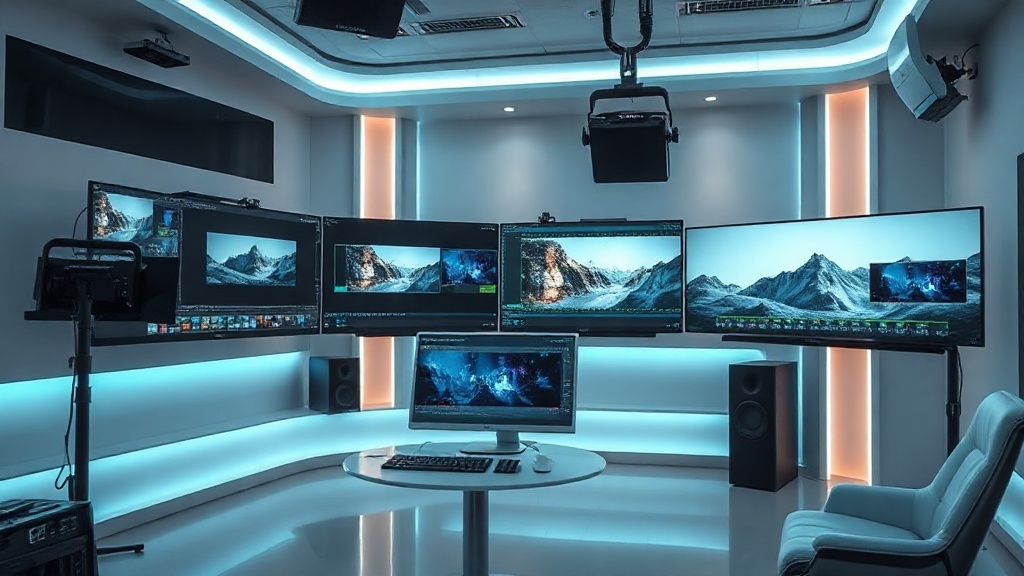
Learning how to edit videos using AI in 2026 has become an essential skill for creators, marketers, and professional filmmakers who want to stay competitive. The days of spending hours on manual frame-by-frame cuts are largely behind us, as sophisticated machine learning models now handle the heavy lifting of post-production. By adopting an AI-integrated workflow, you can reduce your editing time by up to 70% while maintaining, or even elevating, the quality of your final output.
This guide outlines a professional-grade workflow that leverages the latest advancements in generative video tech. We will move beyond simple filters and explore how to use intelligent automation to manage everything from raw footage organization to final color grading and distribution.
1. The Pre-Editing Phase: Intelligent Footage Organization
The most daunting part of any project is often the sheer volume of raw footage. In 2026, AI-powered media management tools act as your digital librarian. Before you even open your primary timeline, these tools scan your assets to identify key scenes, categorize subjects, and even detect technical issues like shaky camera work or poor focus.
By using AI-based metadata tagging, you can search your library for specific visual elements—such as "person smiling," "sunset background," or "product close-up"—without having to scrub through hours of footage. This drastically reduces the time spent on the "sifting and sorting" phase, allowing you to move directly into the creative assembly of your video.
Tips for Effective AI Organization
- Automated Transcriptions: Import your raw footage into an AI tool that generates time-coded transcripts immediately. This allows you to find specific dialogue clips just by searching for keywords.
- Quality Filtering: Use AI analysis to flag footage that has low audio quality or motion blur, allowing you to cull the "bad" takes before you begin the edit.
- Batch Renaming: Leverage AI to rename files based on the content detected within the video, keeping your project folder clean and searchable.
2. Text-Based Editing: The New Industry Standard
Text-based editing has revolutionized the way we approach the assembly phase. Instead of looking at a timeline of waveforms and video frames, you edit the document version of your video. If you delete a sentence from the transcript, the corresponding video cut is made automatically. This method is incredibly intuitive for anyone who has used a word processor.
This approach is particularly powerful for interviews, podcasts, and corporate training videos. It allows you to strip out "ums," "ahs," and long pauses with a single click. In 2026, these tools are sophisticated enough to maintain natural pacing, ensuring that the final output doesn't feel robotic or jumpy despite the heavy cutting.
Comparison of Editing Workflows
| Feature | Traditional Editing | AI-Assisted Text-Based Editing |
|---|---|---|
| Pacing | Manual frame-by-frame | Instant word-based cuts |
| Correction | Manual re-recording | AI-generated "filler word" removal |
| Searchability | Visual scrubbing | Keyword-based transcript search |
| Learning Curve | High (Technical) | Low (Intuitive) |
3. Generative B-Roll and Visual Enhancement
One of the biggest hurdles in video production is acquiring enough B-roll to keep the viewer engaged. Traditionally, this required expensive stock footage subscriptions or days of additional filming. Today, generative AI tools allow you to create custom B-roll on demand, tailored specifically to the narrative of your project.
If your video mentions a specific abstract concept or a hard-to-film location, you can prompt an AI video generator to create a high-definition clip that fits the aesthetic of your primary footage. You can also use AI to perform "in-painting" or "out-painting," which allows you to expand the background of a shot or remove unwanted objects—like a stray trash can or a boom mic—from the frame without complex masking.
4. Audio Processing and AI Voice Restoration
Good video is 50% audio. If your audio is poor, your audience will click away, regardless of how high your visual quality is. In 2026, AI audio processors have become so advanced that they can turn a recording made in a noisy coffee shop into a studio-quality track.
These tools work by isolating the human voice from background noise, wind, and echo. Some advanced platforms even offer AI voice "makeup," where the software subtly adjusts the frequency response of the recorded voice to match a professional broadcast tone. Furthermore, if you flub a line, AI voice cloning allows you to re-record the missing word in your own voice without needing to step back into a recording booth.
5. Automated Color Grading and Visual Styling
Color grading is often considered the "dark art" of video editing. It requires a deep understanding of color theory and software-specific tools. AI has democratized this process by providing "match-grading" capabilities. You can feed the AI a reference image—a still from a film you love or a previous video you’ve color-graded—and the AI will apply that specific color profile to your current project.
Beyond simple color matching, AI tools can now perform object-based color correction. This means you can tell the software to "brighten the subject's face" or "desaturate the background colors," and the AI will automatically track these elements throughout the clip, saving you from manual keyframing.
6. The Final Polish: Adaptive Delivery
Once the edit is complete, the final step is distribution. Different platforms require different aspect ratios, resolutions, and even pacing. AI tools can now automate the "re-framing" process, taking a 16:9 landscape video and intelligently cropping it into a 9:16 vertical video for social media platforms.
The AI analyzes the action in the video to ensure the primary subject stays centered at all times. Additionally, AI-powered captioning tools have evolved to include dynamic, animated text styles that improve retention. These tools can automatically sync captions to your audio and style them to match your brand identity, ensuring your video is accessible and engaging across all devices.
Step-by-Step AI Editing Workflow
- Ingest & Transcribe: Import all raw files and generate full transcripts via AI.
- Rough Cut: Use text-based editing to remove filler words and assemble the narrative.
- Visual Cleanup: Apply AI noise reduction to audio and object removal to the video.
- Generative Fill: Add custom B-roll or motion graphics to bridge visual gaps.
- Color Grade: Use AI match-grading to achieve a consistent cinematic look.
- Reframing: Export the master video and use AI auto-reframing for vertical/horizontal social assets.
- Final Polish: Generate and burn in dynamic captions and metadata descriptions for SEO.
Final Thoughts
Mastering the AI-led editing workflow is less about learning a new software suite and more about shifting your mindset toward efficiency. As these tools continue to evolve, the most successful creators will be those who use AI to handle the mundane, repetitive tasks while reserving their human energy for high-level creative decisions. Start by integrating one or two of these AI steps into your current process—perhaps starting with audio cleanup or text-based editing—and build from there. If you want to stay ahead of the curve, experiment with generative B-roll today; it is rapidly becoming the secret weapon for high-velocity content production.
Frequently Asked Questions
Does AI replace the need for human video editors?
AI acts as a force multiplier rather than a replacement. It excels at tedious, time-consuming tasks like color grading, noise reduction, and captioning, allowing human editors to focus on narrative pacing and creative storytelling.
Which AI video tools are best for beginners?
Beginners should look for platforms that integrate text-based editing, where the video is edited by modifying a transcript. Tools that offer automated templates and AI-suggested B-roll are also excellent for rapid content creation.
How can I maintain a consistent brand style when using AI?
Most professional AI editors now allow for the creation of custom style profiles. By uploading your brand assets, color palettes, and preferred font styles, you ensure the AI outputs remain consistent with your brand identity.

Nethmina is the founder of AI Tools Wire and an AI software developer who builds automation tools and tests new AI products hands-on every week.
📬 Get new articles by email
Subscribe for the latest AI tools, guides, and tips. No spam — unsubscribe anytime.
Related Articles

How to Create Memes with AI in 2026: Viral Humor Made Easy
Learn how to create memes with AI in 2026 using the latest generative tools. Discover workflows for viral humor, high-quality visuals, and rapid social growth.

How to Write Children’s Stories with AI in 2026: A Pro Guide
Master how to write children’s stories with AI in 2026. Learn to craft engaging narratives, develop relatable characters, and use advanced tools effectively.

How to Generate Email Subject Lines with AI in 2026: 7 Expert Tips
Learn how to generate email subject lines with AI in 2026 to skyrocket your open rates. Discover expert prompt engineering, testing strategies, and best tools.