
Runway vs Pika: Which AI Video Generator Has Smoother Motion?
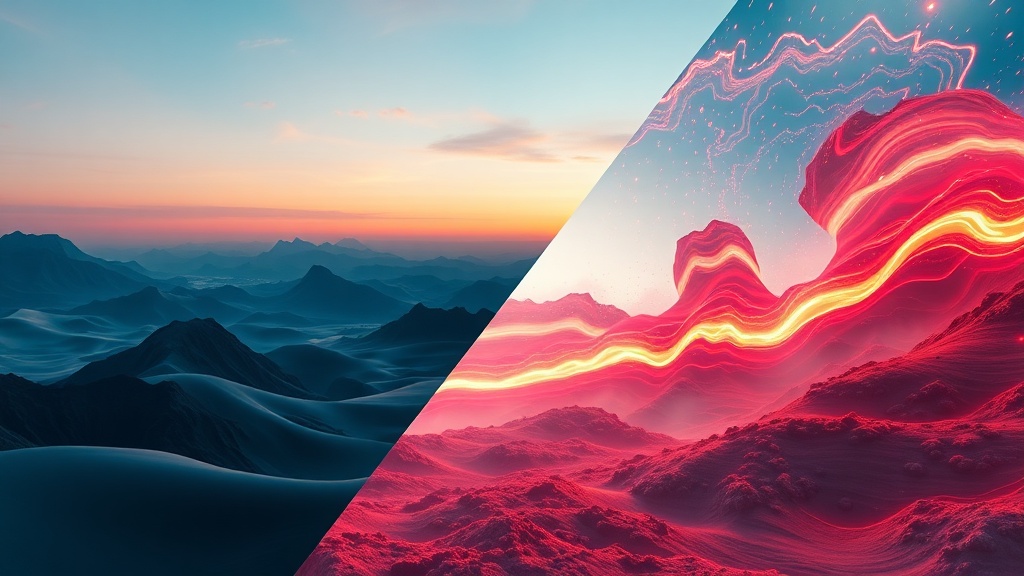
Choosing between Runway vs Pika for your video production depends heavily on whether you prioritize cinematic realism or stylized, character-driven animation. Both platforms have evolved rapidly, moving from simple, jittery clips to sophisticated video generators that can simulate complex physical movement, lighting, and camera pans. As an AI content strategist, I have spent hundreds of hours testing both platforms to determine how they handle the nuances of motion—specifically how they manage temporal consistency and subject movement.
Runway, particularly with its Gen-3 Alpha model, has positioned itself as the industry standard for professional filmmakers and high-end content creators. It focuses on photorealism, high-resolution output, and granular control over the camera. Conversely, Pika has carved out a niche as the "creative playground" of AI video. It excels in animation styles, ease of use, and quick iteration, making it a favorite for creators who need to turn a concept into a shareable clip in minutes rather than hours.
Understanding Motion Fidelity in Generative Video
At the heart of the "Runway vs Pika" debate is the concept of temporal consistency. In AI video, motion fidelity refers to how well the AI maintains the integrity of an object as it moves across frames. If a character walks across a street, does their clothing morph into the background? Do their limbs stay attached? This is where modern AI struggles, but where these two tools have made the most significant breakthroughs.
Runway’s motion engine tends to prioritize structural integrity. When you prompt a camera movement, such as a "slow cinematic zoom," the software calculates the background and foreground displacement with remarkable precision. It feels less like a "glitchy" distortion and more like a camera lens moving through a 3D space. This makes it ideal for projects that require a grounded, realistic look where the motion needs to feel intentional and professional.
Pika, on the other hand, approaches motion with a focus on fluidity and stylized transformation. It is exceptionally good at "Lip Sync" and "Motion Brush" features, which allow you to paint an area of an image and tell the AI exactly how to move it. While it may occasionally sacrifice the hyper-realism found in Runway, Pika’s motion often feels more "alive" or bouncy, which is perfect for social media content, memes, or stylized storytelling where the motion itself is part of the charm.
The Runway Gen-3 Advantage: Cinematic Control
Runway has essentially built a virtual cinematographer’s toolkit. Their platform allows you to set specific camera parameters, such as horizontal and vertical pans, zooms, and even specific tilt values. This level of control is a game-changer for video editors who need to match an AI-generated clip with existing footage. Because the motion is calculated with a high degree of temporal stability, the resulting files are much easier to composite into professional editing software like Adobe Premiere or DaVinci Resolve.
Why Runway Wins on Camera Movement
- Precise Camera Controls: You can define the direction and speed of the camera movement, which reduces the "warping" effect common in early AI video.
- Temporal Stability: Objects moving through the frame maintain their texture and lighting, even during complex movements.
- Professional Output: The aspect ratio controls and high-bitrate exports result in cleaner motion that stands up to scrutiny on larger screens.
The Trade-off for Precision
The primary trade-off with Runway is the time-to-result. Because the model is processing more data to maintain that high level of motion fidelity, generations can take longer. Furthermore, achieving the "perfect" motion often requires a few attempts at prompt engineering or using their "Motion Brush" tool to guide the AI's focus. It is a tool for those who are willing to iterate to get the exact shot they envisioned.
Pika’s Approach: Accessibility and Stylization
Pika Art has optimized its platform for the "creator economy." If you are building content for TikTok, Instagram Reels, or YouTube Shorts, Pika’s motion style is often more immediately engaging. It feels faster, more responsive, and less rigid than Runway. The Pika interface allows you to upload an image and animate it with simple text commands, which is a faster workflow for anyone needing to generate a dozen clips for a montage.
Key Motion Features in Pika
- Motion Brush: Simply paint over a character’s hair or a flowing river, and Pika adds motion only to those specific areas.
- Lip Sync Integration: Pika makes it incredibly easy to upload an audio file and have a static character speak with natural mouth movements.
- Stylized Motion: Pika’s underlying models seem to favor a more "animated" or "artistic" aesthetic, which hides some of the artifacts that usually appear when AI tries to simulate hyper-realistic human movement.
The "Pika effect" is often characterized by a sense of joy and kinetic energy. While Runway strives to mimic a 35mm film camera, Pika behaves more like an animator’s sketchbook brought to life. If your project involves stylized characters, anime aesthetics, or surrealist visuals, Pika’s motion engine will likely feel more natural and expressive than Runway’s more disciplined approach.
Comparison Table: Feature Breakdown
To help you visualize the differences, here is how the two platforms stack up across critical motion-related performance categories.
| Feature | Runway (Gen-3) | Pika Art |
|---|---|---|
| Primary Focus | Cinematic Realism | Stylized Animation |
| Camera Control | High (Advanced parameters) | Moderate (Prompt-based) |
| Motion Brush | Yes (High precision) | Yes (Easy to use) |
| Temporal Stability | Industry Leading | Good |
| Ease of Use | Moderate to High | High |
| Best For | Film, Ads, VFX | Social Media, Memes, Art |
Expert Workflow: Integrating Both Tools
One of the most common questions I get from creators is whether they have to pick just one. The reality is that an expert workflow often involves using both tools in tandem. Many high-level creators use Runway for the heavy lifting—generating the foundation, the wide shots, and the cinematic camera movements—and then move to Pika to add specific, stylized character animations or to "fill in the gaps" of a video with quick, expressive clips.
How to Build a Hybrid Workflow:
- Storyboarding: Use a free AI tool to generate your base images.
- Cinematic Foundation (Runway): Use Runway to animate your wide shots and establishing shots where realistic motion is essential.
- Character Detail (Pika): If a character needs to speak or perform a specific, stylized gesture, use Pika’s lip-sync and motion brush features to generate that specific layer.
- Compositing: Layer these clips together in your video editor. By using the right tool for the specific type of motion needed, you avoid the limitations of relying on a single platform.
Pricing and Accessibility Considerations
When evaluating Runway vs Pika, you must also consider the cost-to-value ratio. Runway operates on a tiered subscription model that is clearly aimed at professionals. You get a certain number of "credits" per month, and high-resolution, high-fidelity generations consume those credits quite quickly. For a solo creator or a small agency, this is a business expense that needs to be justified by the quality of the output.
Pika’s pricing is generally more approachable for hobbyists and individual content creators. While they also use a credit-based system, the cost per generation is often lower, and the "free tier" or entry-level plans are quite generous for someone just starting out. If your goal is to experiment and learn the ropes of AI video, Pika offers a lower barrier to entry without the pressure of burning through expensive credits on a single experimental clip.
Tips for Achieving Smoother Motion
Regardless of which tool you choose, the "smoothness" of your video is largely determined by your inputs. AI video generators are not magic; they are predictive engines. If you give them a vague prompt, you will get jittery, unpredictable motion.
- Be Specific About Camera Movement: Don't just say "a person walking." Say "a slow, cinematic tracking shot of a person walking, steady camera, 24fps motion."
- Control the Background: If you want smooth motion, ensure the background is static or has a clear direction of movement. Chaos in the background leads to artifacts in the foreground.
- Use Lower Motion Settings First: Both Runway and Pika have settings for "motion intensity." Start low (usually a 2 or 3 on a scale of 1-10) to see how the AI handles the scene before cranking it up. High motion settings are the primary cause of frame-to-frame distortion.
- Frame Interpolation: If you find your result is "choppy," consider running the output through a separate frame interpolation tool (like Topaz Video AI or even built-in tools in your video editor) to smooth out the frame rate from 12 or 16fps to a standard 24 or 30fps.
Final Thoughts
The decision between Runway and Pika ultimately comes down to your project's aesthetic goals and your technical requirements. If you are a filmmaker or a creator producing high-end marketing content, Runway’s commitment to cinematic realism and granular camera control makes it the superior choice for professional motion. It requires more patience and a higher budget, but the result is a product that looks like it was captured through a real lens.
Conversely, if your workflow is defined by speed, social media engagement, and a need for stylized, expressive animation, Pika is the clear winner. Its ability to turn simple prompts into engaging, fluid clips makes it an essential tool for the modern creator. You don't have to choose one forever; start by testing your next project in both, and you will quickly see which engine fits your creative rhythm. Sign up for the free tiers of both today and start experimenting—you might find that your best work comes from the strengths of both platforms combined.
Frequently Asked Questions
Does Runway or Pika offer better lip-syncing for characters?
Runway generally excels in lip-syncing through its specialized Lip Sync tool, which maps audio to character mouths with high precision. Pika also offers lip-sync features, but Runway’s integration is often preferred for professional-grade character animation.
Which tool is better for beginners who have never used AI video?
Pika is widely considered more accessible for beginners due to its intuitive Discord interface and simplified prompt-to-video workflow. Runway offers a more robust dashboard that feels like a professional video editing suite, which may have a steeper learning curve.
Can I use both tools for the same project?
Yes, many creators use a hybrid workflow. You might use Runway for generating high-fidelity cinematic b-roll and Pika for specific stylized character animations or quick social media clips.
Our Rating

Nethmina is the founder of AI Tools Wire and an AI software developer who builds automation tools and tests new AI products hands-on every week.
📬 Get new articles by email
Subscribe for the latest AI tools, guides, and tips. No spam — unsubscribe anytime.
Related Articles
Stable Diffusion vs Leonardo AI: Which Offers More Control?
Compare Stable Diffusion vs Leonardo AI to find the right tool for your creative workflow. Discover which platform offers superior artistic control in 2026.
Midjourney vs DALL-E: Which AI Creates Better Artistic Images?
Compare Midjourney vs DALL-E to find the best AI for artistic image generation. We break down style, control, and usability to help you choose your creative tool.

Gemini vs Copy.ai: Which AI Tool Is More Creative for Copywriting?
Comparing Gemini vs Copy.ai to see which AI is more creative for your copywriting projects. Discover which tool wins for marketing, tone, and agility.