
Transcribe Audio with AI in 2026: 7 Fast & Accurate Methods
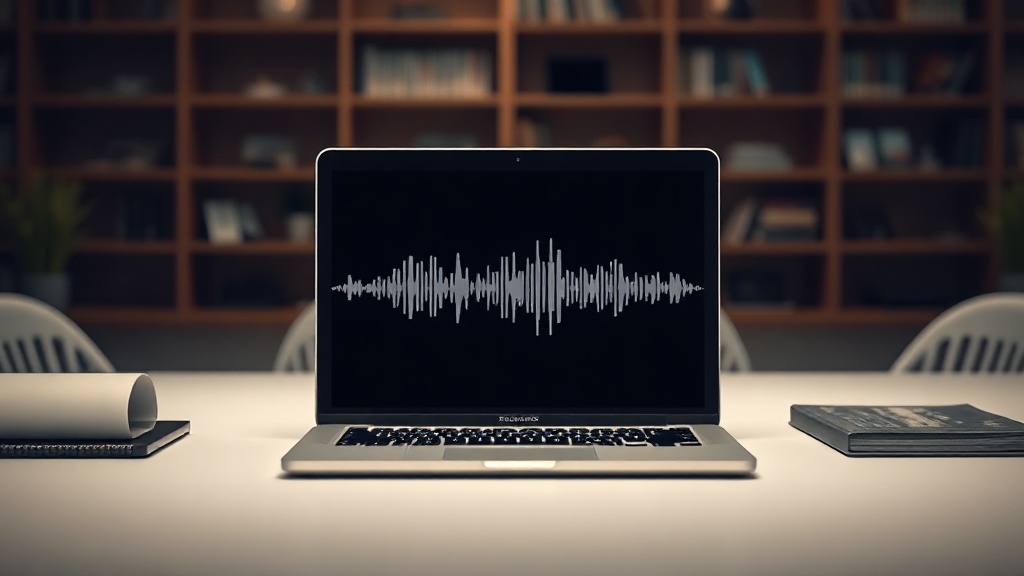
Learning how to transcribe audio with AI in 2026 is no longer just a productivity hack; it is a fundamental skill for researchers, content creators, and corporate professionals. As generative AI models have matured, the barrier between spoken word and actionable text has effectively vanished, allowing you to convert hours of audio into polished documents in mere minutes.
In this guide, we will explore the landscape of modern transcription, moving beyond basic dictation to look at context-aware models that understand nuance, industry-specific jargon, and multi-speaker environments. Whether you are managing legal depositions, medical notes, or long-form podcast content, the following methods represent the gold standard for speed and accuracy in the current technological climate.
The Evolution of Speech-to-Text Technology
By 2026, the underlying architecture of AI transcription has shifted from simple phoneme matching to sophisticated Large Language Model (LLM) integration. Older systems struggled with homophones and sentence structure, often producing "word salad" when faced with rapid speech. Today’s tools utilize transformer-based models that analyze the entire context of a sentence before committing to a transcript.
This contextual awareness means that if you are discussing "AI-driven algorithms," the system is far less likely to mistake those words for similar-sounding phrases. Furthermore, the integration of real-time diarization—the ability to distinguish between "Speaker A" and "Speaker B"—has become a standard feature rather than a premium luxury. This evolution has effectively killed the need for manual transcription, provided you choose the right tool for your specific use case.
Choosing the Right Transcription Workflow
Selecting the correct tool depends largely on your volume of work and the environment in which the audio was recorded. If you are recording high-fidelity studio audio, almost any reputable AI tool will provide near-perfect results. However, if you are working with field recordings, crowded cafes, or telephone lines, you must prioritize tools with robust noise-cancellation and "cleaning" capabilities.
Factors for Consideration
- Audio Quality: Does the tool have a "noise reduction" pre-processing stage?
- Speaker Identification: Does it accurately track speaker changes in fast-paced debates?
- Language Support: Does it handle regional dialects or non-native accents effectively?
- Integration: Does it export directly to your project management or note-taking apps?
| Feature Type | Best For | Typical Workflow |
|---|---|---|
| Real-time Meeting AI | Zoom/Teams calls | Automatic sync with calendar |
| Batch Processing | Podcasts/Interviews | Upload file, export text |
| Enterprise/Local | Sensitive data | Run locally via hardware |
Method 1: Browser-Based Cloud Platforms
For most users, cloud-based transcription platforms remain the most accessible and powerful option. These services act as a "one-stop-shop" where you upload your audio or video files, and the platform returns a structured, timestamped document. In 2026, these tools often include built-in AI editors that allow you to highlight key takeaways or generate summaries directly from the transcript.
The primary advantage of these platforms is their infrastructure. Because they run on massive cloud GPUs, they can process a two-hour interview in less than five minutes. Many also offer "human-in-the-loop" services where you can pay a small premium to have a professional editor verify the transcript, which is a vital safeguard for legal or medical records.
Method 2: Integrated Meeting Assistants
If your primary goal is to capture meeting notes, standalone transcription apps are quickly being replaced by integrated meeting assistants. These tools sit in your virtual meetings, record the audio, and transcribe it in real-time. By the time your meeting concludes, the AI has already generated an executive summary, a list of action items, and an organized transcript.
The "pro" move here is to leverage the AI’s ability to follow specific instructions. You can prompt these tools to "capture only decisions made" or "ignore small talk." This keeps your documentation clean and relevant, preventing the clutter that often comes with verbatim transcription. This method is the most efficient way to manage corporate communication in 2026.
Method 3: Localized AI for Data Privacy
For those handling confidential information—such as journalists protecting sources or legal firms—cloud-based processing may not be an option due to privacy concerns. Localized AI transcription utilizes your own hardware to process audio files. Because the data never leaves your local machine, you maintain complete control over security.
While this once required a high degree of technical expertise, modern local tools now offer "one-click" installers. These tools run on top of open-source models that have been optimized for consumer hardware. While they might take slightly longer to process audio than a massive cloud server, the trade-off in security is often worth the extra time, especially when dealing with sensitive intellectual property.
Optimizing Your Audio for Better AI Results
Even the best AI model cannot fix a recording where the speaker is whispering from across the room or talking over a loud fan. To maximize your results, you must treat your recording environment with the same care you would if you were recording a professional broadcast.
Practical Tips for Clearer Transcripts
- Microphone Placement: Keep the mic as close to the speaker as possible. A high-quality lapel mic is significantly better than a phone’s built-in microphone placed on a desk.
- Room Acoustics: Avoid rooms with hard surfaces like tile or glass, which create echoes. Soft furniture and carpets act as natural sound absorbers.
- The "Silence" Rule: If possible, ask speakers to pause briefly when changing topics. This helps the AI segment the transcript more logically.
- Test Recording: Always record a 30-second test clip before starting a long interview to ensure levels are peaking correctly without clipping.
Troubleshooting Common Transcription Errors
Despite the advancements in 2026, AI still occasionally struggles with technical terminology or heavy slang. When you notice consistent errors, the best approach is to create a "custom vocabulary" or "glossary" within your transcription tool. Most professional-grade platforms allow you to input a list of industry-specific terms or brand names that the AI should prioritize.
If the transcript is still messy, consider using a secondary AI tool to "clean" the text. You can feed the raw transcript into an LLM with instructions to "correct punctuation, fix grammar, and remove filler words while maintaining the original meaning." This two-step process—transcription followed by AI refinement—is how most professional editors handle high-volume workflows today.
Advanced Use Cases and Future Outlook
We are currently entering an era where transcription is being paired with multi-modal analysis. It is no longer just about text; it is about sentiment analysis, emotion detection, and intent tracking. For example, a customer service manager can now use AI to transcribe thousands of calls and instantly identify which customers are frustrated, even if the transcript itself looks neutral.
As we look toward the remainder of the year and beyond, expect to see even tighter integration between transcription tools and video editing software. We are rapidly approaching a future where you will edit video by simply deleting text from a transcript, and the AI will automatically cut the corresponding frames. Mastering these tools today puts you ahead of the curve in an increasingly automated professional landscape.
Final Thoughts
The ability to quickly and accurately turn audio into text is a superpower in the modern workplace. By choosing the right method—whether it’s a cloud-based platform for speed, a meeting assistant for efficiency, or a local tool for privacy—you can reclaim hours of your work week that were previously lost to manual typing.
Don't let the technology overwhelm you; start by testing one tool that fits your current workflow and refine your process as you get comfortable. If you're looking for a starting point, most of the industry-leading platforms offer a free tier that allows you to experiment with their accuracy before committing to a paid plan. Dive in, experiment with your settings, and watch your productivity soar as you master these AI-powered transcription methods.
Frequently Asked Questions
Is AI transcription 100% accurate in 2026?
While AI has reached near-human levels of accuracy, it is not perfect. Factors like heavy accents, background noise, and overlapping speech can still cause errors, so human review is recommended for critical documents.
Can AI transcription tools handle multiple speakers?
Yes, most modern AI transcription services utilize speaker diarization technology to identify and label different voices in a conversation, making them ideal for interviews and board meetings.
Is it safe to upload sensitive audio files to AI transcribers?
Security depends on the provider. Enterprise-grade tools often offer SOC2 compliance and end-to-end encryption, but you should always check the privacy policy to ensure your data isn't used to train their public models.

Nethmina is the founder of AI Tools Wire and an AI software developer who builds automation tools and tests new AI products hands-on every week.
📬 Get new articles by email
Subscribe for the latest AI tools, guides, and tips. No spam — unsubscribe anytime.
Related Articles

How to Edit Videos Using AI in 2026: A Complete Workflow
Master the modern video production cycle. Learn how to edit videos using AI in 2026 with this step-by-step workflow for creators, marketers, and editors.
Design a Professional Logo with AI in 2026: Step-by-Step Guide
Learn how to design a professional logo with AI in 2026 without design skills. Follow our expert guide to create high-quality brand assets quickly and easily.
How to Generate YouTube Scripts with AI in 2026: A Pro Guide
Master how to generate YouTube scripts with AI in 2026. Learn expert prompting, workflow integration, and human-editing techniques to scale your channel fast.