
7 Best AI Photo Restoration Tools for Families and Historians 2026
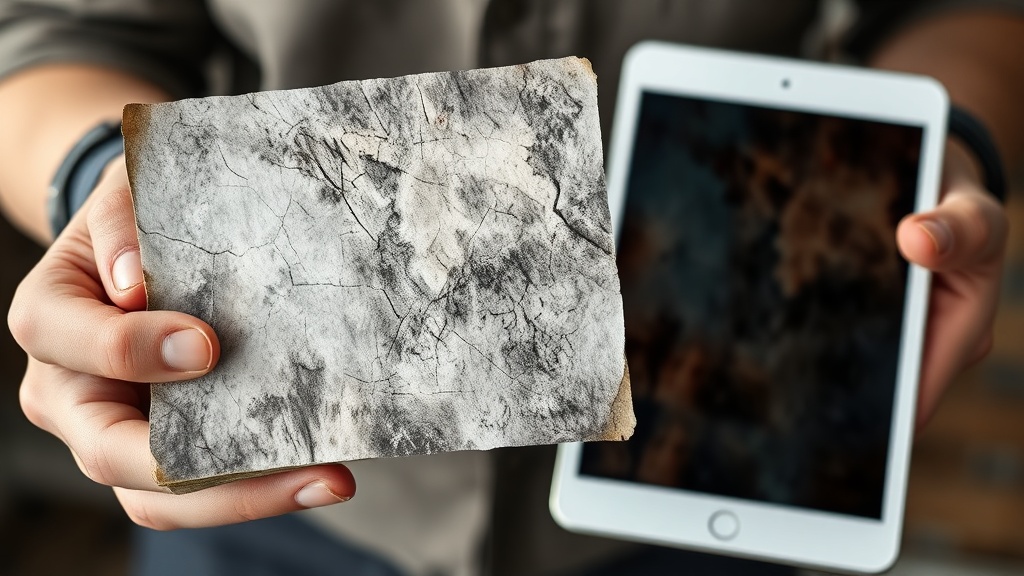
AI photo restoration tools have revolutionized how we interact with our collective past, providing historians and families with the ability to rescue fading memories from the brink of oblivion. By leveraging complex neural networks, these applications can identify and repair physical damage—such as tears, creases, and water stains—while simultaneously enhancing resolution and injecting life back into monochromatic captures. Whether you are a professional archivist looking to preserve a century of records or a parent attempting to salvage a childhood snapshot, today’s AI-powered software offers a bridge between fragile history and digital permanence.
The Science Behind the Restoration
At the core of these tools lies a process known as deep learning. AI models are trained on vast datasets of both damaged and pristine images, teaching the software to recognize patterns of decay and the structural integrity of human faces, clothing, and landscapes. When you upload a photo, the AI performs a series of operations: it detects noise, maps out missing pixels, and predicts the original texture of the surface. This is not just a simple filter; it is a sophisticated reconstruction of visual data that was previously thought to be permanently lost.
Why Historians and Families Need AI
For historians, the primary challenge is the degradation of physical media over time. Silver gelatin prints and early film negatives are susceptible to environmental factors that lead to chemical breakdown. AI tools allow for the non-destructive digitization and "repair" of these assets, ensuring that historical narratives remain accessible for future generations. Families, meanwhile, benefit from the emotional connection that restored images provide. Seeing a great-grandparent’s face with newfound clarity can transform a genealogical study from a list of names into a vivid, human experience.
Criteria for Selecting the Best Restoration Software
Choosing the right tool depends heavily on your specific needs, the volume of photos you are processing, and your technical comfort level. Not all AI restoration tools are built equal; some prioritize speed and ease of use, while others offer granular control for professional archiving. Before investing time into a platform, consider the balance between automated "one-click" solutions and tools that allow for manual adjustment of parameters like sharpness, noise reduction, and color balance.
Key Features to Look For
- Face Enhancement: A critical feature that specifically targets facial features, eyes, and skin textures.
- Scratch and Tear Removal: The ability to intelligently fill in gaps caused by physical damage.
- Colorization Accuracy: How well the AI applies realistic skin tones and environmental colors to black-and-white media.
- Batch Processing: Essential for historians who need to digitize large collections in a reasonable timeframe.
- Export Resolution: The ability to upscale images to high-definition or print-quality dimensions.
Comparing Restoration Capabilities
| Feature | Basic Consumer Tools | Professional Archival Suites |
|---|---|---|
| User Interface | Intuitive, drag-and-drop | Complex, multi-panel layouts |
| Control | Fully automated | Manual masks and adjustment layers |
| Speed | Near-instant | Dependent on resolution and complexity |
| Best For | Casual family albums | Museums and historical societies |
Leading AI Tools for Automated Repair
If you are looking for rapid, high-quality results without a steep learning curve, several web-based platforms have emerged as industry leaders. These tools are designed to take a low-resolution, damaged scan and return a polished, high-definition version in seconds. They are particularly effective for "quick wins" where a photo is significantly damaged but requires no specialized historical context to fix.
Top-Tier Recommendations
Platforms like VanceAI and Remini have become household names for a reason. VanceAI offers a suite of tools specifically for old photo restoration, including modules for sharpening and de-blurring. Remini, which started as a mobile-first application, is widely lauded for its uncanny ability to bring blurred, unrecognizable faces into focus. These tools are excellent for families, though historians should be mindful that they sometimes "over-smooth" textures, which can occasionally lead to a slight digital or "plastic" look if settings are not managed carefully.
The Role of Cloud Processing
Most of these tools operate in the cloud, which is a massive advantage for users who don't have powerful dedicated graphics hardware. You simply upload your file, select your preferred restoration intensity, and download the output. This accessibility means that anyone with a smartphone can contribute to the preservation of their family archives without needing expensive software or a background in digital image editing.
Advanced Techniques for Professional Archivists
For those working in professional or academic settings, the "one-click" approach is often insufficient. Archivists require tools that offer a higher degree of transparency and control, ensuring that the restoration process does not strip away historical authenticity. This often involves using software that allows for non-destructive editing, where the original file remains untouched while the restored version is saved as a separate entity.
Incorporating Manual Overlays
The most successful professional workflows often involve a hybrid approach. An archivist might use an AI tool to perform the heavy lifting of noise reduction and initial color correction. Then, they take that result into a manual editor to fix minor errors the AI might have made, such as artifacts on fabric or misinterpretations of architectural details. This human-in-the-loop methodology is the gold standard for preserving historical accuracy while leveraging the speed of modern technology.
Managing Large Archives
Historians dealing with thousands of negatives or prints should look for tools that support API integration or desktop software with robust batch-processing capabilities. Desktop-based AI tools, such as Topaz Photo AI, allow for local processing, which is often faster for large batches and provides more privacy for sensitive or rare historical documents. Being able to set a "profile" of adjustments and apply it to a folder of 100 images can save weeks of manual labor.
Ethical Considerations in AI Restoration
As we embrace these powerful technologies, it is vital to discuss the ethics of "re-creating" history. When an AI fills in a missing eye or reconstructs a faded uniform, it is technically hallucinating data based on probability. For a family album, this is usually acceptable and even desired. However, for a historical museum or a genealogical record, it is essential to document which parts of the image are original and which have been digitally reconstructed.
Transparency in Archiving
Always keep the original scan as your primary "master" file. Never overwrite the original, regardless of how much better the AI version looks. When publishing or displaying restored images, consider adding a small note or metadata tag stating that the image has been digitally enhanced. This practice maintains the integrity of the historical record while still allowing the public to enjoy the improved visual clarity.
Avoiding "The Uncanny Valley"
A common pitfall in AI restoration is the tendency to push settings too high, resulting in faces that look like wax figures or skin that lacks natural pores. To avoid this, always check the "before and after" toggle. If the AI has changed the shape of a person's nose or the expression in their eyes, you have likely pushed the restoration level too far. The goal should be enhancement, not total replacement of the original visual data.
Best Practices for Digitizing Physical Media
The quality of your AI restoration is only as good as the input file. You cannot expect a blurry, low-resolution photo taken with a shaky hand to result in a gallery-quality print. The foundation of any successful restoration project is the digitization phase. If you are starting with a physical print, your goal is to capture the highest fidelity possible before the AI even touches the file.
Step-by-Step Digitization Guide
- Clean the Surface: Gently remove dust from the print using a soft, lint-free cloth or a specialized air blower.
- Use a Flatbed Scanner: Avoid taking photos of photos if possible. Use a scanner set to a minimum of 600 DPI (Dots Per Inch) to capture fine grain and texture.
- Format Matters: Always save your initial scans in a lossless format like TIFF or PNG. JPEG compression will introduce artifacts that the AI will struggle to "clean," often leading to poor results.
- Lighting: If you must use a camera, set up your photo on a flat surface away from direct sunlight to prevent glare. Use a tripod to ensure the camera is perfectly parallel to the image to avoid perspective distortion.
Organizing Your Digital Collection
Once the photos are restored, the work isn't done. Proper file naming and metadata tagging are essential for families and historians alike. Use a consistent naming convention (e.g., YYYY-MM-DD_Subject_Location.tiff) so that your newly restored archive remains searchable. Many modern AI tools now offer basic metadata editing, allowing you to embed information directly into the file properties, ensuring that the story behind the photo stays with the image forever.
Future Trends in AI Image Preservation
The field of AI-driven restoration is moving at a breakneck pace. We are currently seeing the emergence of "temporal" restoration, where AI can take short, shaky, or damaged home movie clips and stabilize them or improve their resolution frame-by-frame. This is the next frontier for family historians, as it allows us to breathe life into the moving images of our ancestors, not just the static ones.
Generative Fill and Beyond
In the near future, we can expect even more sophisticated "generative fill" capabilities. Imagine being able to select a missing corner of a photo and having the AI intelligently reconstruct the background based on the context of the rest of the image. While this technology is already in its infancy, it will soon become standard in consumer tools, making the restoration of severely damaged or incomplete photos significantly easier than it is today.
The Democratization of History
Ultimately, these tools are about accessibility. They are removing the barriers to entry that once kept professional photo restoration in the hands of expensive specialists. Now, a teenager with a laptop or a grandparent with a tablet can safeguard their family’s legacy. As these tools continue to evolve, they will not only save old photos but also change how we value our personal histories, making the past feel as present and vibrant as the digital lives we lead today.
Final Thoughts
Reviving history through AI is a deeply rewarding endeavor that balances technical precision with personal sentiment. Whether you are a historian meticulously cataloging a collection or a family member trying to mend a torn memory, the tools available today offer unprecedented power to preserve the past. Remember that while AI can perform miracles, the most valuable part of any photo is the story it holds. Use these technologies to sharpen the image, but always keep the original context and history at the heart of your project. If you are ready to start, pick one folder of photos, experiment with a few of the top-rated tools, and see how much life you can bring back to your family’s most cherished moments.
Frequently Asked Questions
Can AI photo restoration tools accurately restore missing facial features?
Modern AI models are highly skilled at 'inpainting' or hallucinating missing details based on patterns learned from millions of images. While they can produce incredibly convincing results, they are technically generating new pixels rather than recovering original data, so they should be used with caution for strict genealogical research.
Do I need a high-end computer to run these AI restoration tools?
Most professional-grade AI photo restoration tools are cloud-based, meaning the heavy computational lifting happens on the provider's servers. You only need a stable internet connection and a standard web browser to use them effectively.
Is it better to scan photos or take a picture with my phone?
For the best results, always use a flatbed scanner at 600 DPI or higher to capture maximum detail. If you must use a phone, ensure you are in bright, indirect light to avoid glare and shadows that can confuse AI algorithms.

Nethmina is the founder of AI Tools Wire and an AI software developer who builds automation tools and tests new AI products hands-on every week.
📬 Get new articles by email
Subscribe for the latest AI tools, guides, and tips. No spam — unsubscribe anytime.
Related Articles

7 Best AI Story Generators for Kids' Books to Create Magic in 2026
Unlock your creativity with the best AI story generators for kids' books. Discover tools to craft enchanting tales, stunning illustrations, and lasting memories.

7 Best AI Subject Line Generators to Boost Email Open Rates (2026)
Struggling with low open rates? Discover the best AI subject line generators to craft high-converting email hooks that grab attention and drive clicks today.

7 Best AI Chatbot Builders for Websites and Messaging Apps 2026
Discover the top AI chatbot builders for websites and messaging apps to automate support and boost conversions. Compare features, pros, and expert use cases.