
Canva AI vs Perplexity: Which Tool Boosts Productivity in 2026?
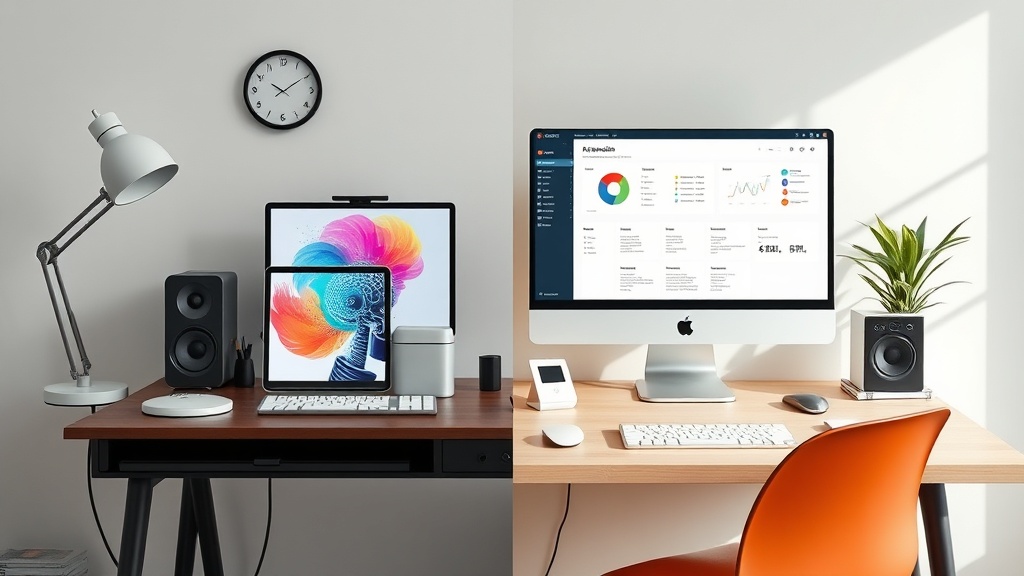
Canva AI vs Perplexity represents a battle between two distinct pillars of modern productivity: visual creation and analytical research. Choosing the right tool depends on whether your current bottleneck is generating high-quality graphics or synthesizing complex information from the web. By understanding how these platforms leverage artificial intelligence, you can build a more efficient workflow that minimizes time spent on repetitive tasks.
Understanding the Core Value Propositions
Canva AI, integrated into the broader Canva ecosystem, focuses on "Magic" features that simplify graphic design. It excels at text-to-image generation, automated layout adjustments, and intelligent background removal. Its primary goal is to lower the barrier to professional-grade design for non-designers.
In contrast, Perplexity functions as an AI-powered answer engine. It is built to scour the internet, provide cited summaries, and maintain context across complex research threads. While Canva transforms your concepts into visual reality, Perplexity provides the information and data foundation upon which your creative work is built.
Deep Dive: Canva AI for Visual Efficiency
Canva has evolved from a simple drag-and-drop editor into a comprehensive generative AI suite. The Magic Studio features are designed to keep you within the editor while you iterate on visual ideas. If you are building a presentation, a social media campaign, or a marketing flyer, Canva AI acts as a creative partner that fills in the gaps in your design skill set.
Key Features for Design Speed
The most impactful feature in Canva’s arsenal is the generative image tool, which allows you to describe a scene and have it rendered in various styles. Beyond images, "Magic Switch" allows users to resize a single design into multiple formats instantly. This is a massive time-saver for marketers who need to repurpose one master asset for Instagram, LinkedIn, and email headers simultaneously.
Another standout is the "Magic Write" feature. While it is a text-based tool, its placement inside the design canvas allows you to generate copy directly onto your graphics. This eliminates the "copy-paste" cycle between a separate document editor and your design tool, keeping your creative flow uninterrupted.
Analyzing Perplexity for Research Acceleration
Perplexity changes the way we interact with search engines. Instead of presenting a list of blue links that require you to click, read, and synthesize yourself, Perplexity presents a consolidated answer with direct citations. For researchers, students, or content strategists, this is a game-changer for speed.
Why Research Speed Matters
When you are tasked with creating a report or an article, the research phase is often the most time-consuming. Perplexity allows you to ask follow-up questions to refine your understanding of a topic without starting a new search. If you are investigating a niche industry trend, Perplexity can pull the latest news, provide summaries of white papers, and even extract key statistics from multiple sources in seconds.
The "Pro" capabilities of Perplexity—which include access to advanced AI models—allow for deeper analysis. You can upload documents to the interface and ask the AI to summarize them, compare them, or extract data points. This creates a feedback loop where you spend less time hunting for information and more time synthesizing it for your audience.
Side-by-Side Comparison: Canva AI vs Perplexity
| Feature Category | Canva AI | Perplexity |
|---|---|---|
| Primary Goal | Visual creation & asset design | Information retrieval & synthesis |
| Output Type | Images, layouts, videos | Text summaries, cited research |
| Data Source | Internal generative models | Real-time web indexing |
| Workflow Stage | Execution & production | Planning & information gathering |
| Best For | Marketers, social media managers | Researchers, writers, analysts |
Where Canva AI Wins: The Production Workflow
Canva AI is the clear winner when your project is in the "production" phase. If you already have your data and your story, and you simply need to make it look professional, Canva’s AI tools are unmatched in ease of use. The ability to generate a template based on a simple prompt, then modify that template with AI-assisted text and imagery, allows for high-velocity output.
Real-World Design Scenarios
Consider a social media manager who needs to create a carousel post for a new product launch. Using Canva, they can generate the background images, use AI to write the captions for each slide, and use the "Magic Grab" tool to reposition elements of a stock photo. This entire process takes minutes, whereas doing this manually in professional-grade software could take hours.
Where Perplexity Wins: The Knowledge Workflow
Perplexity is the undisputed leader when your project is in the "information" phase. If you are staring at a blank page and don't know where to start, Perplexity helps you build a structure. It acts as a sophisticated research assistant that performs the tedious work of cross-referencing sources and verifying facts.
Real-World Research Scenarios
A content strategist writing a white paper on AI trends can use Perplexity to gather the most recent industry statistics from the past month. By asking, "What are the top three challenges for small businesses adopting AI in 2026?", the user receives a comprehensive summary with links to authoritative sources. This provides a solid, factual framework that ensures the subsequent writing is accurate and relevant.
The Hybrid Approach: Integrating Both Tools
The most effective strategy isn't choosing between the two, but understanding how they fit into a linear workflow. Many high-performing creators use Perplexity to do the "heavy lifting" of research, then export those insights into Canva to create the final visual product.
Steps to a Faster Workflow:
- Define the Scope: Start by using Perplexity to clarify your topic. Ask for outlines, key data points, and expert perspectives.
- Synthesize: Take the summarized notes from Perplexity and organize them into your core message or script.
- Draft Visuals: Move to Canva and use the AI image generator to create the supporting visuals based on the research you just gathered.
- Finalize: Use Canva’s AI layout tools to assemble the text and images into a cohesive presentation or social media asset.
Common Pitfalls and How to Avoid Them
One common mistake is relying on Canva AI for factual content or relying on Perplexity for creative design. Canva AI’s text capabilities are improving, but they are not a replacement for a dedicated research tool. Conversely, Perplexity may offer visual suggestions, but it cannot export a high-resolution, editable design file.
Another pitfall is "AI Over-reliance." Regardless of the tool, you must maintain a human editorial eye. Use Perplexity to find facts, but verify them; use Canva AI to generate ideas, but customize them to ensure they align with your brand voice and aesthetic.
Final Thoughts
When evaluating Canva AI vs Perplexity, the "winner" is determined by your specific goal for the task at hand. If you are building a visual asset from scratch, Canva AI is your primary engine for speed and creativity. If you are building a knowledge base, a report, or a deep-dive article, Perplexity is the essential tool for gathering information quickly.
By integrating these tools into a sequence—researching with Perplexity and producing with Canva—you effectively bridge the gap between information gathering and visual communication. Start by identifying which part of your workflow is currently the slowest, and introduce the corresponding tool to see an immediate boost in your creative output. If you're ready to scale your content production, pick the tool that solves your current bottleneck today.
Frequently Asked Questions
Can Canva AI replace Perplexity for research tasks?
No, Canva AI is optimized for visual generation and layout, whereas Perplexity is a specialized search engine. Canva lacks the real-time web indexing and citation capabilities required for deep research.
Do I need both tools for a complete content workflow?
Many professional content creators use both. Perplexity handles the heavy lifting of information gathering and fact-checking, while Canva AI transforms those insights into polished visual assets.
Which tool is more beginner-friendly?
Both platforms are highly accessible. Canva AI is designed for visual learners who want to create without technical design skills, while Perplexity is built for anyone who can type a natural language search query.
Our Rating

Nethmina is the founder of AI Tools Wire and an AI software developer who builds automation tools and tests new AI products hands-on every week.
📬 Get new articles by email
Subscribe for the latest AI tools, guides, and tips. No spam — unsubscribe anytime.
Related Articles
CapCut AI vs Synthesia: Which Video Tool Wins in 2026?
Comparing CapCut AI vs Synthesia to help you choose the right video editor for your needs. Discover which tool excels at creative editing versus AI avatars.
Grok vs Suno: Which AI Is Better for Creative Content in 2026?
Comparing Grok vs Suno for creative content in 2026. Discover which AI excels at text generation versus musical composition to boost your creative workflow.
Copy.ai vs Notion AI 2026: Which Tool Wins for Content Teams?
Comparing Copy.ai vs Notion AI in 2026 to help your content team choose the right AI assistant for workflow automation, long-form writing, and project management.