
Fliki vs Murf: Which AI Produces More Natural Voiceovers?
Understanding the AI Voiceover Landscape
Choosing between Fliki vs Murf for natural voiceovers is a common dilemma for creators who need high-quality audio without the expense of a professional recording studio. Both platforms leverage advanced neural networks to convert text into speech, but they serve fundamentally different segments of the content creation market. While both can produce lifelike results, the "naturalness" of the output often depends on the specific use case, such as whether you are creating snappy social media clips or polished corporate training modules.
The primary difference lies in the philosophy behind the software. Fliki is an all-in-one AI video creation powerhouse that happens to have excellent voice synthesis. Murf, conversely, is a dedicated voice-first platform designed specifically for audio engineering and professional narration. Understanding this distinction is the first step toward determining which tool will provide the specific "human-like" quality your project demands.
Deep Dive into Murf AI: The Professional Standard
Murf has built its reputation on granular control. If you are looking for a tool that mimics the nuances of professional voice acting, Murf is often the go-to choice. It offers an extensive library of voices that sound less "robotic" and more "performed." The secret sauce here is the ability to adjust the pitch, speed, and emphasis of specific words within a sentence. This level of fine-tuning allows users to inject emotion or urgency into a script, which is vital for storytelling.
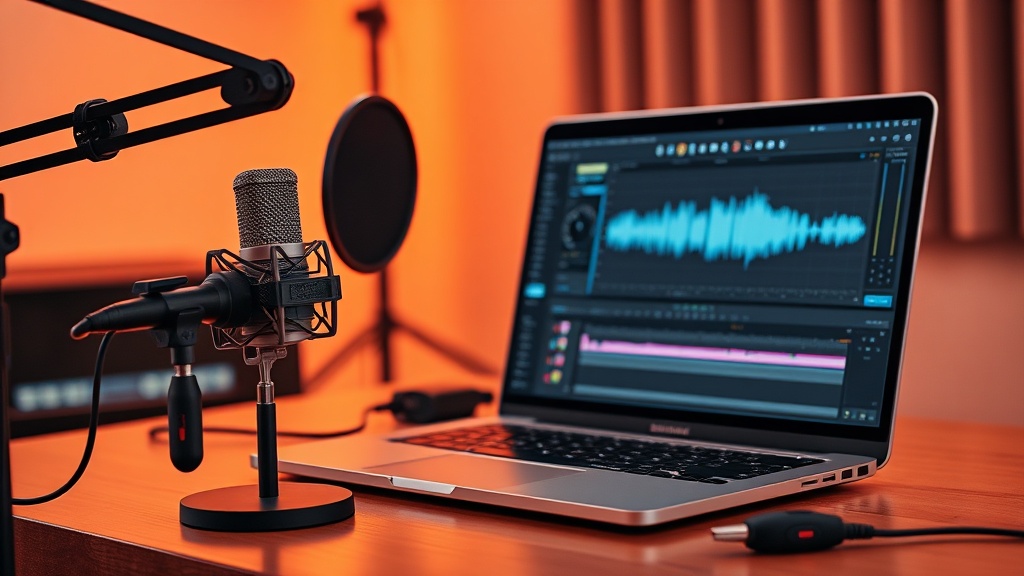
The interface in Murf feels like a digital audio workstation (DAW) for text. You can manipulate the "pauses" between sentences to mimic a real human taking a breath or emphasizing a point. For those producing podcasts, e-learning content, or advertisements, this level of customization is invaluable. It allows the creator to move beyond a flat, monotone delivery and craft a performance that feels tailored to the content's context.
Fliki’s Approach: Speed and Integration
Fliki approaches the voiceover challenge from a different angle: efficiency. It is designed for creators who need to turn a blog post or a script into a video as quickly as possible. Because Fliki integrates the voice engine directly into a video editor, the workflow is incredibly streamlined. You don't just get the voice; you get the stock footage, the subtitles, and the background music all synced up within minutes.
The voices in Fliki are high-quality and very natural for short-form content. They are perfect for social media platforms like TikTok, Instagram Reels, or YouTube Shorts, where the audience expects a fast-paced, clear, and punchy delivery. While it may lack the extreme granular pitch-shifting controls of Murf, it makes up for it with a massive library of AI voices that sound professional right out of the box with minimal configuration.
Feature Comparison Table
| Feature | Fliki | Murf AI |
|---|---|---|
| Primary Focus | AI Video Creation | AI Voice Synthesis |
| Voice Customization | Moderate (Pitch/Speed) | High (Pitch/Emphasis/Pauses) |
| Ease of Use | Very High | High |
| Video Integration | Built-in | Limited/External |
| Best For | Social Media & Marketing | Narration & E-Learning |
| Learning Curve | Low | Moderate |
Evaluating Naturalness: Tone, Cadence, and Emotion
When we talk about "natural" voiceovers, we are really talking about two things: the quality of the neural synthesis and the ability of the software to handle prosody—the rhythm and intonation of speech. Murf excels at prosody because it allows you to manually override the AI's default rhythm. If you find the AI is rushing through a critical piece of information, you can insert a break or change the emphasis on specific adjectives to make the sentence pop.
Fliki, on the other hand, relies on highly sophisticated, pre-trained models that are optimized for clarity. For most standard voiceover tasks, Fliki’s defaults are incredibly convincing. It avoids the "uncanny valley" by keeping its voices crisp and clean. However, if you are doing a project that requires a specific dramatic flair—such as a character-driven narration—you might find Fliki’s voices to be a bit too "broadcast-ready" or uniform compared to the bespoke results you can get with Murf.
Workflow and Use Case Scenarios
To decide which tool is right for you, consider your typical day-to-day workflow. If you are an agency owner or a solo content creator who needs to push out five videos a week, the time you save with Fliki is worth its weight in gold. You simply paste your script, select a voice, and let the AI find the visuals. The voiceover is just one part of a larger, automated process that saves hours of editing time.
If your work is primarily audio-centric—such as creating an audiobook, a documentary voiceover, or a complex training video—Murf is the better investment. You will likely be spending more time in the editing suite anyway, so the extra time required to tweak Murf’s voice settings will feel like a natural part of your process. You are trading off the "all-in-one" speed of Fliki for the "bespoke" quality of a dedicated audio tool.
Pros and Cons of Each Platform
Fliki
- Pros: Exceptional speed, integrated stock media library, user-friendly interface, great for social media.
- Cons: Less granular control over emotional inflection, not designed for long-form audio-only projects.
Murf AI
- Pros: Professional-grade voice customization, excellent for long-form narration, highly realistic emotional inflection.
- Cons: Higher price point for full features, requires more time to perfect the output, no built-in video editing.
Practical Tips for Achieving the Best Results
Regardless of which tool you choose, the "naturalness" of your voiceover starts with your script. AI still struggles with complex acronyms, unusual names, or highly technical jargon. To get the best results, write your scripts for the ear, not the eye. Use short sentences, avoid overly complex punctuation, and spell out tricky words phonetically if the AI is mispronouncing them.
Another expert tip is to experiment with "Voice Styles." Both Fliki and Murf offer different voice profiles (e.g., "cheerful," "professional," "whisper"). Don't just settle for the first voice you hear. Test at least three different voices for every project. Sometimes, a slightly deeper or more energetic voice profile can make a massive difference in how the audience perceives the message, even if the text remains exactly the same.
Final Thoughts
When evaluating Fliki vs Murf, the choice ultimately comes down to your production goals rather than just the raw quality of the audio. If your priority is the rapid creation of engaging video content for social platforms, Fliki provides a seamless, efficient, and highly effective solution that keeps your production pipeline moving fast. Its voices are more than "natural enough" for the vast majority of digital marketing and social media needs.
However, if you are a professional narrator, educator, or producer who needs to craft a specific, nuanced performance that requires precise control over every pause and emphasis, Murf AI is the superior choice. It offers the depth and flexibility needed to treat voice synthesis as a true craft rather than just an automated task. Start with a free trial of both to see which interface aligns better with your creative flow, and remember that the best AI tool is the one that allows you to finish your project with the least amount of friction.
Frequently Asked Questions
Is Fliki or Murf better for long-form content like audiobooks?
Murf is generally superior for long-form projects due to its granular control over pitch, speed, and emphasis, which helps maintain listener engagement over longer durations.
Which tool is easier for beginners to use?
Fliki is significantly easier for beginners because it combines a video editor with a voice generator, allowing you to create content in one unified interface.
Do these tools offer free versions to test the voices?
Both platforms typically offer a free tier or trial period, allowing you to generate a limited number of samples to evaluate voice quality before committing to a paid subscription.
Our Rating

Nethmina is the founder of AI Tools Wire and an AI software developer who builds automation tools and tests new AI products hands-on every week.
📬 Get new articles by email
Subscribe for the latest AI tools, guides, and tips. No spam — unsubscribe anytime.
Related Articles
Pika vs CapCut AI: Choosing the Best Video Editor for 2026
Comparing Pika vs CapCut AI to find the best tool for your workflow. Discover which AI video editor offers more features, better control, and higher quality.
Descript vs HeyGen: Which AI for Talking-Head Videos in 2026?
Choosing between Descript vs HeyGen for your talking-head videos? We break down features, AI quality, and workflows to help you pick the right tool for 2026.
Pictory vs Synthesia: 2026 Guide for AI Training Videos
Choosing between Pictory vs Synthesia for your training videos? Discover which AI tool best fits your corporate learning needs with our expert breakdown.