
Canva AI vs Suno: Which AI Tool Is More Versatile for Creators?
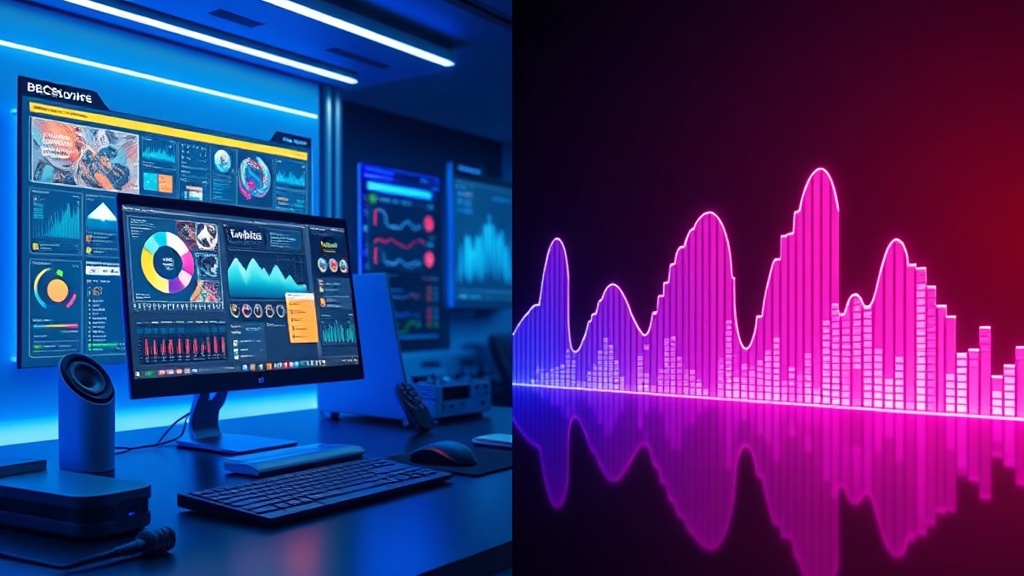
Choosing between Canva AI vs Suno for your multimedia strategy is less about which tool is "better" and more about understanding where your creative bottleneck lies. While both platforms utilize sophisticated generative models to accelerate production, they serve fundamentally different ends of the sensory spectrum: one dominates the visual landscape, while the other carves out a niche in generative audio.
Understanding the Core Competencies of Canva AI
Canva has evolved from a simple drag-and-drop graphic editor into a comprehensive AI-powered design suite. Its AI features—collectively known as Magic Studio—are designed to bridge the gap between amateur effort and professional output. By integrating tools like Magic Design, Magic Write, and Magic Media (text-to-image), Canva allows users to generate cohesive visual assets without ever leaving the browser.
The primary strength here is ecosystem integration. When you generate an image using Canva’s AI, it is already optimized for a specific canvas size—be it an Instagram Story, a LinkedIn header, or a high-definition presentation slide. The AI understands layout constraints, typography, and brand kits, which significantly lowers the barrier to entry for content creators who need to maintain visual consistency across multiple channels.
The Power of Visual Automation
Canva’s AI excels at "functional" creativity. It isn't just generating random art; it is assisting in the construction of marketing materials. For instance, the Magic Switch tool allows you to take a single design and instantly resize it for various platforms, while AI-powered background removal and object manipulation simplify complex editing tasks that once required expensive software like Photoshop.
The Sonic Capabilities of Suno AI
Suno AI occupies a completely different territory, focusing exclusively on high-fidelity audio generation. If Canva is the Swiss Army knife of visual media, Suno is a specialized sound engineer. It allows users to prompt for complex musical compositions, complete with lyrics, vocal style, and structural arrangement, effectively democratizing music production for creators who have no formal training in audio engineering or composition.
The versatility of Suno lies in its ability to understand nuance. You can request a "lo-fi hip-hop track for a morning study vlog" or a "cinematic orchestral underscore for a high-stakes action trailer," and the tool will output a multi-layered audio file. This is a game-changer for YouTubers, podcasters, and filmmakers who previously relied on expensive stock music libraries that often felt generic or overused.
Why Audio Matters in Multimedia
Audio is often the missing link in low-budget multimedia projects. A stunning visual presentation can feel hollow if the background music is mismatched or low-quality. Suno provides a bespoke solution, allowing creators to tailor the exact "vibe" of their project without worrying about the licensing headaches associated with traditional stock audio sites.
Comparison Table: Feature Breakdown
| Feature Category | Canva AI | Suno AI |
|---|---|---|
| Primary Media Type | Visual (Images, Video, Layouts) | Audio (Music, Vocals, Soundscapes) |
| Workflow Integration | High (All-in-one editor) | Medium (Export/Import required) |
| Primary Use Case | Marketing, Social, Presentations | Content background, Jingle, Art |
| Ease of Use | Very High (GUI-focused) | High (Prompt-focused) |
| Creative Control | Layout, Color, Text, Imagery | Genre, Mood, Lyrics, Style |
Workflow Integration: How They Compare
The true value of a tool is often dictated by how well it fits into your existing production pipeline. Canva is designed to be the "end-to-end" solution. You can write your script with Magic Write, generate your images with Magic Media, assemble the video, and add stock audio—all within one tab. This reduces the cognitive load of switching between different pieces of software.
Conversely, Suno acts as a specialized production assistant. It serves as an "input" tool. You generate your audio, export the file, and then bring it into your primary editor—whether that is Canva, Premiere Pro, or Final Cut. While this adds an extra step to the process, the quality of the output often justifies the friction. You are getting a unique, custom-made asset that no one else has.
Optimization Tips for Creators
To get the most out of these tools, adopt a "hub and spoke" model. Use Canva as your central hub for project assembly and Suno as your specialized engine for audio assets. For example, if you are creating a promotional video for a brand launch, use Canva to handle the visual storyboarding and Suno to generate a custom, branded jingle that sets the tone for your video content.
Versatility in Practice: Real-World Scenarios
When we talk about versatility, we have to look at the specific tasks creators face daily. For a social media manager, Canva is undeniably more versatile. You need to create carousels, videos, flyers, and web banners rapidly. Canva’s AI enables this speed. You are rarely asked to create original music for a daily Instagram post, making Suno a secondary, albeit powerful, utility.
However, for a content creator or a small business founder building a personal brand, Suno offers a unique form of versatility: brand identity. By generating consistent, high-quality audio themes for your videos, you create an "auditory logo." This level of branding is difficult to achieve with generic stock music. In this specific context, Suno provides a competitive edge that Canva’s visual tools cannot replicate.
Step-by-Step Production Workflow
- Ideation: Use Canva’s Magic Write to draft your script or content outline.
- Visuals: Use Magic Media in Canva to generate the primary images or video clips.
- Audio: Input your project theme into Suno to generate a custom soundtrack.
- Assembly: Import the Suno audio file into the Canva video editor.
- Sync: Adjust the video clips to the beat of the generated music using Canva’s timeline tools.
- Refinement: Use Canva's AI editing tools to clean up any visual transitions.
Pros and Cons of Each Platform
Choosing the right tool requires an honest assessment of your technical skills and project goals.
Canva AI Pros:
- Unmatched ease of use for non-designers.
- Massive library of templates and assets.
- Seamless transition from static image to video editing.
- Excellent team collaboration features.
Canva AI Cons:
- Can feel restrictive for professional graphic designers.
- AI-generated imagery can sometimes lack specific, granular control.
Suno AI Pros:
- Unrivaled quality in generative music.
- Extremely fast generation times.
- Ability to create lyrics and vocals, not just instrumentals.
- High potential for unique brand identity.
Suno AI Cons:
- No native video or visual editing tools.
- Requires exporting/importing to combine with other media.
- Steep learning curve for advanced prompting and lyric structure.
The Cost of Creativity
Both platforms operate on a "freemium" model. Canva offers a robust free tier, but the most powerful AI features are locked behind a subscription. The pricing is generally tiered for individuals and teams, making it a predictable expense for business owners.
Suno also offers a free tier, but it is typically usage-limited, meaning you get a certain number of credits per month. If you are a heavy user—such as a YouTuber producing daily content—you will likely need to opt for one of their paid plans. Because Suno is a specialized tool, its pricing is often simpler, focusing on the number of generations or commercial rights rather than the complex team-based permissions found in Canva.
Final Thoughts
When deciding between Canva AI vs Suno, remember that you don't necessarily have to choose one over the other. They are complementary forces in the modern creator’s toolkit. Canva AI is the workhorse that handles the "what" of your multimedia—the layout, the text, the images, and the final assembly. Suno is the specialized artisan that provides the "how it feels"—the mood, the rhythm, and the emotional resonance of your content.
If you are just starting out, prioritize mastering Canva’s suite of AI tools, as it provides the foundation for all your visual communication. Once you have your visual workflow stabilized, integrate Suno to add a layer of professional-grade audio that elevates your content above the noise. The most versatile creators aren't those who pick the single best tool, but those who know how to orchestrate multiple AI engines to build something greater than the sum of their parts.
Frequently Asked Questions
Can I use Suno AI tracks inside my Canva designs?
Yes, you can export your generated audio from Suno and upload it directly into Canva’s media library to sync with your video projects or presentations.
Is Canva AI better for professional graphic design?
Canva AI is excellent for rapid prototyping, social media graphics, and non-designers, though professional designers often prefer specialized software like Adobe Creative Cloud for complex work.
Does Suno AI provide full copyright ownership of the music?
Most plans offer commercial usage rights for paid subscribers, but always check the current terms of service as AI music copyright laws are evolving rapidly.
Our Rating

Nethmina is the founder of AI Tools Wire and an AI software developer who builds automation tools and tests new AI products hands-on every week.
📬 Get new articles by email
Subscribe for the latest AI tools, guides, and tips. No spam — unsubscribe anytime.
Related Articles

Notion AI vs Grok: Which AI Works Better for Note-Taking in 2026?
Choosing between Notion AI vs Grok for note-taking? We compare their features, integration, and efficiency to help you boost your productivity in 2026.
Copy.ai vs Perplexity: Which AI Tool Is More Reliable for Research?
Struggling to choose? We compare Copy.ai vs Perplexity for research accuracy, source citation, and workflow integration to help you pick the right AI.
Jasper vs Canva AI: Choosing the Best Tool for Content Creation
Struggling to choose between Jasper vs Canva AI? We compare these powerhouses to help you master visual design and high-converting copy for your brand.