
CapCut AI vs Fliki: Which AI Video Tool Wins in 2026?
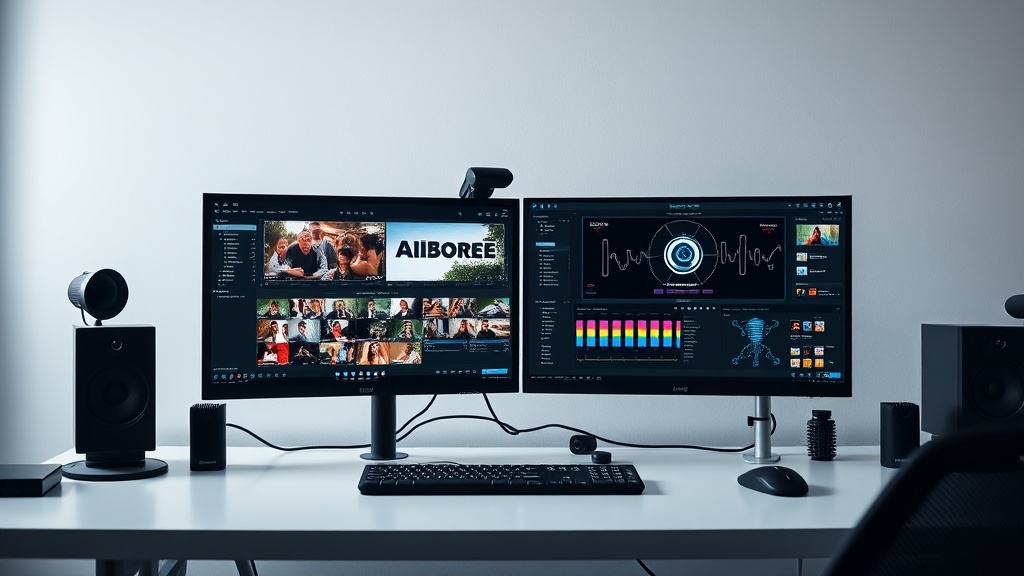
Choosing between CapCut AI vs Fliki for marketing can feel like deciding between a high-end paintbrush and a printing press. Both tools aim to simplify the video creation process, but they operate on fundamentally different philosophies that cater to distinct marketing needs. Understanding these nuances is essential for any content strategist looking to scale production without sacrificing quality.
CapCut AI is an extension of a robust, timeline-based editor that leans heavily into creative trends, visual effects, and manual control. Conversely, Fliki is a text-to-video powerhouse designed to convert scripts into fully produced videos with minimal human intervention. As you evaluate your 2026 content strategy, determining whether you need the creative flexibility of a timeline or the automated speed of a generator is the first step toward a more efficient workflow.
The Core Philosophy: Creative Control vs. Automated Speed
CapCut AI functions primarily as an editor that has been supercharged with intelligent features. It is built for creators who want to manipulate individual layers, apply complex transitions, and time their edits to the beat of a specific track. Even when using its AI features like background removal, auto-captions, or AI-generated effects, you remain the director of the creative experience. It is the tool of choice for marketing teams that prioritize aesthetic, trend-focused content for platforms like TikTok, Instagram Reels, and YouTube Shorts.
Fliki, on the other hand, prioritizes the "script-first" approach. Its primary value proposition is the ability to take a blog post, a tweet, or a raw script and transform it into a cohesive video by sourcing stock media, applying voiceovers, and generating subtitles automatically. It is a utility tool designed for high-volume content output, such as educational explainers, internal training videos, or automated news updates. While you can customize the output, the engine is designed to do the heavy lifting for you.
| Feature | CapCut AI | Fliki |
|---|---|---|
| Primary Workflow | Manual timeline-based editing | Automated text-to-video |
| Best For | Short-form social media trends | Explainer videos and long-form narration |
| Learning Curve | Moderate (intuitive but feature-rich) | Very low (point-and-click) |
| AI Focus | Visual effects and editing assistance | Script-to-video and voice synthesis |
| Asset Library | Extensive creative templates/effects | Massive stock media and voice library |
AI Video Editing Capabilities Compared
CapCut’s AI suite is impressive because it integrates seamlessly into a professional-grade editor. Features like "AI Script to Video" are useful, but the real magic happens in its ability to handle complex visual tasks. You can use its AI to generate stylized portraits, remove backgrounds, or even auto-generate captions that sync perfectly with your audio. For marketers, this means you can produce high-quality, high-energy content that feels handcrafted even if you only spent twenty minutes on it.
Fliki handles AI differently by focusing on the "content pipeline." Its strength lies in its voiceover quality and the intelligent matching of visual clips to your text. If you have a long script, Fliki’s algorithm analyzes the text and selects relevant stock imagery or video snippets to match the narration. This is a game-changer for marketers who need to turn a library of written articles into a video series without manually scrubbing through stock footage sites for hours.
Key Advantages of CapCut
- Trend Integration: Direct access to trending audio and visual styles popular on social platforms.
- Advanced Keyframing: Allows for granular control over motion graphics and text animations.
- Multi-Platform Optimization: Built-in tools for resizing content for different social aspect ratios.
Key Advantages of Fliki
- Rapid Production: Ideal for teams that need to produce dozens of videos per week.
- Voiceover Quality: Industry-leading neural voices that sound remarkably human and natural.
- Zero-Footage Workflow: You do not need to film anything to create a polished, professional video.
Workflow and User Experience for Marketing Teams
For a marketing team, the "time-to-publish" metric is often the most critical KPI. Fliki wins in scenarios where the goal is quantity and consistency. By utilizing its bulk-generation capabilities, a solo marketer can turn a week’s worth of blog posts into video content in a single afternoon. The interface is clean, distraction-free, and avoids the complexity of a multi-track timeline, which prevents "analysis paralysis" for less technical team members.
CapCut, however, is better suited for a campaign-based approach where visual impact is paramount. If your brand relies on a specific "look"—perhaps fast-paced cuts, specific color grading, or stylized text overlays—CapCut provides the granular control necessary to ensure every video aligns with your brand guidelines. It is a more "hands-on" experience that rewards the user for spending time on the details, resulting in content that often feels more personalized and less "automated."
Budgeting and Pricing Structures
Most professional-grade AI tools operate on a tiered subscription model, and both CapCut and Fliki follow this trend. CapCut is famously accessible, with a robust free version that provides access to most of its core features, including many AI effects. Their paid plans are generally affordable and unlock premium assets, cloud storage, and advanced AI capabilities, making it a low-risk investment for startups and small agencies.
Fliki typically offers a more rigid pricing structure focused on usage limits, such as the number of minutes generated per month. This is helpful for predictable budgeting; you know exactly how many videos your plan covers. While it lacks the "freemium" generosity of CapCut, the value proposition is geared toward ROI. If you are using Fliki to produce content that generates revenue, the cost per video is often negligible compared to the time saved by automating the production process.
Scalability: When to Choose Which Tool
Choosing between these two tools often comes down to your content strategy. If your strategy is centered around "personality-led" content—where a host is speaking to the camera, or you are showcasing behind-the-scenes footage—CapCut is the clear winner. Its ability to handle high-resolution video files and provide professional-grade editing tools allows you to maintain a high production value while leveraging AI for the tedious parts of editing, such as noise reduction or captioning.
Conversely, if your content strategy is "information-led"—such as tutorials, news roundups, or listicles—Fliki is the superior choice. It effectively turns your text assets into a video-first library. This is particularly effective for SEO-driven marketers who want to embed videos in their blog posts to increase dwell time and reduce bounce rates. Fliki’s automation allows you to repurpose existing text assets without needing to hire a video editor or purchase expensive stock video licenses separately.
Pro-Tips for Maximizing Your AI Video Strategy
Regardless of which tool you choose, the secret to success is "Human-in-the-Loop" editing. Even the best AI tools occasionally misinterpret context or choose a stock image that feels slightly off-brand. When using Fliki, always spend five minutes auditing the auto-selected media. Replacing just one or two clips with something more specific to your brand can significantly improve the perceived quality of the final video.
With CapCut, the expert tip is to utilize their "Templates" feature as a starting point rather than a finish line. Many marketers make the mistake of using a template exactly as it comes, which can make their brand look generic. Instead, use the template to handle the complex motion graphics, then swap out the fonts, colors, and music to match your unique brand identity. This hybrid approach—using AI for the heavy lifting and human creativity for the final polish—is the hallmark of a high-authority video strategy.
Final Thoughts
The decision between CapCut AI and Fliki boils down to your primary content objective. If you need a high-octane, visually expressive editing suite that helps you jump on social media trends and maintain tight control over the final look, CapCut AI is the undisputed champion. Its depth and creative flexibility make it an essential tool for social media managers and creative teams who view video as their primary brand-building channel.
If your priority is efficiency, volume, and repurposing text-based content into engaging video formats, Fliki is the smarter investment. It removes the technical friction of editing, allowing you to scale your content output in a way that would be impossible with traditional software. Start by identifying your team's biggest bottleneck: is it a lack of creative editing skills, or a lack of time to produce enough content? Once you answer that, the choice becomes clear. Both tools are powerful, but their effectiveness depends entirely on how well they align with your specific marketing goals. If you are ready to streamline your production, pick the tool that solves your current pain point and start experimenting with a small batch of videos today.
Frequently Asked Questions
Is CapCut AI or Fliki better for long-form content?
Fliki is generally better for long-form, script-based content like educational videos or presentations, while CapCut excels at short-form, high-energy social media clips.
Do I need technical skills to use these tools?
Both platforms are designed for non-editors, but CapCut requires a bit more manual adjustment for creative effects, whereas Fliki focuses on automated generation from text.
Which tool offers better voiceover options?
Fliki provides a wider range of realistic, professional-sounding neural voices specifically tuned for narration, while CapCut offers more creative, character-based voice effects.
Our Rating

Nethmina is the founder of AI Tools Wire and an AI software developer who builds automation tools and tests new AI products hands-on every week.
📬 Get new articles by email
Subscribe for the latest AI tools, guides, and tips. No spam — unsubscribe anytime.
Related Articles

Suno vs HeyGen: Comparing AI Music and Avatar Generation for 2026
Struggling to choose between Suno vs HeyGen? Discover how these top-tier AI tools revolutionize music production and video avatar creation for your content.
Grok vs Synthesia: 2026 Guide for Interactive Content Success
Choosing between Grok vs Synthesia for interactive content? Our expert guide breaks down their unique strengths to help you boost engagement today.
Perplexity vs CapCut AI: Which Tool Wins for Content Editing?
Struggling to choose between Perplexity vs CapCut AI? We compare these top tools to see which best streamlines your content editing workflow in 2026.