
CapCut AI vs Synthesia: Which Video Tool Wins in 2026?
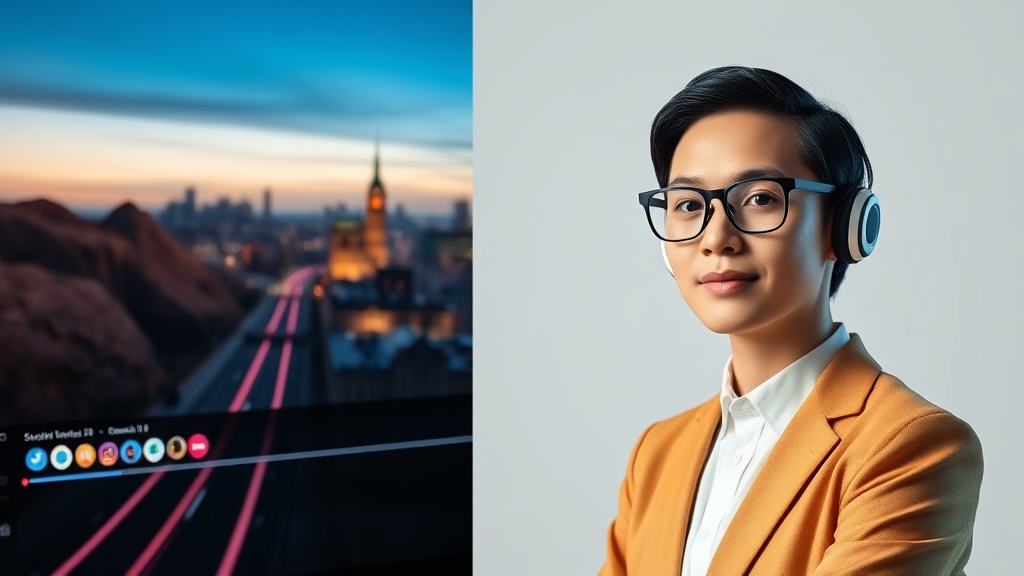
Choosing between CapCut AI vs Synthesia often comes down to identifying whether your workflow prioritizes creative social media engagement or professional corporate communication. While both platforms leverage artificial intelligence to accelerate video production, they serve fundamentally different segments of the content creation market. Understanding their core architectures is the first step in optimizing your production pipeline for maximum efficiency.
Core Philosophy: Creative Editing vs. Synthetic Media
CapCut AI is, at its heart, a comprehensive video editing suite designed to make cinematic-style editing accessible to everyone. It focuses on creative flair, utilizing AI to automate tedious tasks like background removal, auto-captions, and dynamic transitions. It treats the video as a canvas for visual storytelling, where the AI serves as an assistant to the editor’s creative vision.
Synthesia, conversely, is a synthetic media platform built for scalability and instructional consistency. Its primary purpose is to replace the need for cameras, studios, and actors by generating lifelike AI avatars that deliver scripts with natural speech. It is not an "editor" in the traditional sense; it is a presentation engine that turns text into professional-looking video assets with zero manual frame manipulation.
Deep Dive: CapCut AI’s Feature Set
CapCut AI excels in the realm of "remix culture." Its AI tools are heavily optimized for short-form content, such as TikToks, Reels, and YouTube Shorts. The platform allows users to apply sophisticated AI effects, such as style transfer, image-to-video generation, and intelligent tempo matching for music. These features are designed to keep viewers engaged through rapid visual changes and high-energy pacing.
One of the standout features is its "Auto-Cut" and script-to-video functionality. If you have a rough idea, CapCut can assemble clips, add transitions, and sync the audio to the beat automatically. For creators who need to produce high volumes of content daily, this workflow is a game-changer. It effectively democratizes high-end editing techniques that previously required hours of work in professional software like Adobe Premiere Pro or DaVinci Resolve.
Advanced Editing Capabilities
- AI Background Removal: Highly accurate, even without a green screen, perfect for talking-head videos.
- Intelligent Captions: Automatically generates and animates subtitles, a mandatory feature for modern social media consumption.
- Voice Conversion: Allows users to change their natural voice into various AI-generated tones, which is excellent for anonymity or character building.
- Trend-Based Templates: Access to a massive library of user-generated templates that leverage current audio and visual trends.
Deep Dive: Synthesia’s Professional Avatars
Synthesia occupies a professional niche that CapCut cannot touch: the automated production of training, educational, and corporate communication videos. Instead of manipulating video clips, you select an avatar, input your script, and let the AI handle the rendering of lip-syncing and body language. The realism is significantly higher than most consumer-grade tools, making it suitable for high-stakes corporate environments.
The platform provides a "studio-in-a-box" experience. You can choose from hundreds of diverse avatars, customize their appearance, and even create a "custom avatar" that mimics your own likeness. This is particularly valuable for businesses that want to scale their content without needing to record the same CEO or trainer repeatedly for every minor update to a policy or product demonstration.
Key Industrial Advantages
- Multilingual Scaling: Translate your video into dozens of languages instantly, with the AI adjusting the lip movements to match the new audio.
- Consistency: Unlike human presenters, a digital avatar never has a "bad day," forgets a line, or requires a retake due to lighting changes.
- Rapid Iteration: Updating a script is as simple as re-typing a paragraph and hitting "generate," rather than booking a new studio session.
Feature Comparison Table
| Feature | CapCut AI | Synthesia |
|---|---|---|
| Primary Use Case | Social Media & Creative | Corporate & Educational |
| Editing Interface | Full Timeline/Layer-based | Presentation/Slide-based |
| Avatar Quality | Basic/Filter-based | Professional/Hyper-realistic |
| Mobile Access | Excellent (Native App) | Limited (Browser-based) |
| Learning Curve | Moderate | Very Low |
| Pricing Model | Freemium | Subscription-based |
Workflow Integration and Efficiency
The workflow for CapCut AI is inherently iterative. You start with raw footage, trim it, add layers of effects, and refine the timing. It is a tool for "crafting" a video. For a professional editor, this provides the granular control necessary to ensure the final output feels bespoke and unique. However, this also means that the time-to-publish is inherently tied to the complexity of the edit.
Synthesia’s workflow is linear and batch-oriented. You input your text, select your slide layout, choose your background, and export. It is designed for speed and consistency rather than stylistic variation. If you are producing 50 training videos for an internal onboarding portal, Synthesia allows you to maintain a unified visual language across all of them without the risk of "creative drift" that might occur if you were editing each one individually.
Choosing the Right Tool for Your Goals
If your goal is to grow a personal brand on TikTok or YouTube, CapCut AI is the superior choice. Its ability to keep up with viral trends, combined with its robust mobile editing interface, makes it an essential tool for the modern creator. The AI tools serve as a force multiplier for your creative decisions, allowing you to produce high-quality content while on the move.
Conversely, if you are a corporate communications manager or an educator, Synthesia is the clear winner. The time and cost savings associated with eliminating video production crews and voice actors are massive. The professional polish and the ability to easily maintain a library of consistent video assets make it an investment that pays for itself in reduced production hours and increased scalability.
Expert Insight: The "Hybrid" Strategy
For advanced content teams, the most effective strategy is often to use both. Many high-performing marketing teams use Synthesia to generate the core informational content—such as product tutorials or internal announcements—and then import those clips into CapCut AI. In CapCut, they add the "social" layer: trending background music, dynamic b-roll, high-energy text overlays, and platform-specific transitions.
This hybrid approach allows you to leverage the professional realism of Synthesia’s avatars while maintaining the high engagement levels associated with CapCut’s creative editing tools. It is the best of both worlds: the reliability of synthetic media paired with the visual excitement of modern social media editing.
Final Thoughts
The debate between CapCut AI vs Synthesia is not about which tool is objectively "better," but which tool fits your specific production demands. CapCut is the ultimate tool for visual storytelling and social growth, whereas Synthesia is the premier engine for scalable, professional information delivery. By understanding the unique strengths of each, you can build a video production stack that is both efficient and highly effective. Whether you are a solo creator aiming for viral reach or a business leader scaling your educational content, these tools offer the leverage you need to succeed. If you are still unsure where to start, try the free version of CapCut for your next social post and request a demo of Synthesia to see how their avatars handle your specific script needs.
Frequently Asked Questions
Can CapCut AI generate realistic talking heads like Synthesia?
CapCut AI offers basic avatar features and character filters, but it does not match the professional, high-fidelity lip-syncing and corporate-grade realism found in Synthesia.
Which tool is better for social media marketing?
CapCut AI is significantly better for social media due to its trending effects, mobile-first interface, and native integration with platforms like TikTok.
Do I need technical skills to use these tools?
Both tools are designed for accessibility. CapCut requires basic editing intuition, while Synthesia is essentially a 'slide-to-video' workflow that requires no prior editing experience.
Our Rating

Nethmina is the founder of AI Tools Wire and an AI software developer who builds automation tools and tests new AI products hands-on every week.
📬 Get new articles by email
Subscribe for the latest AI tools, guides, and tips. No spam — unsubscribe anytime.
Related Articles
Grok vs Suno: Which AI Is Better for Creative Content in 2026?
Comparing Grok vs Suno for creative content in 2026. Discover which AI excels at text generation versus musical composition to boost your creative workflow.

Canva AI vs Perplexity: Which Tool Boosts Productivity in 2026?
Comparing Canva AI vs Perplexity to see which helps you design and research faster. Discover the best AI workflows for your creative and analytical projects.

Copy.ai vs Notion AI 2026: Which Tool Wins for Content Teams?
Comparing Copy.ai vs Notion AI in 2026 to help your content team choose the right AI assistant for workflow automation, long-form writing, and project management.