
Descript vs HeyGen: Which AI for Talking-Head Videos in 2026?
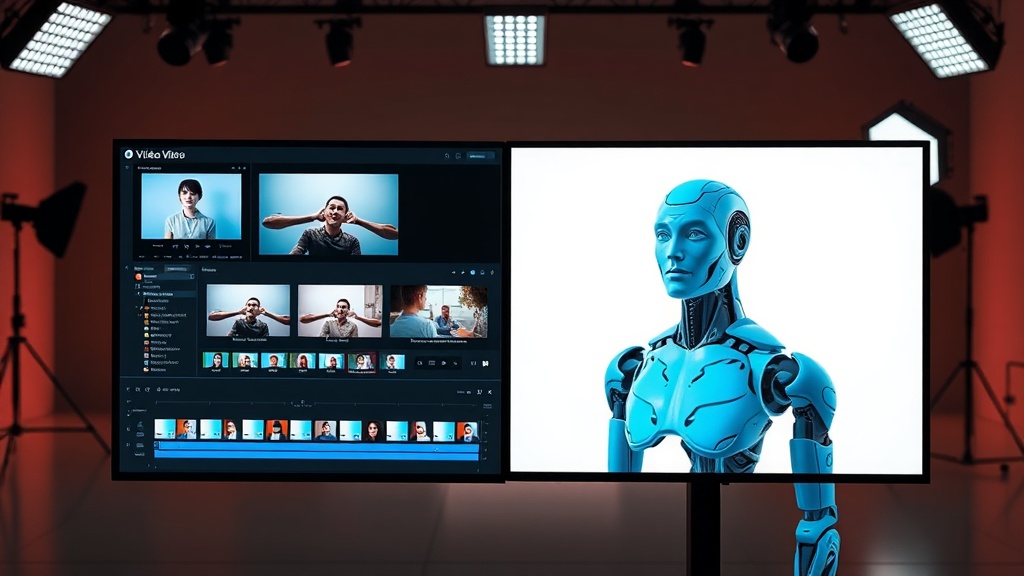
Choosing between Descript vs HeyGen for your talking-head videos depends entirely on whether you are looking to edit existing footage or generate entirely new presentations from scratch. Both platforms have become industry standards, yet they solve fundamentally different problems in the video production pipeline. While one focuses on streamlining the editorial workflow, the other leans into the power of generative AI to replace traditional camera setups.
Understanding the Core Philosophy
Descript is an audio-first, text-based editor that treats video editing like a document processor. It transcribes your footage, allowing you to cut, rearrange, and polish your talking-head videos by editing the text transcript. It is a tool for creators who have already recorded their content and need a professional way to refine the pacing, remove filler words, and add B-roll.
HeyGen, conversely, is an AI avatar powerhouse. Its primary value proposition is the ability to create hyper-realistic digital humans that speak your text with perfect lip-syncing and natural gestures. You do not necessarily need a camera or a microphone to use HeyGen; you simply need a script and a choice of avatar. It is less about "editing" and more about "synthetic production."
Comparing Workflow and User Experience
The user experience in Descript is centered around the timeline and the transcript. If you are a podcaster or a YouTuber who records hours of footage, Descript’s "Studio Sound" and "Filler Word Removal" features are game-changers. You can clean up an entire hour of audio in seconds, which is a massive time-saver for anyone managing long-form talking-head content. The interface feels like a word processor, making it accessible to those who have never touched Adobe Premiere or DaVinci Resolve.
HeyGen’s workflow is entirely different. You start by selecting an avatar—either a stock professional or a custom-trained version of yourself—and then input your script. The platform handles the rendering, animation, and voice synthesis. The experience is linear: input text, select voice, choose background, and export. It is incredibly efficient for corporate training videos, product explainers, or personalized sales outreach where the message changes but the presenter remains constant.
AI Capabilities: Editing vs. Generation
When evaluating Descript vs HeyGen, you have to look at what the AI is actually doing. Descript uses AI to assist in human-led editing. Its "Eye Contact" effect, for instance, uses AI to subtly shift your pupils so you appear to be looking at the lens even if you were reading from a teleprompter. It is an enhancement tool that makes your real-life performance look better without replacing it.
HeyGen uses AI for synthetic generation. The "Instant Avatar" feature is particularly impressive, as it can mimic your voice, facial expressions, and body language from a short video sample. If you are creating high-volume content, such as a series of social media clips in multiple languages, HeyGen can translate your video while keeping your voice and lip movements synced to the new language. This is a level of automation that Descript simply does not provide.
Key Feature Comparison Table
| Feature | Descript | HeyGen |
|---|---|---|
| Primary Use | Editing recorded video/audio | Generating AI avatars/presenters |
| Input Method | Recorded video/audio files | Text scripts or audio files |
| Editing Style | Text-based NLE (Non-Linear Editor) | Generative AI platform |
| Best For | YouTubers, Podcasters, Educators | Sales, Marketing, HR, Training |
| Voice Cloning | Yes (Overdub) | Yes (Instant/Fine-tuned) |
| Multi-Language | Translation/Subtitles | Full lip-sync localization |
Who Should Use Descript?
Descript is the go-to choice for creators who want to maintain the "human touch." If your brand relies on your specific personality, energy, and unscripted moments, you need to record yourself. Descript ensures that those raw recordings are polished to perfection. It is ideal for long-form content like video podcasts, tutorials, and interviews where the flow of conversation is the most important element.
Additionally, Descript is a full-featured editor. It allows for multi-track editing, screen recording, and advanced color grading. You can add layers of B-roll, complex animations, and sound effects. If your goal is to create a dynamic, highly edited video that keeps viewers engaged through visual variety, Descript provides the canvas to do so.
Who Should Use HeyGen?
HeyGen is the superior choice for scaling content without the overhead of a studio. If you are a business owner or a content creator who needs to produce dozens of videos a week, you cannot realistically record every single one. HeyGen allows you to "clone" yourself once and then produce unlimited content. It is perfect for scaling personalized outreach, internal communications, or multilingual marketing campaigns.
The real power of HeyGen lies in its "Talking Photo" and "Avatar" features for scenarios where you don't have the time or equipment to set up a studio. If you have a script that needs to be delivered by a professional-looking presenter, HeyGen provides that at a fraction of the cost of hiring a production crew. It is the ultimate tool for efficiency-minded teams.
The Cost of Scalability
Most AI tools in this space operate on a tiered subscription model, but the "hidden" costs differ. Descript offers a generous free tier that allows you to test the waters, but the real power—like unlimited transcriptions and high-quality "Studio Sound"—is locked behind paid plans. Since you are doing the recording, your primary investment is your time and equipment.
HeyGen’s pricing is often tied to "credits," which represent the length of the video generated. This makes sense because generating an AI avatar requires significant server-side computing power. If you are a power user, your costs will scale linearly with the amount of video you produce. You aren't just paying for software; you are paying for the compute power to render high-fidelity synthetic humans.
Expert Tips for Success
If you choose Descript, invest time in learning the "Overdub" feature. It allows you to fix mistakes in your script without having to re-record your audio. An expert tip: record your voice training file in a very quiet room with a high-quality microphone to ensure the AI clone sounds indistinguishable from your real voice.
For HeyGen users, the secret to a great video is in the script. AI avatars can sometimes struggle with heavy sarcasm or complex emotional nuances, so keep your scripts clear and professional. Another pro tip: use the "Photo Avatar" feature for simpler, less formal updates, and save your "Instant Avatar" credits for high-value content where you need to establish personal authority.
Final Thoughts
The decision between Descript vs HeyGen is not about which tool is objectively "better," but rather about your specific content goals. Descript is an editor’s dream, perfect for those who want to refine their own voice and presence into a polished, professional final product. It is the evolution of the traditional NLE, making editing intuitive and fast.
HeyGen is a production engine, perfect for those who want to bypass the traditional recording process entirely. It is a powerful tool for scaling your output and delivering content in ways that would be physically impossible through manual recording alone. If you prioritize authentic, long-form connection, start with Descript. If you prioritize speed, scalability, and automated production, HeyGen is your best bet. Why not start a trial on both to see which workflow feels more natural for your creative process?
Frequently Asked Questions
Can I use Descript to create an AI avatar like HeyGen?
Descript offers 'Eye Contact' and basic voice cloning, but it is primarily an editor. It does not generate full-body AI avatars with lip-syncing capabilities in the same way HeyGen does.
Which tool is better for long-form educational content?
Descript is superior for long-form content because it functions as a full-featured non-linear editor. HeyGen is best suited for shorter, presenter-led clips or localized marketing messages.
Do I need a high-end camera if I use these AI tools?
For Descript, you still need to record high-quality footage. With HeyGen, you can generate an entire video from just text or a single photo, bypassing the camera entirely.
Our Rating

Nethmina is the founder of AI Tools Wire and an AI software developer who builds automation tools and tests new AI products hands-on every week.
📬 Get new articles by email
Subscribe for the latest AI tools, guides, and tips. No spam — unsubscribe anytime.
Related Articles
Pictory vs Synthesia: 2026 Guide for AI Training Videos
Choosing between Pictory vs Synthesia for your training videos? Discover which AI tool best fits your corporate learning needs with our expert breakdown.
Murf vs Lumen5: 2026 Comparison for Professional Video Creation
Struggling to choose? Compare Murf vs Lumen5 to find the best AI video production tool for your needs. Learn which platform saves you time and boosts quality.
CapCut AI vs Fliki: Which AI Video Tool Wins in 2026?
Compare CapCut AI vs Fliki to see which AI video tool best fits your marketing goals. Discover the pros, cons, and expert verdict for your video workflow.