
How to Generate Colour Palettes with AI in 2026: Expert Guide
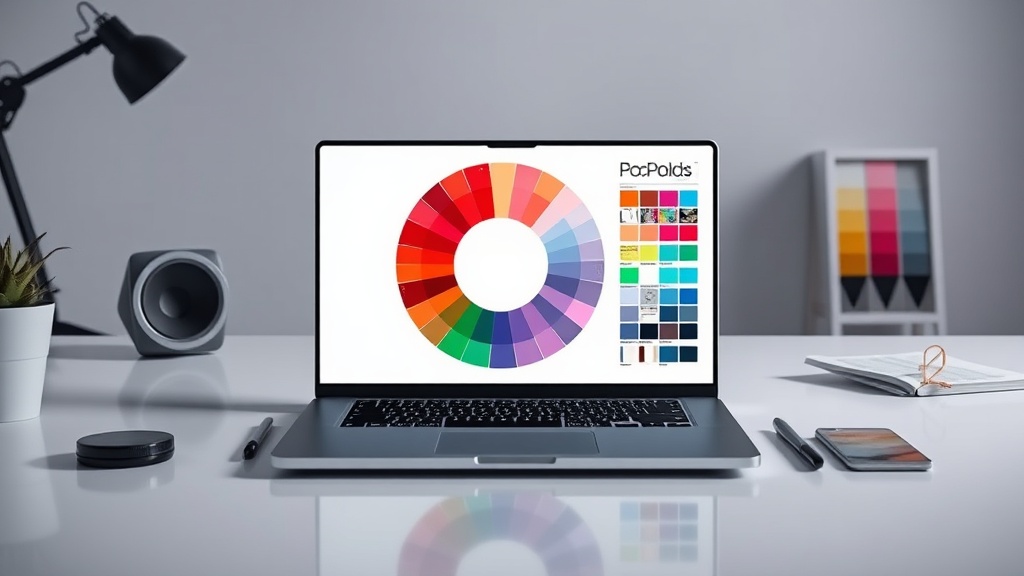
Learning how to generate colour palettes with AI in 2026 has transformed from a niche experimental exercise into a core competency for professional designers. By leveraging generative models, you can bypass the tedious trial-and-error phase of branding and UI development, moving directly into high-fidelity experimentation. This guide explores the most efficient workflows, advanced prompting strategies, and the integration of AI into your existing design stack.
The Evolution of AI-Assisted Colour Theory
In the past, designers relied on manual color picking and static resources like ColorLovers or Adobe Color. While these tools remain useful, they are reactive rather than generative. By 2026, AI tools have shifted to a "predictive" model, where algorithms analyze your existing design context—such as mood boards, competitor data, or specific industry trends—to suggest palettes that are not just harmonious, but strategically aligned with psychological goals.
The shift is largely due to multi-modal models that can ingest a visual reference and "read" the emotional intent behind it. When you upload a photograph or a wireframe, the AI doesn't just extract the average pixel values; it interprets the saturation, luminance, and contrast ratios to build a palette that maintains the "vibe" of your source material. This allows for a more nuanced approach to brand identity, where the AI acts as a digital art director rather than just a randomizer.
Choosing the Right AI Palette Generation Workflow
Not all AI tools are built for the same purpose. Your choice of tool should depend on whether you are building a full design system or simply looking for inspiration for a single landing page. Some tools are optimized for accessibility, prioritizing high-contrast ratios, while others focus on artistic expression and abstract color blending.
When selecting a tool, consider the "exportability" of the output. The best tools in 2026 offer native integrations with Figma, Adobe Creative Cloud, and even CSS variables for web development. If you are working in a team environment, look for platforms that allow you to save palettes into shared libraries, ensuring that your AI-assisted choices remain consistent across multiple projects.
| Tool Category | Best For | Key Feature |
|---|---|---|
| System-Oriented | Brand Identity & UI | WCAG contrast compliance |
| Generative-Art | Mood Boards & Illustration | Gradient and texture blending |
| Research-Based | Trend Forecasting | Real-time social media data analysis |
| Workflow-Integrated | Figma/Adobe Plugins | Direct code/swatch export |
Mastering Prompt Engineering for Colour
To get the most out of an AI colour palette generator, you must move beyond generic prompts like "create a professional blue palette." Instead, frame your requests through the lens of emotional resonance and functional requirements. An expert prompt in 2026 includes information about the target audience, the platform, and the desired psychological impact.
For example, instead of asking for a "modern palette," try: "Generate a primary and secondary colour palette for a fintech SaaS platform targeting Gen Z users. The palette should evoke trust but feel vibrant, using a high-contrast triadic scheme that passes WCAG AA standards." Providing specific constraints forces the AI to narrow its search space, leading to more professional and usable results.
Tips for Refining Your Prompts
- Define the Context: Mention the industry (e.g., healthcare, tech, luxury retail).
- Specify the Scheme: Request specific relationships like monochromatic, analogous, or split-complementary.
- Set the Mood: Use adjectives like "muted," "saturated," "neon," "warm," or "industrial."
- Add Constraints: Explicitly state if you need a specific number of colours or if a certain base colour must be included.
Integrating AI Palettes into Design Systems
A common mistake designers make is treating AI-generated palettes as final products. In a professional workflow, the AI output is merely the starting point. Once you have a base palette, you need to use AI to expand it into a full design system, including shades, tints, and semantic tokens (e.g., error, success, warning, and info states).
Modern AI tools can take your primary brand colours and automatically generate a scale of ten tints and shades based on mathematical curves. This ensures that your light and dark modes remain consistent without needing to manually adjust the lightness and saturation of every single hue. By automating the generation of your utility palette, you save hours of manual work while maintaining a mathematically sound system.
The Role of Accessibility in AI Generation
In 2026, accessibility is not an afterthought; it is a baseline requirement. A significant advantage of using AI to generate colour palettes is the ability to run automated accessibility checks in real-time. Many AI-driven design platforms now feature "accessibility-first" sliders that adjust the saturation or lightness of your chosen colours to ensure they meet minimum contrast ratios for text on background.
When evaluating an AI-generated palette, always check it against the "WCAG 3.0" standard, which is becoming the industry benchmark. If the AI suggests a palette that looks beautiful but fails the contrast test, use the tool’s "refine" function to preserve the hue while shifting the luminance values. This iterative process allows you to balance aesthetic goals with inclusive design requirements seamlessly.
Avoiding the "AI Homogeneity" Trap
One risk of relying on AI for colour is the tendency for models to produce "safe," middle-of-the-road palettes that mirror the average of their training data. This leads to the "sea of sameness" often seen in modern web design. To avoid this, you must inject human intent into the process. Use the AI to generate the foundation, but then manually tweak the results to add a unique "signature" or brand-specific twist.
If the AI gives you a standard blue-and-orange complementary scheme, try manually shifting one of the colours by a few degrees on the color wheel or adjusting the saturation to create a more sophisticated, less predictable look. The goal is to use the AI to handle the tedious math of colour harmony, leaving you free to focus on the creative decisions that define your brand’s personality.
Future-Proofing Your Palette Workflow
As we move deeper into 2026, the integration of AI into design workflows will only accelerate. We are seeing the rise of "dynamic palettes" that change based on user settings, time of day, or even environmental light sensors on mobile devices. Designing for these adaptive systems requires a shift in how we think about colour—moving away from static hex codes toward dynamic, rule-based variables.
Start experimenting with AI tools that support variable output. Instead of looking for a static palette, look for tools that help you define the rules behind your colours. If you can define the logic—for instance, "always keep the primary brand colour at 70% saturation"—you can use AI to generate variations that adapt to any screen or context. This level of control is what will separate the top-tier designers from the rest of the pack in the coming years.
Final Thoughts
The ability to generate colour palettes with AI is less about replacing the designer and more about augmenting your creative intuition with mathematical precision. By treating AI as a collaborative partner—someone who handles the heavy lifting of colour theory and accessibility while you steer the emotional and strategic direction—you can produce work that is both faster to execute and higher in quality. Start by integrating these tools into your early-stage ideation, but never lose sight of the human touch that makes a design truly resonate. If you're ready to level up your workflow, pick one of the tools discussed today and try running a high-constraint prompt on your next project to see the difference for yourself.
Frequently Asked Questions
Are AI-generated colour palettes legally copyrightable?
In most jurisdictions, raw AI-generated output lacks human authorship and is not eligible for copyright protection. However, the specific arrangement and creative application of these palettes within your original design work are generally protected.
How can I ensure AI palettes meet accessibility standards?
Most modern AI tools now integrate WCAG contrast checkers directly into their interface. Always manually verify your final palette against a contrast checker tool to ensure text readability on your specific backgrounds.
Do I need to understand colour theory to use AI tools?
While AI handles the mathematical harmony, understanding basic colour theory—such as complementary, analogous, and triadic schemes—helps you write better prompts and refine the AI's suggestions more effectively.

Nethmina is the founder of AI Tools Wire and an AI software developer who builds automation tools and tests new AI products hands-on every week.
📬 Get new articles by email
Subscribe for the latest AI tools, guides, and tips. No spam — unsubscribe anytime.
Related Articles

How to Create Memes with AI in 2026: Viral Humor Made Easy
Learn how to create memes with AI in 2026 using the latest generative tools. Discover workflows for viral humor, high-quality visuals, and rapid social growth.

How to Write Children’s Stories with AI in 2026: A Pro Guide
Master how to write children’s stories with AI in 2026. Learn to craft engaging narratives, develop relatable characters, and use advanced tools effectively.

How to Generate Email Subject Lines with AI in 2026: 7 Expert Tips
Learn how to generate email subject lines with AI in 2026 to skyrocket your open rates. Discover expert prompt engineering, testing strategies, and best tools.