
How to Make Animated Videos with AI in 2026: A Step-by-Step Guide
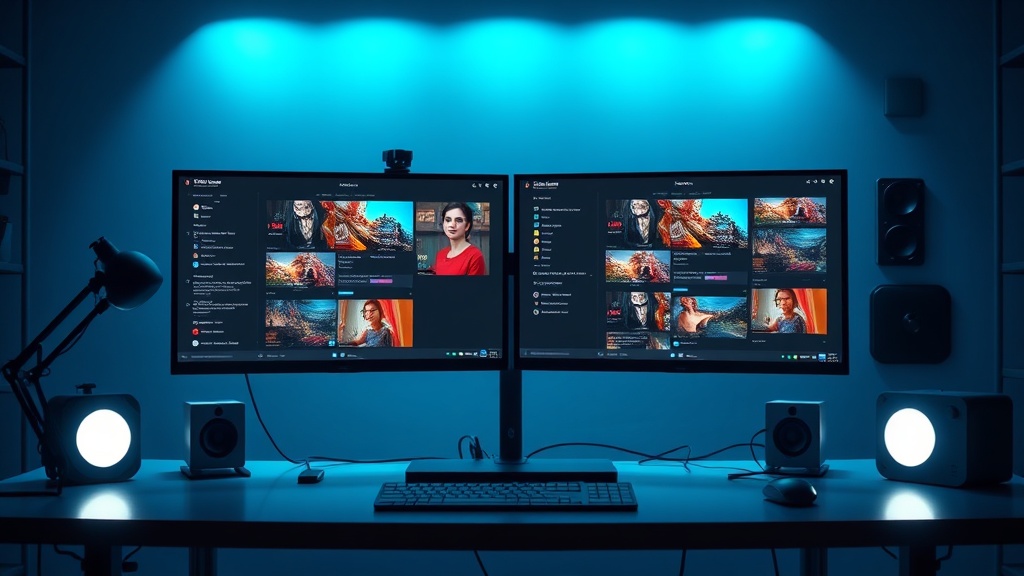
Mastering the art of how to make animated videos with AI in 2026 requires a shift from traditional frame-by-frame production to an iterative, prompt-driven workflow. As generative models have evolved, the barrier to entry for high-quality motion graphics and character animation has effectively collapsed, allowing creators to produce professional-grade visuals without a massive budget or a background in 3D modeling.
By leveraging a combination of large language models for scripting, image generators for asset creation, and video-to-motion engines for animation, you can now build a studio-quality pipeline from your home office. This guide explores the modern methodology for building compelling animated stories while maintaining creative control over every frame.
Defining Your Creative Direction and Scripting
Before opening any AI tools, you must define the scope of your animation. In 2026, the most successful AI-driven videos are those that lean into the strengths of the technology: surrealism, rapid style shifts, and complex visual metaphors that would be prohibitively expensive to animate by hand.
Use a high-end LLM to draft your script, but treat it as a dialogue partner rather than a final product. Ask the AI to write in "visual beats," where every sentence is accompanied by a description of the desired camera movement, lighting, and character emotion. This structured approach ensures that when you move to the generation phase, your prompts are already optimized for the specific visual language you want to achieve.
Choosing the Right AI Stack for Your Project
There is no single "all-in-one" tool that handles every aspect of production with equal mastery. Instead, experts build a "stack" based on the specific needs of their project. You will typically need a tool for asset generation, a tool for motion synthesis, and a tool for audio synchronization.
| Tool Category | Function | Best For |
|---|---|---|
| Asset Generators | Static image creation | Style consistency & character design |
| Motion Engines | Text-to-video / Image-to-video | Character movement & camera pans |
| Lip-Sync Tools | Audio-to-animation | Dialogue-heavy sequences |
| Upscalers | Resolution enhancement | Professional, high-definition output |
When selecting your stack, prioritize tools that allow for "seed" control. Keeping a consistent seed across your assets is the secret to maintaining a unified visual style throughout your animation, preventing the dreaded "flicker" effect that plagues lower-quality generations.
Step-by-Step: The Production Workflow
Creating an animation is a linear process that requires precision at every stage. Follow these steps to ensure your project stays on track and looks cohesive.
- Storyboard with Static Assets: Generate your key scenes as static images first. This allows you to refine your visual style and character consistency without burning compute credits on video generation.
- Apply Motion Prompts: Feed your static images into an image-to-video model. Use specific motion vectors (e.g., "slow camera zoom," "subtle character head turn") to add life to the scenes.
- Generate Audio and Lip-Sync: Produce your voiceover using a high-fidelity TTS (Text-to-Speech) model. Use a lip-syncing engine to map the audio to your character’s mouth movements.
- Editorial Assembly: Import your clips into a traditional non-linear editor (like Premiere or DaVinci Resolve). AI is excellent for generating clips, but human editing is still required for pacing, rhythm, and narrative structure.
- Final Upscaling: Run your final export through an AI upscaler to ensure the resolution is crisp and the motion artifacts are smoothed out.
Mastering Prompt Engineering for Animation
In 2026, the quality of your output is directly tied to the nuance of your prompts. Avoid generic descriptors like "cinematic" or "high quality." Instead, describe the physical properties of the scene. Mention the focal length of the lens (e.g., "35mm lens, shallow depth of field"), the lighting temperature (e.g., "golden hour, soft rim lighting"), and the specific motion mechanics.
If you are animating a character, describe their movement in terms of physics. Instead of "a person walking," use "a person with a heavy gait, shifting weight from left to right, arms swinging naturally at their sides." The more specific you are about the physical reality of the scene, the less the AI has to "hallucinate" the movement, leading to much more stable and realistic results.
Maintaining Visual Consistency
The biggest challenge when learning how to make animated videos with AI is character and style drift. If your protagonist looks different in every scene, your audience will lose interest. To combat this, establish a "Style Reference" document.
Keep a library of your character's base images, background color palettes, and texture styles. Whenever you generate a new clip, use these as "Image References" within your video generation tool. Many advanced platforms now allow you to upload a character sheet or a style reference image to ensure the output remains locked to your predefined aesthetic. This is the difference between a amateurish series of clips and a professional-grade animation.
Leveraging Audio as a Narrative Anchor
Many creators make the mistake of focusing entirely on the visuals and treating audio as an afterthought. In animation, the audio track is the skeleton upon which the visuals are built. By finalizing your audio first, you gain a temporal roadmap for your video.
Use sound effects (SFX) and ambient noise to mask any imperfections in the AI-generated motion. If a character’s movement feels slightly "off," a well-timed sound effect can trick the viewer's brain into perceiving the action as intentional. Furthermore, ensure your voiceover is emotionally resonant; if the AI voice sounds flat, the entire animation will feel hollow, regardless of how beautiful the visuals are.
Scaling Your Production with Automation
As you become more comfortable with the individual steps, look for ways to automate your pipeline. Many 2026-era tools offer API access or integration plugins for common creative software. You can automate the process of sending a script to an LLM, having it generate image prompts, and automatically piping those prompts into a generation queue.
While this might sound overly technical, it is the standard for high-output creators. By removing the manual "copy-pasting" between tools, you free up your mental energy to focus on the creative direction and the final editorial polish. Start by automating small, repetitive tasks like file naming or image resizing before moving into full-stack automation.
Final Thoughts
The landscape of AI animation is moving at a breakneck pace, but the fundamental principles of storytelling remain the same. The tools available in 2026 are incredibly powerful, yet they are still just instruments in your creative toolkit. Your success will not be determined by the software you choose, but by your ability to guide these models toward a cohesive, human-centered vision.
Don't be afraid to experiment with unconventional workflows; the most iconic AI-animated projects often come from creators who push the software to its breaking point. Start your first project today, embrace the iterative nature of the process, and focus on the story you want to tell above all else. If you are ready to elevate your content, pick one of the workflows outlined above and begin your first generation sequence this afternoon.
Frequently Asked Questions
Can AI-generated animations be used for commercial projects?
Yes, most professional AI video platforms offer commercial usage rights on their paid tiers. Always check the specific Terms of Service of your chosen platform to ensure you retain ownership of the output.
Do I need technical animation skills to use these tools?
Not at all. The primary advantage of 2026-era AI tools is their accessibility. You need to understand prompting and basic video editing, but traditional rigging and keyframing skills are no longer prerequisites.
How long does it take to create a one-minute AI video?
Depending on the complexity, a high-quality one-minute video can be produced in under an hour. The most time-consuming part is usually the iterative process of refining your prompts and assembling the clips.

Nethmina is the founder of AI Tools Wire and an AI software developer who builds automation tools and tests new AI products hands-on every week.
📬 Get new articles by email
Subscribe for the latest AI tools, guides, and tips. No spam — unsubscribe anytime.
Related Articles
Compose Original Music with AI in 2026: A Beginner’s Guide
Learn how to compose original music with AI in 2026. From prompt engineering to professional production, master these tools to create high-quality audio today.
How to Generate High-Quality AI Voiceovers in 2026: A Pro Guide
Master the art of generating high-quality AI voiceovers in 2026. Learn the best workflows, prompting techniques, and tools to create professional-grade audio.
How to Debug Code with AI in 2026: Fix Errors Instantly
Master the art of debugging code with AI in 2026. Learn how to leverage LLMs, agentic workflows, and IDE integrations to resolve complex bugs in seconds.