
Leonardo AI vs Runway: Which AI Video Tool Wins in 2026?
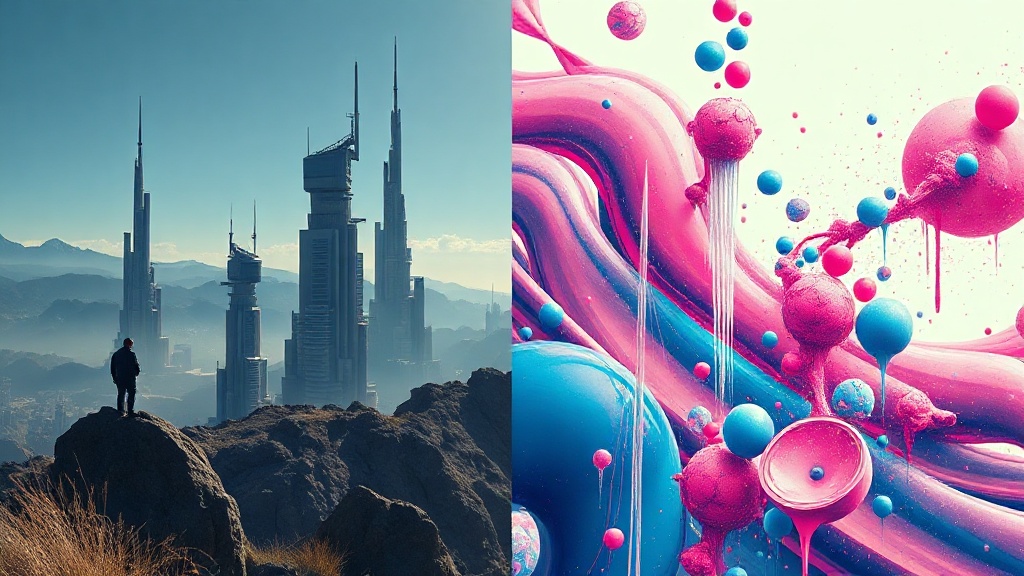
Choosing between Leonardo AI vs Runway for your creative projects requires a deep dive into how these platforms handle motion, style, and user control. As the generative video landscape evolves, both tools have carved out distinct niches: Runway remains the powerhouse for professional cinematography and precise motion manipulation, while Leonardo AI has become the go-to platform for creators who prioritize artistic flair and seamless integration between image generation and video output.
Deciding which one fits your workflow depends heavily on your specific goals. If you are a filmmaker looking to perform frame-by-frame editing, you will likely gravitate toward the toolset of one, whereas a digital artist creating social media content might prefer the intuitive, prompt-heavy approach of the other. This guide evaluates the strengths and trade-offs of both to ensure you choose the right partner for your creative journey.
Understanding the Core Philosophy of Each Platform
Runway is designed with a "filmmaker-first" mentality. Its suite, known as Gen-3 Alpha and its predecessors, focuses on providing granular control over movement. Features like "Motion Brush" allow you to paint over specific areas of a static image to dictate exactly how they should move. This is a game-changer for professional editors who need to animate a flowing river in a landscape or make a character’s hair move realistically without distorting the entire scene.
Leonardo AI, conversely, is built on the philosophy of "integrated creative flow." It started as a premier platform for high-end image generation and expanded into video. Its strength lies in its ecosystem; you can generate a consistent character, upscale that character, and then immediately push it into a motion video generator. It feels less like a post-production studio and more like an end-to-end creative laboratory where the transition from "idea" to "video" is frictionless and heavily stylised.
Comparison Table: Key Features at a Glance
| Feature | Leonardo AI | Runway |
|---|---|---|
| Motion Control | Prompt-based & intensity sliders | Motion Brush, camera paths, & Director Mode |
| Primary Strength | Artistic style & asset consistency | Cinematic realism & structural control |
| Workflow | All-in-one image & video creation | Advanced post-production & editing tools |
| User Interface | Accessible for beginners | Professional, complex workspace |
| Video Length | Short-form clips | Extendable clips with frame editing |
| Best For | Concept art, social media, hobbyists | Professional VFX, commercials, film |
Deep Dive: Motion Control and Precision
When you look at the technical side of video generation, the difference in "Motion Control" is where these two platforms diverge most sharply. Runway’s "Director Mode" is arguably the most advanced tool for those who want to simulate actual camera gear. You can specify zoom, pan, tilt, and roll, effectively acting as a virtual cinematographer. If you need a tracking shot that follows a subject moving through a dense forest, Runway’s spatial awareness allows for a level of precision that is currently unmatched in the browser-based AI space.
Leonardo AI approaches motion through a combination of "Motion Strength" settings and prompt-based guidance. While it lacks the manual camera-pathing of its competitor, it makes up for this with highly creative, unpredictable motion that often looks more "artistic" and less "calculated." For creators who want to build surreal, dream-like sequences or stylized animations, the output from Leonardo often feels more polished without requiring the user to master complex manual controls.
The Workflow Experience: Consistency vs. Control
Consistency is the ultimate challenge in AI video. If you are creating a series of clips for a short film, you need your characters to look the same in every shot. Leonardo AI excels here because of its "Elements" and "Model Training" features. You can train a custom model on your specific character and then generate videos that feel like they belong in the same universe. The transition from a static asset to a video clip is seamless, making it ideal for storyboarding and indie projects.
Runway’s workflow is centered around the "Gen-3" engine, which is tuned for photorealism and temporal stability. While it is harder to maintain character consistency without advanced workflows or external plugins, the quality of the individual clips is often higher. If your project demands high-fidelity, realistic lighting and textures that could pass for real-world footage, Runway’s engine is the superior choice. It is designed to integrate into a professional video editing pipeline, allowing you to export clips and drop them straight into Premiere Pro or DaVinci Resolve.
Pricing Structures and Accessibility
Both platforms operate on a freemium model, but the value propositions differ. Leonardo AI is generally more generous with its free daily token allowance, which resets every 24 hours. This makes it a fantastic playground for creators who want to experiment with different prompts and styles without a significant financial commitment. Their tiered subscription plans are structured around "priority" processing and access to faster, more advanced models.
Runway’s pricing is geared toward professional output. Their free tier is often more restrictive in terms of credits because the computing power required for their high-definition video generation is significant. When you pay for a subscription here, you aren't just paying for the generation; you are paying for the advanced editing tools, the ability to train custom models, and the commercial licensing rights that are essential for agency work.
Expert Tip: The Hybrid Workflow
Many successful AI creators are no longer choosing one tool exclusively. Instead, they use a hybrid workflow:
- Use Leonardo AI to generate and refine consistent character assets and storyboards.
- Export those assets into Runway to apply complex camera moves and high-fidelity motion.
- Bring the final clips into a traditional editor for final color grading and sound design.
Which Tool is Right for You?
Choosing between the two comes down to your personal project needs. If you are an illustrator, a game developer, or a content creator who needs to produce high-quality, stylized content quickly, Leonardo AI is your best bet. Its interface is intuitive, the community-shared styles are endless, and the ability to keep your image and video assets under one roof is a massive time-saver.
However, if you are working on a project that requires professional-grade cinematic quality, such as a commercial, a music video, or a short film that needs to blend with live-action footage, Runway is the clear winner. The level of control it grants over the camera and the temporal consistency of its video output make it a serious tool for those who treat AI as an extension of their cinematography toolkit.
Final Thoughts
The debate over Leonardo AI vs Runway is less about which tool is "better" and more about which tool aligns with your creative intent. Leonardo AI is a creative playground that prioritizes ease of use and artistic vision, making it perfect for rapid prototyping and stylized content. Runway is a specialized studio that prioritizes technical fidelity and cinematic precision, essential for professional video production.
As these models continue to improve, the gap between "text-to-video" and "filmmaking" will continue to shrink. Whether you choose the artistic versatility of Leonardo or the cinematic power of Runway, remember that the most important factor is your own creative direction. Start by experimenting with the free tiers of both, see which interface feels more natural to your workflow, and don't be afraid to combine their strengths to push the boundaries of what your AI-assisted projects can achieve. Pick your tool today and start building your next vision.
Frequently Asked Questions
Is Leonardo AI or Runway better for cinematic video production?
Runway is generally considered the industry standard for high-end cinematic control and motion brush accuracy, whereas Leonardo AI excels in stylized, artistic, and highly creative character-driven video generation.
Do I need a powerful computer to run these AI video tools?
Both platforms are cloud-based, meaning all the heavy computational lifting happens on their servers. You only need a stable internet connection and a web browser to access their full suites.
Can I use these AI video tools for professional commercial projects?
Yes, both platforms offer commercial rights on their paid tiers. Always check the specific terms of service for your plan level to ensure you are compliant with their licensing agreements.
Our Rating

Nethmina is the founder of AI Tools Wire and an AI software developer who builds automation tools and tests new AI products hands-on every week.
📬 Get new articles by email
Subscribe for the latest AI tools, guides, and tips. No spam — unsubscribe anytime.
Related Articles
ElevenLabs vs Jasper: Can AI Voice Tools Replace Writers?
Struggling to choose between ElevenLabs vs Jasper? Learn if AI voiceover tools can actually replace writers or if they are meant to work in tandem.
Pika vs CapCut AI: Choosing the Best Video Editor for 2026
Comparing Pika vs CapCut AI to find the best tool for your workflow. Discover which AI video editor offers more features, better control, and higher quality.
Fliki vs Murf: Which AI Produces More Natural Voiceovers?
Struggling to choose? Our expert Fliki vs Murf comparison breaks down voice quality, customization, and features to help you pick the best AI voice generator.