
Murf vs Lumen5: 2026 Comparison for Professional Video Creation
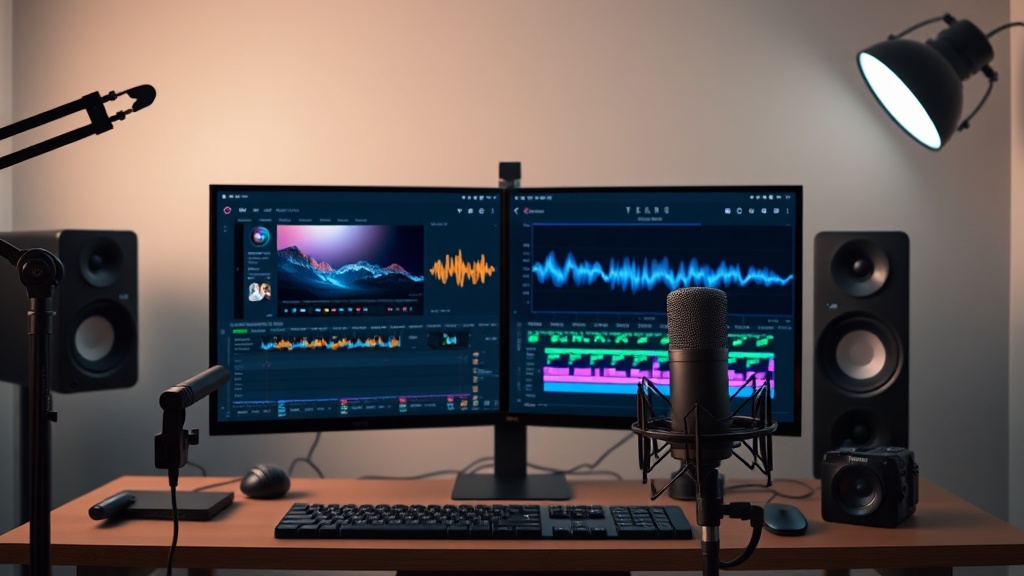
Understanding the Core Roles of Murf and Lumen5
Deciding between Murf vs Lumen5 for your video production needs requires understanding that while both leverage artificial intelligence, they solve fundamentally different problems in the creative pipeline. Murf is primarily an AI-driven text-to-speech (TTS) and voiceover platform, whereas Lumen5 is a text-to-video content creation engine. Choosing the right tool depends on whether your bottleneck is recording professional-grade audio or transforming static text into engaging visual narratives.
If your primary focus is on the human voice—creating presentations, e-learning modules, or product demos that require a natural-sounding narrator—Murf is the industry standard. It excels at nuances like inflection and tone, which are essential for keeping an audience engaged. Conversely, Lumen5 is engineered to act as a junior video editor. It takes your blog posts, articles, or scripts and automatically pulls relevant stock footage, images, and captions to build a video sequence in minutes.
Most high-performing content teams do not view this as an "either-or" scenario, but rather as an integration opportunity. Understanding the specific strengths of each allows you to build a sophisticated production stack. By layering the audio precision of Murf over the visual automation of Lumen5, you can produce content that feels both professionally narrated and visually dynamic, effectively bridging the gap between a simple slide show and a high-budget production.
Deep Dive into Murf AI: The Voiceover Powerhouse
Murf AI has carved out a massive niche by focusing almost exclusively on the quality of the synthetic voice. Unlike older TTS tools that sound robotic and flat, Murf offers a library of voices that capture human-like emotion. The platform allows you to fine-tune the delivery, making it ideal for scripts that require specific pacing, such as corporate training videos or empathetic customer support tutorials.
The standout feature of Murf is its granular control over the audio output. Users can adjust the pitch, speed, and emphasis on specific words, which allows for a level of customization that is rare in AI software. If you are creating a video where a specific brand message needs to land with a particular "punch," you can manipulate the voice profile until it sounds exactly like a human professional who has spent hours in a recording studio.
Key Capabilities for Creators
- Voice Cloning: Create a custom AI voice profile that matches your own, ensuring brand consistency across all video assets.
- Multi-Voice Projects: Easily switch between different characters in a single script, which is perfect for dialogue-heavy e-learning content.
- Audio-Visual Sync: A dedicated editor that allows you to upload your video footage and time the voiceover precisely to the visual cues, ensuring a seamless experience.
Deep Dive into Lumen5: The Visual Automation Engine
Lumen5 is designed for speed and reach, specifically targeting marketers who need to turn written content into social-ready video assets. Its AI-driven workflow is remarkably intuitive: you drop in a link to a blog post, and the software uses natural language processing to extract the key talking points, summarizes them, and pairs them with relevant stock media.
The platform is less about individual voice nuance and more about the "flow" of information. It excels at creating short, punchy videos for LinkedIn, Instagram, or YouTube Shorts. By automating the tedious parts of video editing—such as finding B-roll, sizing assets for different aspect ratios, and adding text overlays—Lumen5 allows a single creator to do the work of a small production team.
Critical Workflow Benefits
- Intelligent Summarization: The AI automatically scans your text to identify the most important sentences, saving you from manual script trimming.
- Asset Library Integration: Direct access to millions of stock photos, videos, and music clips, which are automatically matched to your text based on context.
- Brand Kits: Set your fonts, colors, and logos once, and the tool will automatically apply your branding to every video you create, ensuring a professional look every time.
Comparing Features: A Side-by-Side Analysis
When comparing these two tools, the differences in their feature sets become apparent. Murf is an audio-first tool that provides some visual capabilities, while Lumen5 is a visual-first tool that handles basic audio needs.
| Feature | Murf AI | Lumen5 |
|---|---|---|
| Primary Focus | High-fidelity voiceovers | Automated video assembly |
| Asset Library | Limited (mostly voice-centric) | Extensive (stock video/images) |
| Voice Options | Professional, emotional, custom | Basic synthetic narration |
| Editing Interface | Audio timeline focus | Drag-and-drop slide/scene focus |
| Best Use Case | E-learning, presentations | Social media, blog repurposing |
As shown in the table, the platforms serve distinct roles. Murf provides the "soul" of the video through audio, while Lumen5 provides the "skeleton" through visual structure. If you are a solo creator, you might find that using both—generating the voiceover in Murf and importing it as an audio track into Lumen5—is the most efficient way to achieve a high-quality result.
Workflow Integration: How to Combine Them
If you have both tools at your disposal, the most effective workflow involves a three-step process. First, draft your script and use Murf to generate the perfect voiceover. Pay close attention to the pacing, ensuring that the pauses match the intended visual transition points. Once you are satisfied with the audio, export the file as a high-quality MP3.
Second, open your content in Lumen5 and build the visual narrative. Instead of using the built-in text-to-speech features provided by Lumen5, upload the custom audio track you created in Murf. This allows you to retain the high-quality, emotive voiceover of Murf while benefiting from the rapid video assembly and visual transitions that Lumen5 provides.
Third, perform a final polish within Lumen5. Use the timeline editor to adjust the visual scene durations to match your Murf voiceover. This hybrid approach circumvents the limitations of both platforms. You avoid the "robotic" feel of standard social media generators while avoiding the slow, manual process of traditional video editing software.
Pricing and Scalability Considerations
Most AI-driven video platforms operate on a subscription model, and both Murf and Lumen5 follow this trend. Generally, these tools offer a "freemium" tier that allows you to test the basic functionality. For professional use, however, you will need to look at their mid-tier plans, which typically start in the low double-digit dollars per month.
When evaluating pricing, consider the "cost per asset." If you are producing five videos a week, the cost of a premium subscription is negligible compared to the time saved. Murf’s pricing is often tied to the number of hours of voice generation, while Lumen5’s pricing is usually tied to the number of video exports and the resolution (e.g., 720p vs 1080p).
Always check for team-based features if you are working in a corporate environment. Features like shared folders, brand asset management, and collaboration tools are often hidden behind enterprise-level paywalls. If you are a freelancer, focus on the individual plans that offer the highest export resolution, as this will prevent you from needing to upgrade your tools as your client requirements grow.
Expert Tips for High-Quality AI Video Production
To get the most out of your AI tools, move beyond the default settings. In Murf, use the "Emphasis" tool to highlight key verbs or nouns in your script. This adds a layer of natural cadence that most users overlook. Similarly, in Lumen5, do not rely solely on the AI's auto-selected stock footage. Replace 20-30% of the suggested clips with your own custom branded footage or specific high-quality stock shots to give the video a more unique, bespoke feel.
Another non-obvious tip is to optimize your text before the AI touches it. Both tools work best with short, punchy, conversational sentences. If you are pasting a long, academic-style blog post into these tools, the results will likely feel cluttered. Spend ten minutes editing your script into "spoken-word" format—removing jargon, using contractions, and ensuring the logical flow is linear—before you start the video creation process.
Finally, keep an eye on your audio levels. When importing a Murf voiceover into a project, ensure the background music in your visual editor is ducked (lowered in volume) significantly. A common mistake is leaving the background music too loud, which makes the AI voice difficult to understand and ruins the professional quality of the production.
Final Thoughts
Choosing between Murf and Lumen5 is not about finding the "better" tool, but about identifying the specific needs of your current video strategy. If your content relies on deep storytelling, educational clarity, or brand-specific narration, Murf is an indispensable asset that will elevate your production quality significantly. If your goal is to maintain a high-volume content calendar across social channels, Lumen5 is the superior choice for visual automation and speed.
For those who want to dominate their niche, integrating both tools into a unified workflow offers the best of both worlds: professional, studio-quality audio paired with rapid, visual-first storytelling. By leveraging the specific strengths of each, you can produce content that stands out in a crowded digital marketplace. Start by experimenting with the free tiers of both platforms today to see how they fit into your existing content production pipeline, and watch your efficiency—and your engagement—soar.
Frequently Asked Questions
Can I use Murf and Lumen5 together in one workflow?
Yes, many professionals use Murf to generate high-quality voiceovers and then import those audio files into Lumen5 to sync with visuals, creating a more polished final product.
Is Lumen5 better for social media or long-form video?
Lumen5 is specifically optimized for social media, marketing clips, and repurposing blog posts into video, whereas it is not designed for complex, long-form documentary-style editing.
Do I need professional voice acting experience to use Murf?
No, Murf uses sophisticated AI text-to-speech technology that allows you to adjust pitch, speed, and emphasis, making it easy to create professional-sounding voiceovers without a studio.
Our Rating

Nethmina is the founder of AI Tools Wire and an AI software developer who builds automation tools and tests new AI products hands-on every week.
📬 Get new articles by email
Subscribe for the latest AI tools, guides, and tips. No spam — unsubscribe anytime.
Related Articles
CapCut AI vs Fliki: Which AI Video Tool Wins in 2026?
Compare CapCut AI vs Fliki to see which AI video tool best fits your marketing goals. Discover the pros, cons, and expert verdict for your video workflow.

Suno vs HeyGen: Comparing AI Music and Avatar Generation for 2026
Struggling to choose between Suno vs HeyGen? Discover how these top-tier AI tools revolutionize music production and video avatar creation for your content.
Grok vs Synthesia: 2026 Guide for Interactive Content Success
Choosing between Grok vs Synthesia for interactive content? Our expert guide breaks down their unique strengths to help you boost engagement today.