
Murf vs Pictory: Best AI Tools for Voiceovers and Video in 2026
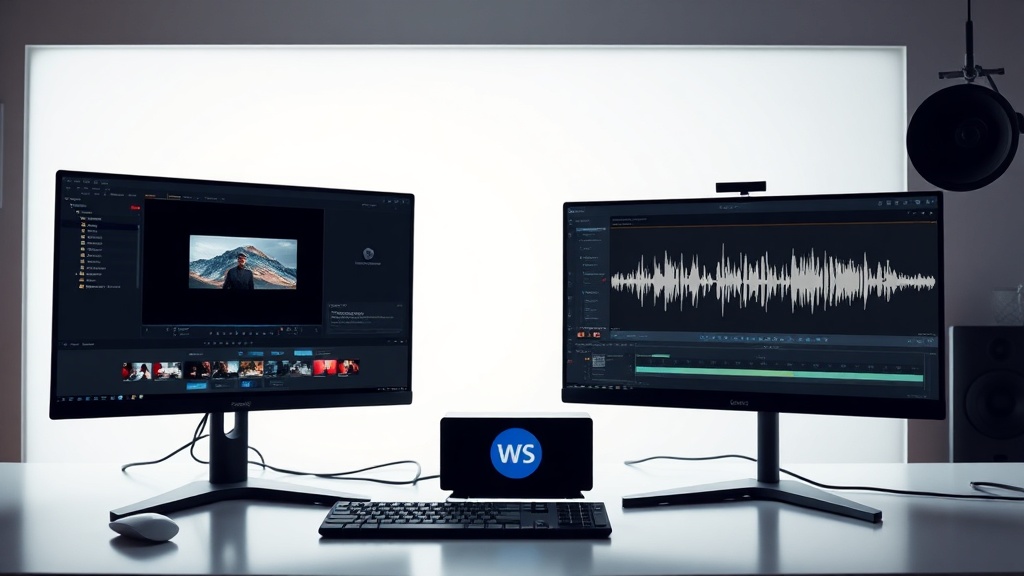
Choosing between Murf vs Pictory requires understanding that while both leverage artificial intelligence to streamline content creation, they serve fundamentally different primary purposes. Murf is an industry-leading text-to-speech (TTS) platform built for high-fidelity voice synthesis, while Pictory is a comprehensive video creation and repurposing suite designed to transform text or long-form video into engaging social media content.
For many creators, the confusion arises because both tools overlap in the realm of video production. However, selecting the right one depends on whether your bottleneck is sound quality and voice performance or the actual assembly and editing of video assets.
Understanding the Core Strengths of Murf
Murf excels at one thing: making synthetic speech sound indistinguishable from human narration. It is built for professionals who need studio-quality voiceovers for e-learning modules, corporate presentations, product demos, and commercials. The platform offers a massive library of voices across dozens of languages and accents, with the ability to adjust the "tone" of the voice to match specific emotional requirements.
The power of Murf lies in its granular control. You can adjust the pitch, speed, and emphasis on specific words, allowing for a level of vocal nuance that is rare in the AI space. If your primary goal is to produce a high-end podcast intro or a professional narration for a video, Murf provides the audio foundation that makes a project feel premium.
Why Voice Quality Matters
In a digital landscape saturated with low-quality, robotic-sounding content, Murf stands out by prioritizing natural cadence and breath control. When listeners perceive a voice as "fake," they lose trust in the brand. Murf’s engine is designed to minimize the metallic artifacts often associated with older TTS technologies, making it a staple for creators who refuse to compromise on audio fidelity.
The Versatility of Pictory for Video Repurposing
Pictory approaches the creative process from the perspective of a video editor. Its standout feature is its ability to take a long-form asset—such as a webinar recording, a Zoom call, or a lengthy blog post—and automatically distill it into "snackable" video clips. It uses AI to identify the most compelling moments, remove filler words, and overlay stock footage or B-roll that matches the script.
This is a massive time-saver for marketers who need to maintain a presence on TikTok, Instagram Reels, or YouTube Shorts. Instead of spending hours manually trimming footage and finding clips, you feed the raw source to Pictory, and it handles the heavy lifting of visual storytelling.
How Pictory Handles Automation
The platform uses a sophisticated text-based editing interface. When you upload a video, it automatically generates a transcript. You edit the video by deleting text from that transcript, and the platform updates the visuals accordingly. This workflow is revolutionary for those who are not trained in complex software like Adobe Premiere Pro or DaVinci Resolve.
Head-to-Head: Feature Comparison Table
| Feature | Murf | Pictory |
|---|---|---|
| Primary Focus | High-fidelity Voiceover | Video Creation & Editing |
| Voice Options | Extensive (120+) | Moderate (40+) |
| Video Editing | Basic (Audio Sync) | Advanced (AI-driven) |
| Content Repurposing | No | Yes (Automated) |
| Stock Media Library | No | Yes (Integrated) |
| Learning Curve | Low | Low to Moderate |
When to Choose Murf
You should prioritize Murf if your workflow involves producing audio-first content or if you already have a video editing workflow that you are comfortable with but are missing a professional voice. If you are an e-learning developer creating complex courses, the ability to clone your own voice or use high-end professional avatars is a game-changer.
Furthermore, Murf is excellent for collaborative teams. It allows for multiple users to work on projects, manage brand voice consistency, and export high-quality audio files in various formats. If your brand relies on a consistent "sonic identity," the custom voice capabilities in Murf are unmatched.
Pro Tip for Murf Users
To get the most out of Murf, use the "Voice Changer" feature to upload your own voice recording and "style" it with an AI voice. This allows you to record a rough draft in your own voice, which captures your natural timing and emphasis, and then have the AI polish it into a professional-grade performance.
When to Choose Pictory
Pictory is the superior choice for content creators, social media managers, and small business owners who need to churn out visual content regularly. If you have a backlog of long-form videos or blog posts that are currently gathering digital dust, Pictory is your best friend. It bridges the gap between written content and the high-engagement world of short-form video.
The platform’s ability to find relevant stock footage to match your script is particularly useful for creators who don't have a camera crew or a massive library of B-roll. It effectively acts as a junior video editor that can handle the tedious parts of the process, leaving you to focus on the creative strategy.
The Automation Workflow
- Import: Upload your long-form video or paste a URL to a blog post.
- Summarize: Use the AI to extract the most important sentences.
- Customize: Tweak the auto-generated captions, change the stock footage, and adjust the pacing.
- Export: Download your clips in the aspect ratio optimized for your target social platform.
Pricing and Accessibility Considerations
Both tools follow a subscription-based model. Murf generally offers tiers based on the number of hours of voice generation you need per month. If you are a high-volume user, the cost can escalate, but the value is justified by the quality of the speech synthesis. Most users start with a mid-tier plan that allows for commercial use, which is essential if you are creating content for clients.
Pictory’s pricing structure is typically based on the number of video projects and the length of the source material you can process. Because it includes access to royalty-free stock media libraries, it often replaces the need for a separate stock footage subscription, effectively paying for itself for many small teams.
Making the Final Decision
The decision between Murf vs Pictory isn't about which tool is "better," but rather which tool solves your most pressing problem. If your videos are visually solid but sound robotic or amateurish, Murf is your solution. You can record your video, edit it in your preferred software, and then layer on a professional-grade Murf voiceover to elevate the final product.
Conversely, if you struggle with the actual production of video content—or if you have great written/long-form content that isn't being seen—Pictory is the tool that will unlock your efficiency. It allows you to transform a single hour of work into a dozen social media posts, drastically increasing your content velocity.
Final Thoughts
For the most efficient content pipeline, many professional creators actually use these tools in tandem. They use Pictory to handle the heavy lifting of video assembly and visual pacing, and then import their final script into Murf to ensure the narration is perfectly tuned to the brand's needs. If you are just starting out and have a limited budget, identify your biggest hurdle: is it the visual production or the audio quality? Solve that first, and your content quality will immediately jump to the next level. Ready to scale your production? Start by auditing your current workflow to see where you spend the most time, then pick the tool that automates that specific task.
Frequently Asked Questions
Can I use Murf for video editing?
Murf is primarily a specialized text-to-speech engine. While you can upload video files to sync your audio, it lacks the advanced video editing and AI-driven stock media features found in Pictory.
Does Pictory offer high-quality AI voices?
Yes, Pictory includes a library of AI-generated voices for its video projects. However, Murf provides a significantly larger selection of high-fidelity, expressive voices with more granular control over pitch and speed.
Which tool is better for repurposing long-form content?
Pictory is the superior choice for repurposing because it can scan long videos or blog posts and automatically extract key segments into short-form clips. Murf does not have content extraction or summarization capabilities.
Our Rating

Nethmina is the founder of AI Tools Wire and an AI software developer who builds automation tools and tests new AI products hands-on every week.
📬 Get new articles by email
Subscribe for the latest AI tools, guides, and tips. No spam — unsubscribe anytime.
Related Articles
HeyGen vs Fliki: Which AI Video Tool Wins in 2026?
Comparing HeyGen vs Fliki to determine the best AI video platform for your needs. Discover which tool excels in avatars, content repurposing, and efficiency.

CapCut AI vs Synthesia: Which Video Tool Wins in 2026?
Comparing CapCut AI vs Synthesia to help you choose the right video editor for your needs. Discover which tool excels at creative editing versus AI avatars.

Grok vs Suno: Which AI Is Better for Creative Content in 2026?
Comparing Grok vs Suno for creative content in 2026. Discover which AI excels at text generation versus musical composition to boost your creative workflow.