
Notion AI vs Grok: Which AI Works Better for Note-Taking in 2026?
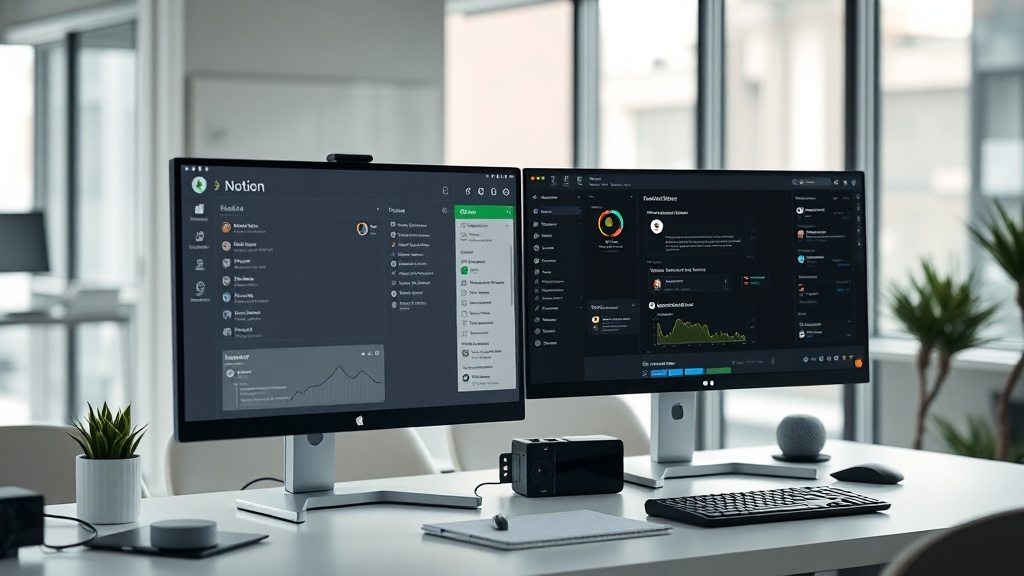
When evaluating the landscape of modern productivity software, the debate between Notion AI vs Grok for note-taking has become a central point of discussion for power users and knowledge workers alike. While Notion AI is engineered as an extension of a structured workspace, Grok functions as a standalone, context-aware conversational engine. Choosing the right tool depends entirely on whether your primary objective is organizing a complex personal knowledge base or generating insights from real-time, global information streams.
The Philosophy of Your Knowledge Stack
To understand how these tools perform, you must first define what "note-taking" means to you. If your process involves building a "Second Brain" with interconnected databases, tags, and long-term project planning, you are looking for a workspace-centric AI. If your note-taking is more about capturing transient thoughts, researching current trends, or brainstorming with a "personality-driven" assistant, you are leaning toward a chat-centric model.
Notion AI operates on the principle of contextual awareness within your private files. It knows your project history, your team’s meeting minutes, and your personal task lists. Grok, conversely, operates on the principle of breadth. It is designed to process massive amounts of public data and synthesize it into conversational output.
Notion AI: The Contextual Powerhouse
Notion AI is not a standalone chatbot; it is a feature set embedded within the Notion text editor. Its greatest strength lies in its ability to read your existing documents, summarize them, and cross-reference information across your entire workspace. When you highlight a paragraph in a project brief, Notion AI already knows the project's background, the stakeholders involved, and the deadlines mentioned elsewhere in the page.
Features That Define the Notion Experience
- Inline Editing: You can trigger the AI directly where your cursor is, allowing for seamless drafting, expanding, or shortening of text without leaving your document.
- Database Summarization: Notion AI can scan entire databases of meeting notes and generate high-level summaries or action items, which is a massive time-saver for project managers.
- Custom Templates: You can create AI-driven templates that automatically format your notes, turning raw brain dumps into structured meeting agendas or project roadmaps.
The primary advantage here is friction reduction. Because the AI lives inside your note-taking environment, you never have to context-switch to a browser tab or a different application. For professionals who spend their day juggling multiple projects, this "in-flow" experience is the gold standard for productivity.
Grok: The Real-Time Research Engine
Grok approaches note-taking from the perspective of an information aggregator. If your notes are frequently about "what is happening now" or "what is the consensus on this topic," Grok provides a unique advantage. It is designed to tap into live, real-time data streams, making it an exceptional tool for news-based note-taking or market research.
Why You Would Choose Grok for Notes
- Live Data Integration: Unlike many LLMs that rely on static training data, Grok excels at pulling in current events, making it ideal for analysts or journalists who need up-to-the-minute context.
- Conversational Brainstorming: If you prefer "chatting" your way into a conclusion, Grok’s conversational interface allows for iterative refinement. You can ask follow-up questions that probe a topic from different angles, essentially using the AI as a sounding board.
- Unfiltered Perspectives: For users who want a more raw or "edgy" take on complex topics, Grok offers a different tone compared to the highly polished, corporate-safe responses typical of most productivity-focused AIs.
However, the "note-taking" workflow with Grok requires manual effort. You must copy the output from the Grok interface and paste it into your preferred note-taking app. This creates a disconnect between your research phase and your organizational phase, which can lead to fragmented information if you aren't diligent about filing your notes.
Head-to-Head: Feature Comparison
| Feature | Notion AI | Grok |
|---|---|---|
| Workspace Integration | Native (Deeply embedded) | None (Standalone) |
| Data Privacy | High (Private workspace data) | Public-facing/Broad scope |
| Real-time Awareness | Limited | High (Live stream access) |
| Primary Use Case | Document management/Drafting | Research/Brainstorming |
| Workflow Friction | Near Zero | Moderate (Copy/Paste) |
This table highlights the fundamental trade-off. Notion AI is for management of known data; Grok is for discovery of new information. If you are a student or a researcher, you might find yourself using both—Grok to gather raw facts and Notion AI to synthesize those facts into your final study notes.
Workflow Integration: A Step-by-Step Approach
If you decide to leverage both tools, you need a system to prevent information silos. Here is an expert-level workflow for maximizing your output:
- The Discovery Phase: Start in Grok to research a new topic. Ask it to synthesize current trends, find opposing viewpoints, or provide a high-level overview of a complex subject.
- The Capture Phase: Copy the most valuable insights from the Grok conversation. Avoid copying everything—distill the information into bullet points that matter to your specific project.
- The Organization Phase: Paste these insights into your Notion workspace. Use the
/AIcommand to have Notion summarize your notes further or to generate a list of "Next Steps" based on the research you just gathered. - The Expansion Phase: Use Notion AI’s "Continue Writing" feature to flesh out your notes into a full draft, report, or article. This keeps your private data secure while leveraging the research power of an external AI.
The Privacy and Security Consideration
As a senior content strategist, I must emphasize that data security is paramount for note-taking. Notion AI is designed for enterprise and personal use within a closed ecosystem. Your private notes are generally not used to train the global models in the same way public-facing chatbots might process input. This makes Notion AI the safer choice for sensitive corporate documentation or personal journals.
Grok, by its nature, is designed to be a bridge to public discourse. While it is excellent for brainstorming, you should exercise caution before pasting confidential work-in-progress documents or proprietary intellectual property into any chat-based AI. Always treat public-facing AI interfaces as "open" environments.
Who Should Choose Which Tool?
The decision ultimately comes down to your primary role and the nature of your data.
- Choose Notion AI if: You are a project manager, student, or knowledge worker who needs to keep documents organized, summarized, and accessible. If you live in Notion for your day-to-day work, the AI integration is an essential efficiency multiplier.
- Choose Grok if: You are a researcher, social media manager, or trend analyst. If your note-taking is heavily focused on current events, breaking news, or gathering external perspectives that aren't already in your internal files, Grok is the better companion.
Final Thoughts
When comparing Notion AI vs Grok for note-taking, the "better" tool is the one that minimizes the distance between an idea and a finished, actionable note. Notion AI wins on integration and long-term document management, providing a frictionless environment for organizing your life and work. Grok wins on discovery and real-time intelligence, acting as a powerful research assistant that brings the outside world into your workflow.
For the modern professional, the most effective strategy isn't choosing one over the other, but recognizing their unique roles. Use Grok to explore and Notion AI to build. By combining the research capabilities of a real-time engine with the structural integrity of a dedicated workspace, you create a note-taking system that is both informed and organized. If you are ready to elevate your productivity, start by mapping out which of your current notes are "static" (needing organization) versus "dynamic" (needing research) and apply the right tool to the right task today.
Frequently Asked Questions
Can I use Grok directly inside my Notion pages?
Currently, Grok is not natively integrated into the Notion workspace. You would need to copy and paste text between the two platforms, whereas Notion AI is built directly into the editor.
Is Grok better for research than Notion AI?
Grok excels at real-time information retrieval and current events due to its access to live social data. Notion AI is superior for synthesizing existing documents already stored within your private workspace.
Which tool is more cost-effective for individual note-takers?
Notion offers a robust free tier with optional AI add-ons, making it highly accessible. Grok is typically bundled with premium social platform subscriptions, so the value depends on whether you already use that specific platform.
Our Rating

Nethmina is the founder of AI Tools Wire and an AI software developer who builds automation tools and tests new AI products hands-on every week.
📬 Get new articles by email
Subscribe for the latest AI tools, guides, and tips. No spam — unsubscribe anytime.
Related Articles
ElevenLabs vs Jasper: Can AI Voice Tools Replace Writers?
Struggling to choose between ElevenLabs vs Jasper? Learn if AI voiceover tools can actually replace writers or if they are meant to work in tandem.
Pika vs CapCut AI: Choosing the Best Video Editor for 2026
Comparing Pika vs CapCut AI to find the best tool for your workflow. Discover which AI video editor offers more features, better control, and higher quality.
Fliki vs Murf: Which AI Produces More Natural Voiceovers?
Struggling to choose? Our expert Fliki vs Murf comparison breaks down voice quality, customization, and features to help you pick the best AI voice generator.