
Perplexity vs CapCut AI: Which Tool Wins for Content Editing?
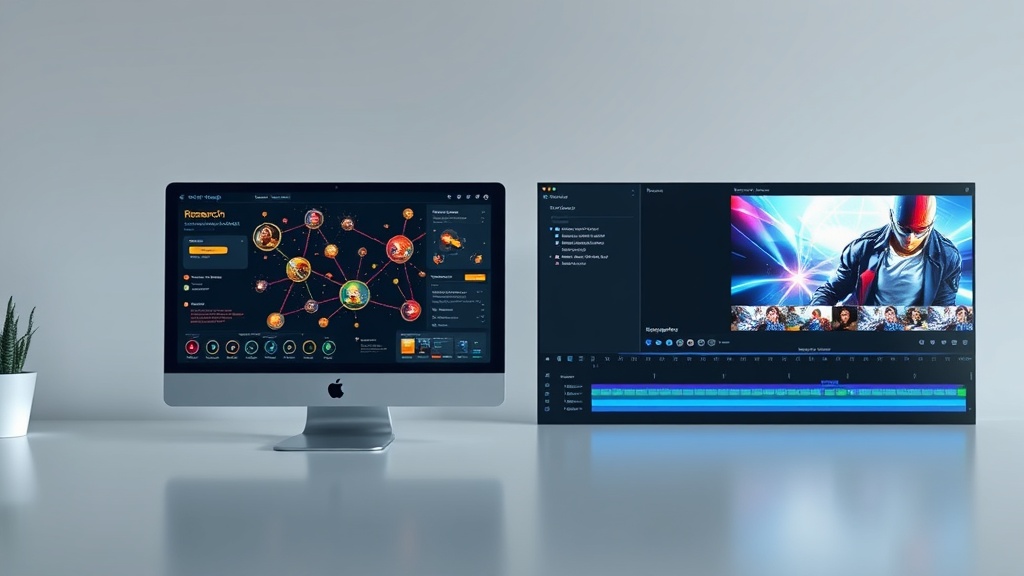
When evaluating the landscape of modern digital creation, the debate between Perplexity vs CapCut AI often stems from a fundamental misunderstanding of what these tools actually do. While both sit under the broad umbrella of "AI assistants," they serve entirely different stages of the content lifecycle. Perplexity acts as your high-powered research analyst and linguistic partner, while CapCut AI operates as your creative studio and visual production suite. Choosing between them isn't about which one is better in a vacuum, but rather identifying which bottleneck in your current content pipeline you need to solve first.
In this guide, we break down how these two powerhouses function, where their capabilities overlap, and how you can integrate both into a sophisticated, high-output content strategy. Whether you are a solo creator, a marketing professional, or a business owner, understanding the distinct value proposition of each tool is essential for scaling your output without sacrificing quality.
Understanding the Core Functionality of Perplexity AI
Perplexity is fundamentally a conversational search engine and research assistant. Unlike traditional search engines that provide a list of blue links, Perplexity uses LLMs to synthesize real-time information into cohesive, cited summaries. For content editors, this is an absolute game-changer. It eliminates the hours spent cross-referencing sources or digging through forums to verify a statistic for a blog post or a video script.
The strength of Perplexity lies in its ability to understand context. You can feed it an existing draft and ask it to "find three credible sources that support this claim" or "rewrite this paragraph to sound more professional for a B2B audience." Because it provides direct links to the sources it uses, it offers a level of accountability that standard generative AI models often lack. For creators who prioritize accuracy and evidence-based content, Perplexity serves as the ultimate "editor-in-chief."
How to Leverage Perplexity for Editing
To get the most out of Perplexity, treat it as a collaborative partner rather than a simple text generator. Use it to:
- Fact-Check Drafts: Paste a section of your writing and ask it to verify the accuracy of the claims against current web data.
- Tone Adjustment: Ask it to rewrite sections to match specific personas, such as a skeptical tech enthusiast or a casual lifestyle blogger.
- Outline Expansion: If your content feels thin, ask Perplexity to suggest sub-topics or logical counter-arguments that could add depth to your piece.
The Visual Powerhouse: How CapCut AI Transforms Content
CapCut, owned by ByteDance, has evolved from a simple mobile editing app into a robust AI-driven video production platform. Where Perplexity works with logic and language, CapCut works with pixels, motion, and rhythm. Its AI suite is designed specifically to lower the barrier to entry for professional-level video editing, offering features like auto-captions, AI background removal, and smart reframing that once required expensive software and hours of manual labor.
For a content editor, CapCut is the "finisher." It takes the raw script (which you might have researched using Perplexity) and turns it into a high-engagement visual product. The AI features within CapCut, such as text-to-video generation or automated b-roll insertion, allow editors to produce content at a pace that was previously impossible for small teams or solo creators.
Key AI Features in CapCut
- Script-to-Video: You can input a script, and the tool will automatically suggest stock footage or generate visual assets to match your narration.
- Smart Trimming: Automatically removes dead air or "umms" and "ahhs" from your audio, saving you significant time in the editing suite.
- AI Effects and Filters: Quickly apply consistent visual styles, color grades, and dynamic transitions that make your content pop without needing a deep background in cinematography.
Comparison Table: Perplexity vs CapCut AI
| Feature | Perplexity AI | CapCut AI |
|---|---|---|
| Primary Focus | Research, Writing, Fact-Checking | Video Editing, Motion Graphics, VFX |
| Data Source | Real-time web index | Local media files & stock library |
| Best For | Bloggers, Copywriters, Researchers | Video Producers, Social Media Managers |
| Output Type | Text, Citations, Data Summaries | Edited Video, Audio, Motion Graphics |
| Ease of Use | High (Conversational UI) | Moderate (Timeline-based UI) |
| AI Strength | Reasoning & Information Synthesis | Computer Vision & Generative Video |
Integrating Both Tools into a High-Output Workflow
The most effective content creators don't choose one or the other; they build a workflow that bridges the gap between research and production. Imagine you are creating a deep-dive YouTube video on a complex topic like "The Future of Renewable Energy." You start by using Perplexity to gather the latest data, find expert quotes, and structure your script logically. You then move that refined script into CapCut, where you utilize the text-to-video and auto-captioning tools to build your visual edit.
This workflow minimizes the time spent on "grunt work." Perplexity handles the cognitive load of research, while CapCut handles the technical load of production. By treating them as a tag-team, you ensure that your content is both factually rigorous and visually compelling.
Step-by-Step Workflow Implementation
- Ideation: Use Perplexity to brainstorm trending topics and identify gaps in existing content.
- Drafting: Generate your script or article skeleton in Perplexity, ensuring all claims are backed by its citation feature.
- Visual Planning: Use the "Script-to-Video" features in CapCut to generate a storyboard based on the script you just finalized.
- Editing: Perform the final cut in CapCut, using its AI tools to polish transitions and captions.
- Distribution: Use Perplexity one last time to generate social media blurbs or newsletter intros to accompany the finished video.
Pros and Cons: A Realistic Assessment
Every tool has its limitations. Perplexity, while excellent for research, can sometimes "hallucinate" if the prompt is too vague, or it may struggle with highly proprietary data that isn't indexed on the public web. It is a tool for synthesis, not for final creative composition. You still need a human voice to tie its outputs together; otherwise, the content can feel sterile and overly academic.
CapCut, on the other hand, is excellent for speed but can sometimes feel "cookie-cutter." Because its AI effects are popular, there is a risk that your content looks like everyone else's if you rely too heavily on its default presets. The key is using these tools to handle the heavy lifting, then applying your own stylistic "human" touch in the final stages of the process.
Pros of Perplexity
- Unmatched real-time research capabilities.
- Transparent citation system builds trust.
- Excellent at summarizing complex, dense information.
Cons of Perplexity
- Not designed for multimedia production.
- Can feel robotic if you don't edit the output.
Pros of CapCut
- Industry-leading AI video editing features.
- Highly accessible for beginners and pros alike.
- Massive library of assets and templates.
Cons of CapCut
- Can lead to generic-looking visuals if over-relied upon.
- Requires a learning curve for complex edits.
Which Tool Should You Prioritize?
If you are currently struggling to produce high-quality, well-researched content, prioritize Perplexity. Most creators fail because their content lacks depth or authority, not because their video transitions aren't fancy enough. Perplexity will help you build a library of high-value, accurate information that establishes your brand as a thought leader. Once your content is authoritative, you can worry about the production polish.
Conversely, if you already have the research and writing down but find yourself stuck in a multi-hour editing nightmare, CapCut is your solution. Its ability to automate the technical side of video production will give you back hours of your day. Most creators find that they eventually need both, but the order of implementation depends entirely on your current biggest pain point.
Final Thoughts
When looking at Perplexity vs CapCut AI, the "better" tool is simply the one that solves your current bottleneck. Perplexity is the brain of your operation, specializing in the gathering and organization of knowledge, while CapCut is the hands, specializing in the manifestation of that knowledge into visual media. Don't fall into the trap of thinking one must replace the other; instead, view them as the two pillars of a modern, scalable content engine. Start by mastering one, integrate it into your daily routine, and then introduce the second to amplify your production capacity. If you're ready to level up your content game, start by testing how these tools can shave hours off your next project—your audience will notice the difference in quality immediately.
Frequently Asked Questions
Can I use Perplexity to edit my video scripts?
Yes, Perplexity is an excellent tool for drafting, refining, and fact-checking video scripts before you move them into a video editor like CapCut.
Is CapCut AI better for text-based content?
CapCut is primarily optimized for multimedia and visual content; it lacks the deep research and linguistic analytical capabilities that Perplexity offers for long-form writing.
Do I need both tools for a complete content workflow?
Many professional creators use both: Perplexity for the ideation and research phase, and CapCut for the final production and visual polishing.
Our Rating

Nethmina is the founder of AI Tools Wire and an AI software developer who builds automation tools and tests new AI products hands-on every week.
📬 Get new articles by email
Subscribe for the latest AI tools, guides, and tips. No spam — unsubscribe anytime.
Related Articles
ElevenLabs vs Jasper: Can AI Voice Tools Replace Writers?
Struggling to choose between ElevenLabs vs Jasper? Learn if AI voiceover tools can actually replace writers or if they are meant to work in tandem.
Pika vs CapCut AI: Choosing the Best Video Editor for 2026
Comparing Pika vs CapCut AI to find the best tool for your workflow. Discover which AI video editor offers more features, better control, and higher quality.
Fliki vs Murf: Which AI Produces More Natural Voiceovers?
Struggling to choose? Our expert Fliki vs Murf comparison breaks down voice quality, customization, and features to help you pick the best AI voice generator.