
Pictory vs Synthesia: 2026 Guide for AI Training Videos
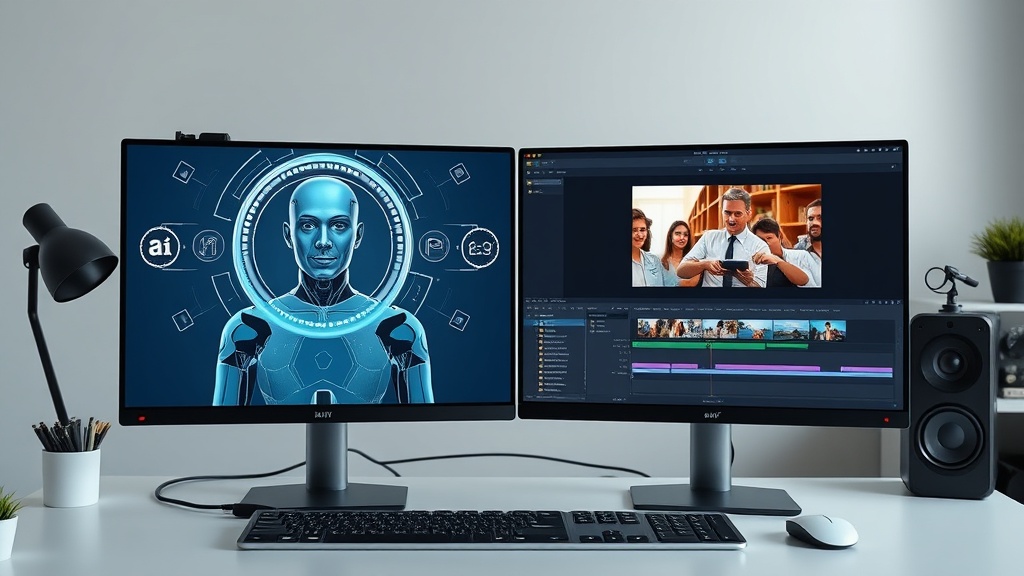
Understanding the Core Philosophy: Pictory vs Synthesia
When evaluating Pictory vs Synthesia for your training video needs, it is essential to first understand that these tools solve different problems in the content creation lifecycle. Pictory is fundamentally a repurposing powerhouse; it excels at taking existing long-form content—like blog posts, white papers, or Zoom recordings—and distilling them into concise, visually supported video summaries. It relies heavily on a massive library of stock media, automated captioning, and AI-driven scene selection to build narratives.
Synthesia, by contrast, is an AI avatar-based platform designed for direct communication. It mimics the experience of a human instructor standing in front of a class or a camera. By using digital avatars that sync lip movements with text-to-speech, it eliminates the need for physical studio time, expensive camera gear, or hiring professional presenters. Choosing the right tool depends entirely on whether your training requires the human-like presence of an instructor or the illustrative power of visual storytelling.
The Pictory Approach: Visualizing Content for Learners
Pictory is a dream tool for instructional designers who already have a wealth of written documentation. If your company maintains extensive standard operating procedures (SOPs) or long-form training manuals, Pictory can import these documents and automatically suggest visual assets to accompany the text. It uses natural language processing to identify key points and pairs them with relevant stock footage, creating a polished, professional video in a fraction of the time it would take to edit manually.
The strength of this approach lies in its ability to keep the viewer engaged through varied visual stimuli. For complex workflows that don't necessarily require an instructor's face, Pictory allows you to use text overlays and screen recordings to demonstrate steps. It excels at "how-to" guides where the focus is on the process rather than the personality. By offloading the heavy lifting of asset sourcing to its AI, you can produce a high volume of micro-learning content, which is a proven strategy for improving knowledge retention in corporate environments.
The Synthesia Approach: Personalizing Digital Learning
Synthesia shifts the focus from stock footage to the "human" element of teaching. In training scenarios where empathy, tone, and personal connection are critical—such as ethics training, leadership development, or sensitive HR onboarding—an AI avatar provides a consistent and relatable presence. Because you can choose from hundreds of avatars, you can select a presenter that aligns with your brand voice or the demographic of your audience.
Beyond the avatar, Synthesia is built for script-driven communication. You input your text, select a voice, and the avatar delivers the message with natural gestures and expressions. This is particularly effective for training modules where you want to maintain the "lecturer" format without the logistical nightmare of scheduling a subject matter expert to record a video. It is a highly scalable solution for global companies, as the platform supports dozens of languages, allowing you to clone your training video into multiple regional versions with just a few clicks.
Head-to-Head: Feature Comparison Table
| Feature | Pictory | Synthesia |
|---|---|---|
| Primary Format | Stock footage & text overlays | AI Avatar & talking head |
| Best Use Case | Repurposing documents/SOPs | Instructor-led training/Onboarding |
| Voiceovers | AI text-to-speech & uploads | Advanced AI voice cloning & variety |
| Editing Style | Text-based video editing | Script-based slide composition |
| Asset Library | Millions of stock clips | Custom backgrounds & avatar presets |
| Learning Curve | Extremely low | Low to moderate |
Step-by-Step: Determining Your Training Needs
To decide which tool aligns with your specific training goals, follow this simple diagnostic process. First, audit your current content library. If your training material is primarily text-based, such as lengthy PDFs or internal wikis, Pictory will provide the fastest path to video conversion. If your training material is currently delivered via live webinars or in-person sessions, Synthesia is the better choice for digitizing that experience while maintaining the instructor-led feel.
Second, consider your audience’s engagement style. Do they learn better by watching a "process" (screen captures, illustrative stock footage, and clear text cues)? If so, lean toward Pictory. Do they respond better to a "mentor" figure who guides them through the material? In this case, the avatar-based interaction provided by Synthesia is far superior. Don't be afraid to conduct a small A/B test with a group of employees; provide one team with a Pictory-style video and another with a Synthesia-style video to see which yields better quiz results.
Pros and Cons of Each Platform
Pictory is celebrated for its speed and ease of use. Its greatest advantage is the ability to turn a 30-minute meeting recording into a 2-minute highlight reel automatically. The downside is that it lacks the "human" connection, and if the stock footage doesn't perfectly match the niche nature of your training, the video can occasionally feel generic or disconnected from the specific subject matter.
Synthesia, meanwhile, offers unparalleled professional polish. It looks like a high-end studio production, which builds trust and authority in training settings. However, it is less effective at showcasing complex screen-based tasks compared to Pictory’s screen-recording features. Furthermore, while the avatars are highly realistic, there is still an "uncanny valley" factor that some audiences may find distracting if the production quality isn't perfectly tuned to their expectations.
Strategic Integration: Can They Work Together?
The most sophisticated training programs often utilize both platforms strategically. You might use Synthesia to record the "introduction" and "conclusion" of an e-learning course, where an AI avatar greets the user, sets the learning objectives, and summarizes the final assessment. Then, for the "meat" of the training—the actual demonstration of software or a physical process—you can switch to Pictory-generated segments that use screen recordings and illustrative stock clips.
This hybrid model allows you to leverage the human-like authority of an avatar while keeping the instructional content dynamic and visually varied. When building these hybrid modules, ensure that the visual style and voiceover quality remain consistent across both platforms. Using the same professional-grade AI voice settings in both tools helps maintain a cohesive brand identity throughout the entire training experience.
Final Thoughts
Choosing between Pictory and Synthesia is not about finding the "better" AI tool, but about identifying which medium best serves your instructional design goals. If your priority is scaling content creation from existing documentation and emphasizing visual clarity, Pictory is your go-to solution. If your priority is replicating the impact of an instructor and standardizing the delivery of key messaging across a global team, Synthesia offers a level of professional polish that is currently unmatched. Evaluate your current assets, define your audience’s engagement needs, and don't be afraid to experiment with a hybrid approach to get the best of both worlds. Start by signing up for a trial on both platforms to see which interface feels more natural for your team to adopt today.
Frequently Asked Questions
Can I use both Pictory and Synthesia for a single training project?
Yes, many instructional designers use Synthesia for the 'talking head' intro and outro segments while using Pictory to transform long-form documentation into b-roll-heavy instructional clips.
Which tool is better for non-technical team members?
Pictory is generally more intuitive for beginners because it functions similarly to a text editor, whereas Synthesia requires a bit more focus on avatar placement and script pacing.
Do these tools integrate with Learning Management Systems?
Both platforms offer export options that are compatible with major LMS platforms, though Synthesia often provides more direct embedding features for interactive web-based training modules.
Our Rating

Nethmina is the founder of AI Tools Wire and an AI software developer who builds automation tools and tests new AI products hands-on every week.
📬 Get new articles by email
Subscribe for the latest AI tools, guides, and tips. No spam — unsubscribe anytime.
Related Articles
ElevenLabs vs Jasper: Can AI Voice Tools Replace Writers?
Struggling to choose between ElevenLabs vs Jasper? Learn if AI voiceover tools can actually replace writers or if they are meant to work in tandem.
Pika vs CapCut AI: Choosing the Best Video Editor for 2026
Comparing Pika vs CapCut AI to find the best tool for your workflow. Discover which AI video editor offers more features, better control, and higher quality.
Fliki vs Murf: Which AI Produces More Natural Voiceovers?
Struggling to choose? Our expert Fliki vs Murf comparison breaks down voice quality, customization, and features to help you pick the best AI voice generator.