
Pika vs Descript: Which AI Video Editor Is More Beginner-Friendly?
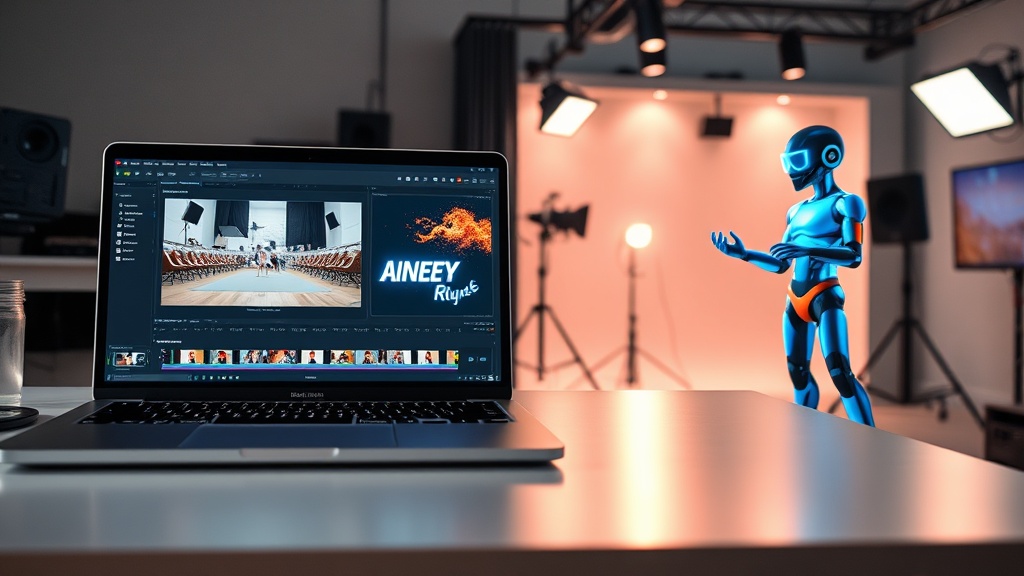
Choosing between Pika and Descript for your video editing needs requires understanding that these tools represent two entirely different philosophies of AI-driven creation. If you are a beginner, the decision isn't just about features; it is about whether you want to generate new visual content from scratch or refine existing footage through an intuitive text-based interface.
Pika is a powerhouse of generative AI, designed to bridge the gap between imagination and animation. Conversely, Descript has revolutionized the industry by turning video editing into a process that feels as simple as editing a Word document. Understanding these core differences is the first step toward mastering your video production workflow.
The Core Philosophy: Generation vs. Editing
Pika operates primarily as a generative video engine. It excels at taking a prompt—either a line of text or an uploaded image—and transforming it into a short, dynamic video clip. For beginners, Pika is essentially a digital canvas where the AI acts as the animator. You aren't "editing" in the traditional sense; you are prompting, iterating, and refining the AI's output until it matches your creative vision.
Descript takes the opposite approach. It is a non-linear editor that uses a transcript-first workflow. When you import a video, Descript transcribes the audio, and you edit the video by deleting or rearranging the text in that transcript. It is designed for creators who already have raw footage—like a podcast recording, an interview, or a vlog—and need to polish it into a professional final product without navigating complex timelines.
Why Pika is an AI Artist’s Playground
For the beginner who wants to create B-roll, motion graphics, or short cinematic clips without ever touching a camera, Pika is an exceptional entry point. Its interface is designed to be accessible, stripping away the technical hurdles of traditional animation software. You provide the prompt, select a style, and let the model handle the complex keyframing and rendering.
Why Descript is a Content Creator’s Workflow
Descript is built for efficiency. If your primary goal is to take a long-form video and slice it into bite-sized social media clips, Descript’s "Overdub" and "Filler Word Removal" features are game-changers. It eliminates the steep learning curve associated with platforms like Adobe Premiere Pro or DaVinci Resolve, making high-end editing accessible to anyone who can read and type.
User Interface and Ease of Learning
When we evaluate which tool is more beginner-friendly, we look at the "time-to-first-win." Pika offers a very satisfying immediate reward. Because it is optimized for short-form generation, you can generate a high-quality five-second clip in a matter of minutes. Its dashboard is clean, focusing on input fields and output galleries, which prevents the "feature bloat" that often overwhelms new editors.
Descript’s learning curve is slightly steeper, but only because it offers more control. Once you understand the concept of "editing by text," the interface feels remarkably intuitive. The sidebar provides easy access to effects, transitions, and AI voice cloning, keeping the main workspace focused on your transcript. For a beginner, the biggest hurdle in Descript is learning how to manage assets, whereas the hurdle in Pika is learning how to write effective prompts.
| Feature | Pika | Descript |
|---|---|---|
| Primary Workflow | Generative AI Video | Text-based NLE Editing |
| Best For | Animation, B-roll, Motion Art | Podcasts, Vlogs, Interviews |
| Learning Curve | Very Low (Prompting) | Moderate (Editing Workflow) |
| Output Type | Short Clips | Full-length Projects |
| Asset Management | Minimal | Robust |
Feature Set Comparison: What Can You Actually Do?
Pika’s strength lies in its ability to animate static images. If you have a storyboard or a prompt, you can use motion brushes to dictate exactly where the movement should occur. This is incredibly helpful for beginners who want to add life to static designs or social media posts. It is a creative exploration tool that encourages experimentation.
Descript, meanwhile, is an end-to-end production suite. Beyond the text-based editing, it includes studio-quality audio processing, screen recording, and multi-track editing capabilities. If you need to fix a bad audio take, add background music, or create captions that sync perfectly with your speech, Descript does this automatically. It is a utility tool meant to save hours of manual labor.
The Power of AI Voice and Audio
Descript’s standout feature is its AI voice cloning, which allows you to fix mistakes in your recording by simply typing the correct words. If you stumbled over a sentence, you can just type it out, and the AI will synthesize your voice to match the rest of the clip. Pika does not offer this, as it is strictly a visual-first platform.
The Power of Motion and Style
Pika offers a wide array of stylistic controls. You can emulate anime, 3D render, oil painting, or hyper-realistic styles with simple toggles. This level of aesthetic control is unmatched by Descript, which is designed to maintain the "realism" of your original footage rather than transforming it into something entirely new.
Workflow Integration: How They Fit Your Day
If you are a content creator, your workflow likely involves multiple stages: research, recording, editing, and distribution. Pika fits best in the "asset creation" stage. You might use it to generate an engaging hook for a video or to create a visual representation of a concept you are discussing. It is an auxiliary tool that adds flavor to your project.
Descript fits into the "production" stage. It is the engine that drives your entire project from start to finish. Once you have your raw files, you move them into Descript to assemble, trim, polish, and export. Because it supports multi-track editing, you can layer audio, video, and text overlays seamlessly.
Step-by-Step: A Typical Pika Workflow
- Write a descriptive prompt for the scene you envision.
- Upload a reference image if you have a specific style in mind.
- Use the motion brush to define movement areas.
- Generate the clip and iterate by adjusting the seed or prompt.
- Download the MP4 file for use in your primary editor.
Step-by-Step: A Typical Descript Workflow
- Import your raw video or audio file.
- Wait for the automatic transcription.
- Edit the video by deleting text in the transcript (the video cuts follow automatically).
- Use the "Remove Filler Words" tool to clean up your dialogue.
- Add captions, background music, or stock footage from the library.
- Export the final project for social media or web.
Pricing and Accessibility
Both platforms operate on a freemium model, but the value proposition differs. Pika typically offers a credit-based system where you receive a set amount of generations per month. This is ideal for beginners who are just testing the waters. You aren't locked into a massive commitment, and the cost scales with your usage.
Descript offers a more traditional subscription tier system. You get access to a set number of transcription hours and cloud storage. For a beginner, the free tier is usually generous enough to experiment with a few short-form projects. However, if you plan on producing long-form content, you will likely need to upgrade to a paid plan to remove watermarks and increase transcription limits.
Expert Tips for Beginners
If you choose Pika, focus on your prompting. The quality of your video is directly tied to how descriptive your text input is. Instead of saying "a cat running," try "a cinematic shot of a fluffy orange cat sprinting through a sunlit garden, shallow depth of field, 4k." Learning the language of the AI will save you from wasted credits.
If you choose Descript, lean into the templates. Beginners often spend too much time trying to manually align captions or create intro sequences. Descript has a massive library of pre-built templates that look professional and take seconds to apply. Use these to establish your brand identity without needing a degree in graphic design.
Final Thoughts
When deciding between Pika and Descript, ask yourself what "video editing" means to you. If you want to build a library of stunning, custom-generated clips to spice up your social media content, Pika is the more accessible and creative choice. It is a tool for visionaries who want to bring abstract ideas to life without the need for expensive cameras or animation software.
However, if your goal is to streamline the production of interviews, podcasts, or tutorials, Descript is the clear winner. It removes the technical friction of editing, allowing you to focus on the story rather than the timeline. It is the ultimate tool for the modern creator who values time and efficiency above all else. Neither is inherently "better"—they simply serve different stages of the creative process. If you are serious about content creation, you might eventually find that using both in tandem creates the most professional results possible.
Are you ready to start your first project? Pick the tool that matches your immediate goal and dive in—both have free tiers that make it easy to start creating today.
Frequently Asked Questions
Can I use Pika to edit existing long-form video files?
Pika is primarily a generative AI tool focused on creating video from text or images. It is not designed for traditional timeline-based editing of long-form footage, unlike Descript.
Is Descript better for podcasters or social media creators?
Descript is the industry standard for podcasters due to its text-based audio editing capabilities, but it is equally powerful for social media creators who need to repurpose video content quickly.
Do I need a powerful computer to run these AI tools?
Both Pika and Descript are cloud-based platforms, meaning the heavy lifting happens on their servers. You can run them on most modern laptops or desktops with a stable internet connection.
Our Rating

Nethmina is the founder of AI Tools Wire and an AI software developer who builds automation tools and tests new AI products hands-on every week.
📬 Get new articles by email
Subscribe for the latest AI tools, guides, and tips. No spam — unsubscribe anytime.
Related Articles
Stable Diffusion vs Runway: 2026 AI Image & Video Comparison
Choosing between Stable Diffusion vs Runway? Discover which AI tool wins for image generation, video production, and creative control in our expert breakdown.

DALL-E vs Leonardo AI: Which Image Generator is Best for Art?
Choosing between DALL-E vs Leonardo AI for your creative projects? Compare features, artistic control, and ease of use to find the best tool for your workflow.

Claude vs Midjourney: Which AI Wins at Creativity in 2026?
Claude vs Midjourney: We compare text-based intelligence and visual artistry to see if AI writes better than it draws. Find the right tool for your workflow.