
Stable Diffusion vs Runway: 2026 AI Image & Video Comparison
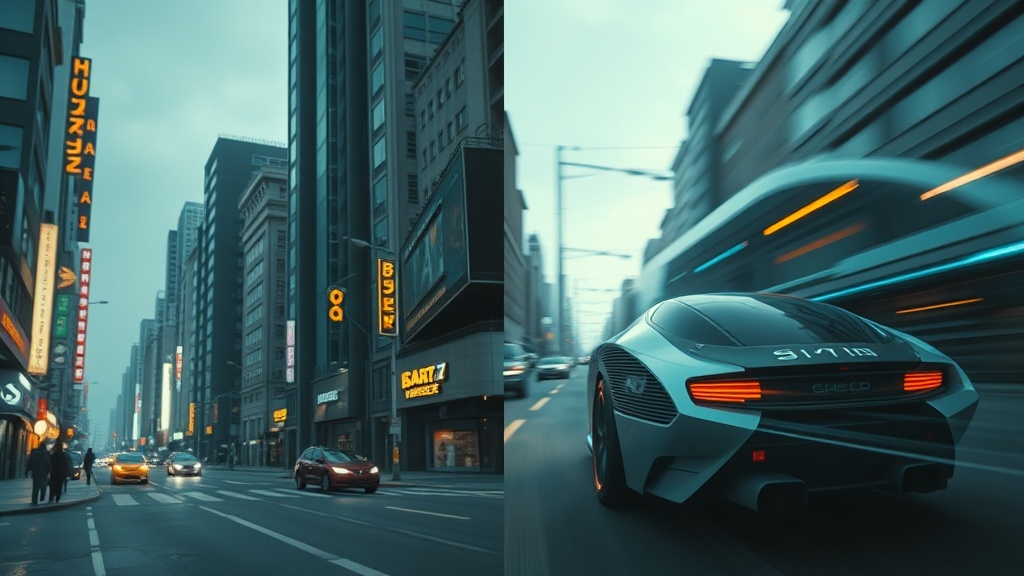
Comparing Stable Diffusion vs Runway reveals the two most prominent paths in the generative AI landscape: the open-source power of local control versus the streamlined, cloud-based efficiency of professional creative suites. Deciding between them depends less on which tool is objectively "better" and more on your technical capacity, your hardware budget, and whether your primary focus is static imagery or motion media.
Stable Diffusion acts as a foundational engine that developers and artists can modify, train, and host on their own terms. Conversely, Runway serves as a polished, all-in-one production studio that abstracts away the complexity of neural networks to provide immediate, high-fidelity video and image results. Understanding these fundamental differences is the first step toward building an effective AI-assisted creative workflow.
The Architecture of Choice: Local vs. Cloud
The most significant divergence between these two platforms lies in their deployment. Stable Diffusion is an open-source model that you can run locally on your own GPU-equipped computer. This offers unparalleled privacy and freedom, as you are not bound by a company’s terms of service or content moderation filters. Because you own the environment, you can install custom checkpoints, LoRAs (Low-Rank Adaptation models), and control-nets that tailor the output to your specific aesthetic or functional needs.
Runway, by contrast, is a cloud-based platform. You access it through your web browser, meaning your computer specs are largely irrelevant to the speed or quality of the generation. The trade-off for this convenience is a reliance on their servers and a subscription-based credit system. While you lose the ability to tweak the underlying model architecture, you gain access to a suite of professional-grade editing tools, including frame interpolation, motion brushes, and rotoscoping, all unified under a single, intuitive interface.
Stable Diffusion: The Power User’s Playground
For those who demand total control, Stable Diffusion is the industry standard. Because it is open-source, the community has built an immense ecosystem of interfaces and plugins. Tools like Automatic1111, Forge, and ComfyUI allow for node-based workflows that can automate complex generation sequences. You can dictate exactly how the model interprets your prompt, how much weight to give to specific style tokens, and even train the model on your own face or specific art style using Dreambooth.
| Feature | Stable Diffusion | Runway |
|---|---|---|
| Hosting | Local / Cloud API | Cloud Only |
| Learning Curve | High | Low to Moderate |
| Control | Granular (Nodes/Weights) | Intuitive (Brushes/Sliders) |
| Video | Requires Plugins/Extensions | Native & Purpose-Built |
| Privacy | High (Offline capable) | Moderate (Cloud-based) |
The versatility of Stable Diffusion shines in its ability to handle "ControlNet." This feature allows you to guide the AI’s composition using sketches, depth maps, or pose estimates. If you are an illustrator or a 3D designer, you can feed your rough wireframe into Stable Diffusion, and it will render it into a polished image that strictly adheres to your original geometry. This level of precision is difficult to replicate in most other consumer-grade AI tools.
Runway: The Professional Creative Studio
Runway positions itself as the "next generation of creative tools," and it succeeds by focusing on the video editing workflow. While Stable Diffusion is primarily an image generator that can be "stretched" to create video, Runway is a video-first platform. Its "Gen-2" and subsequent models are designed specifically for temporal consistency, meaning the AI understands how objects should move across multiple frames, leading to less flickering and more realistic motion.
The platform is best known for its "Motion Brush" and "Camera Motion" features. With these, you can upload a static image and paint over an area—like water in a river or clouds in the sky—to tell the AI exactly what should move and in what direction. This provides a level of directorial control that is simply not present in standard text-to-image models. It is an essential tool for filmmakers, marketing agencies, and motion designers who need to turn concepts into moving visuals rapidly.
Comparing Workflow and Speed
The workflow for Stable Diffusion is inherently iterative and experimental. You might spend hours tweaking a single prompt, adjusting the "denoising strength," or testing different samplers to get the perfect result. It is a tool for hobbyists and professionals who enjoy the "tinkering" aspect of technology. You must also manage your own storage for models, which can occupy dozens of gigabytes of hard drive space.
Runway’s workflow is linear and goal-oriented. You sign in, upload your asset, apply your effect, and render. There is no need to worry about VRAM limitations, driver updates, or model compatibility. For a busy professional, this is a massive advantage. If you have a deadline, the predictability of Runway’s cloud infrastructure ensures that you can get your work done without the troubleshooting that often accompanies a local Stable Diffusion setup.
Technical Requirements and Accessibility
To run Stable Diffusion effectively, you need a machine with a capable dedicated GPU—preferably an NVIDIA card with at least 8GB to 12GB of VRAM. If your hardware is not up to par, your generation times will be frustratingly slow, or the software may crash entirely. This creates a high barrier to entry for users on older laptops or Mac devices, although optimization efforts are constantly improving.
Runway is platform-agnostic. As long as you have a stable internet connection and a modern web browser, you have the same experience as a user on a top-tier workstation. This makes it ideal for collaborative teams where multiple designers need to access the same assets. You can export projects, share workspaces, and utilize cloud rendering, which removes the burden from your local hardware and allows you to continue working on other tasks while the AI processes your video.
Step-by-Step: Choosing Your Path
If you are currently deciding which tool to adopt for your creative projects, follow these steps to make an informed choice:
- Assess your hardware: Do you have a powerful GPU? If yes, consider Stable Diffusion to save on subscription costs. If no, Runway is the logical choice.
- Define your output: Are you creating static illustrations, character designs, or textures? Stable Diffusion is superior here. Are you creating B-roll for video, cinematic sequences, or social media clips? Runway is purpose-built for these tasks.
- Evaluate your technical patience: Are you willing to spend time learning how to manage models, update software, and troubleshoot errors? If yes, the freedom of Stable Diffusion is unmatched. If you want a "push-button" solution, choose Runway.
- Consider the budget: Stable Diffusion is effectively "free" (minus electricity and hardware costs). Runway will require a monthly recurring fee if you plan to use it for high-volume, professional work.
Final Thoughts
The choice between Stable Diffusion and Runway eventually boils down to the trade-off between control and convenience. Stable Diffusion is the tool of the craftsman: it is infinitely customizable, private, and powerful, provided you have the technical aptitude and hardware to support it. It is the best choice for artists who want to own their pipeline from end to end and aren't afraid of a steep learning curve.
Runway, conversely, is the tool of the filmmaker and the creative agency. It is polished, reliable, and designed to fit seamlessly into a professional production workflow. It eliminates the technical overhead of AI, allowing you to focus entirely on the creative vision rather than the underlying neural network. Whether you choose the open-source freedom of Stable Diffusion or the streamlined power of Runway, both tools offer incredible potential to elevate your creative output. If you are ready to start, try the free tier of Runway for your next video project or experiment with a local Stable Diffusion installation this weekend to see which workflow feels more natural to your creative process.
Frequently Asked Questions
Is Stable Diffusion better for beginners than Runway?
Stable Diffusion typically has a steeper learning curve because it often requires local installation or technical interfaces like Automatic1111. Runway is a web-based, user-friendly platform designed for creative professionals who prefer an intuitive, plug-and-play experience.
Can I use Stable Diffusion for video generation?
Yes, through extensions like AnimateDiff or Deforum, Stable Diffusion can generate video. However, it requires significant hardware and technical setup compared to Runway, which is purpose-built for high-quality video synthesis.
Which tool is more cost-effective for long-term projects?
Stable Diffusion is generally more cost-effective if you have the hardware to run it locally, as you avoid subscription fees. Runway operates on a credit-based model, which is convenient but can become expensive for high-volume production.
Our Rating

Nethmina is the founder of AI Tools Wire and an AI software developer who builds automation tools and tests new AI products hands-on every week.
📬 Get new articles by email
Subscribe for the latest AI tools, guides, and tips. No spam — unsubscribe anytime.
Related Articles
ElevenLabs vs Jasper: Can AI Voice Tools Replace Writers?
Struggling to choose between ElevenLabs vs Jasper? Learn if AI voiceover tools can actually replace writers or if they are meant to work in tandem.
Pika vs CapCut AI: Choosing the Best Video Editor for 2026
Comparing Pika vs CapCut AI to find the best tool for your workflow. Discover which AI video editor offers more features, better control, and higher quality.
Fliki vs Murf: Which AI Produces More Natural Voiceovers?
Struggling to choose? Our expert Fliki vs Murf comparison breaks down voice quality, customization, and features to help you pick the best AI voice generator.