
Suno vs CapCut AI: Which Is Best for Your 2026 Creative Workflow?
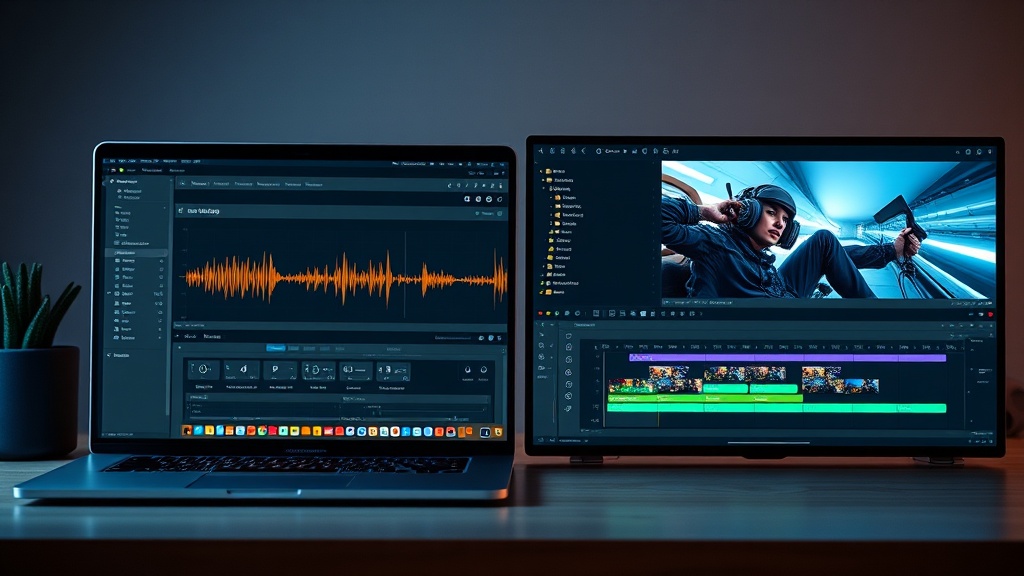
Comparing Suno vs CapCut AI requires understanding that these tools serve two distinct but often overlapping roles in the modern digital creator's toolkit. While both leverage sophisticated machine learning to streamline production, Suno is a specialized engine for generative music and audio, whereas CapCut AI is a comprehensive video editing suite designed to handle the entire visual narrative. Choosing between them isn't about finding the "better" tool in a vacuum, but rather identifying which solution solves the specific bottleneck in your content creation process.
The Core Philosophy of Each Platform
Suno operates on the principle of generative audio synthesis. Its primary objective is to turn natural language prompts into full-length, high-fidelity musical compositions. It understands genre, tempo, lyrical structure, and instrumentation, allowing creators to produce custom soundtracks without needing a background in music theory or audio engineering. It is essentially a virtual studio that sits in your browser.
CapCut, conversely, is an ecosystem. Its AI capabilities are integrated into a timeline-based editor, focusing on visual storytelling, automated captioning, color correction, and dynamic transitions. While CapCut has introduced AI-powered audio features, these are primarily focused on enhancement—such as voice isolation, loudness normalization, and beat-syncing—rather than creating musical compositions from scratch.
Assessing Suno AI for Audio Production
Suno has fundamentally shifted how independent creators approach licensing and royalty-free music. Traditionally, finding the right background track involved scouring stock audio sites for hours, often settling for generic tracks that were used by thousands of other creators. Suno eliminates this by letting you describe the exact mood, energy, and lyrical content you need.
Why Creators Choose Suno
The primary advantage of Suno is the ability to generate "bespoke" audio. If you are creating a video about a specific niche—perhaps a futuristic tech review or a nostalgic travel vlog—you can prompt Suno for a "lo-fi synth-wave track with a melancholic piano melody." This level of control ensures your content feels unique and professional.
Another significant benefit is the ease of iteration. If a generated track doesn't quite fit the pacing of your video, you can simply adjust your prompt or request a variation. This iterative process is much faster than searching through massive libraries, making it a favorite for creators who need to maintain a high output volume without sacrificing quality.
Practical Limitations
Despite its power, Suno is not a DAW (Digital Audio Workstation). You cannot perform surgical edits on individual tracks, adjust the EQ of a single instrument, or easily splice together different segments of a song within the platform. Once the audio is generated, it is essentially a finished product. If you need complex mixing capabilities, you will eventually have to export your Suno files into professional audio editing software.
Exploring CapCut’s AI-Driven Video Workflow
CapCut has evolved from a simple mobile trimming tool into a desktop powerhouse that rivals industry-standard software. Its AI integration is less about "creation" and more about "optimization." The platform is designed to take raw footage and intelligently arrange it into something engaging, using AI to handle the tedious parts of the editing process.
Intelligent Features for Video Editors
The strength of CapCut lies in its automation. Features like "Auto-Captions," which transcribe spoken word with impressive accuracy, save creators hours of manual labor. Furthermore, the AI-driven "Smart Tools" can automatically remove backgrounds, upscale low-resolution footage, and suggest transitions that match the beat of your music.
CapCut also excels at "Auto-Cut," a feature that allows users to upload a collection of clips and have the AI assemble them into a cohesive sequence based on a chosen style or musical rhythm. This is particularly useful for short-form content creators on platforms like TikTok or Instagram, where speed is more important than granular control over every frame.
The Audio Integration Aspect
While CapCut doesn't generate music like Suno, it does offer excellent audio-visual synchronization tools. You can import your Suno-generated tracks into CapCut and use the "Beat Sync" feature to automatically align your video cuts with the peaks and troughs of your audio. This synergy between the two tools is where the most advanced creators find the most value.
Side-by-Side Comparison: Key Capabilities
| Feature | Suno AI | CapCut AI |
|---|---|---|
| Primary Use | Generative Music & Vocals | Video Editing & Visual Effects |
| Input Method | Text-to-Audio Prompts | Video Clips, Images, Text |
| Output Type | MP3/WAV Audio Files | MP4 Video Files |
| Best For | Unique Soundtracks | Social Media Content |
| Learning Curve | Low (Prompt-based) | Moderate (Timeline-based) |
| Customization | Low (Limited to prompting) | High (Full timeline control) |
The Synergy: Using Both Tools Together
The most effective strategy for high-authority content creators is to stop viewing these tools as competitors and start using them as a combined pipeline. You can use Suno to generate a unique, copyright-safe soundtrack that fits your brand’s personality, then pull that file into CapCut to serve as the heartbeat of your video edit.
Step-by-Step Workflow Integration
- Define the Mood: Start by brainstorming the theme of your video. Use Suno to generate a 30-to-60-second track that matches that energy.
- Refine the Audio: If the generated audio needs a boost, use CapCut’s built-in "Loudness Normalization" or "Voice Isolation" to ensure the music doesn't drown out your narration.
- Beat Syncing: Once the music is in your CapCut timeline, use the "Auto-Beat" detection feature. This places markers on your timeline that indicate the perfect moments to cut your footage.
- Final Polish: Apply your captions, color grades, and transitions within CapCut to wrap up the project.
This workflow ensures that your audio is entirely original and your video is perfectly paced, creating a professional result that stands out from the crowd of creators using recycled stock assets.
Pricing and Accessibility Considerations
Both platforms follow a "freemium" model, which is excellent for creators who are just starting out. Suno typically offers a free tier that allows for a limited number of generations per day, with paid subscriptions providing higher quotas, commercial rights to your generated music, and faster generation speeds.
CapCut, on the other hand, provides a robust free version that is surprisingly feature-rich. Many of its advanced AI tools are included for free, though certain premium effects, cloud storage, and advanced export options are reserved for "CapCut Pro" subscribers. The cost of entry for both is low, generally starting in the low single-digit dollars per month, making them accessible to hobbyists and professionals alike.
Pros and Cons for Your Content Strategy
Suno AI
- Pros: Truly original music, no copyright issues, extremely fast, great for unique brand identity.
- Cons: Limited editing control, cannot change individual instrument tracks, requires external software for mixing.
CapCut AI
- Pros: Incredible time-saving automation, industry-standard video effects, excellent mobile/desktop cross-platform support.
- Cons: Music generation is not native, the interface can become cluttered for complex projects, relies on stock music libraries.
Final Thoughts
When deciding between Suno vs CapCut AI, remember that you are choosing between a composer and a director. Suno acts as your on-demand music producer, while CapCut serves as your visual editor and post-production studio. For the best results, do not limit yourself to one or the other. By integrating Suno’s generative audio capabilities into CapCut’s versatile video editing environment, you create a seamless production loop that produces high-quality, original content that is both visually engaging and aurally unique. If your goal is to build a sustainable and recognizable brand in 2026, investing time in mastering the workflow between these two tools will pay dividends in the quality of your output. Start by experimenting with a simple 30-second project today—generate a custom track in Suno and sync it to a highlight reel in CapCut to see the difference for yourself.
Frequently Asked Questions
Can I use Suno AI music in my CapCut video projects?
Yes, you can generate high-quality audio tracks in Suno, download them, and import them directly into your CapCut timeline as background music or sound effects.
Does CapCut AI include music generation features?
CapCut offers a vast library of stock music and some AI-driven audio enhancement features, but it does not generate original compositions from text prompts like Suno does.
Which tool is better for a beginner content creator?
CapCut is generally better for beginners needing an all-in-one video editor, while Suno is the superior choice if your primary goal is creating original music or unique soundscapes.
Our Rating

Nethmina is the founder of AI Tools Wire and an AI software developer who builds automation tools and tests new AI products hands-on every week.
📬 Get new articles by email
Subscribe for the latest AI tools, guides, and tips. No spam — unsubscribe anytime.
Related Articles

Perplexity vs Grok: Choosing the Best AI Search Tool in 2026
Comparing Perplexity vs Grok in 2026 to help you choose the best AI search tool for real-time data, source transparency, and conversational accuracy.

Notion AI vs Canva AI: Which All-in-One Tool Wins for Creators?
Struggling to choose between Notion AI and Canva AI? We compare these powerhouses to help you find the best creative workflow for your productivity needs.

Jasper vs Copy.ai: Which AI Writing Assistant Wins in 2026?
Struggling to choose? Our expert Jasper vs Copy.ai comparison breaks down features, workflows, and brand voice accuracy to help you pick the best AI tool.